
QuickBooks Online Guides
Clear, step-by-step guides for getting more out of QuickBooks Online — building the reports you rely on, solving what QuickBooks can't, and comparing your options.
July 30, 2026
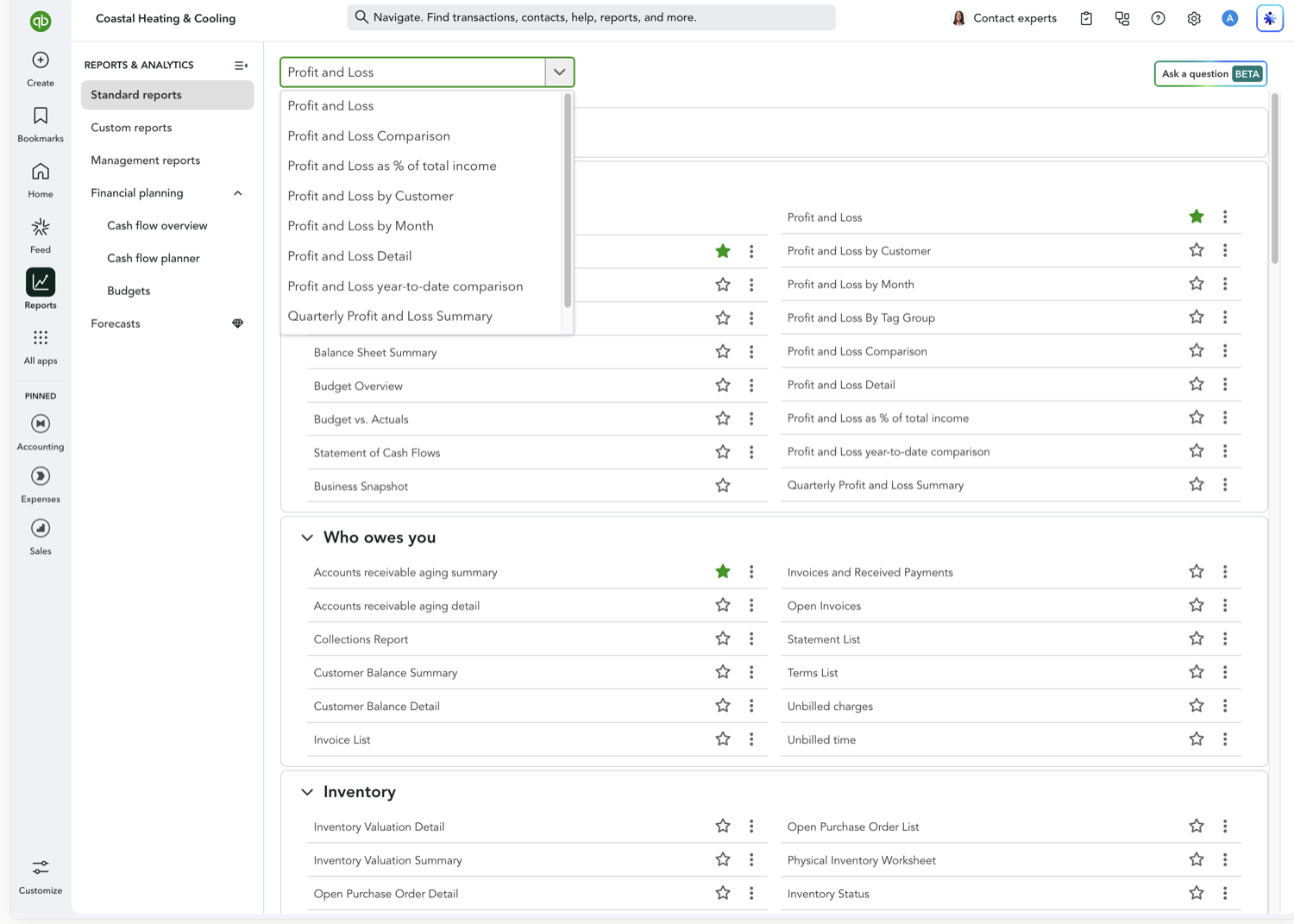
Breaking your Profit and Loss out by month is the fastest way to spot seasonality, catch a spending spike early, and see whether revenue is trending up or down. Here's how to build one in QuickBooks Online's new modern view.

Aubrey Threadgill
September 15, 2026
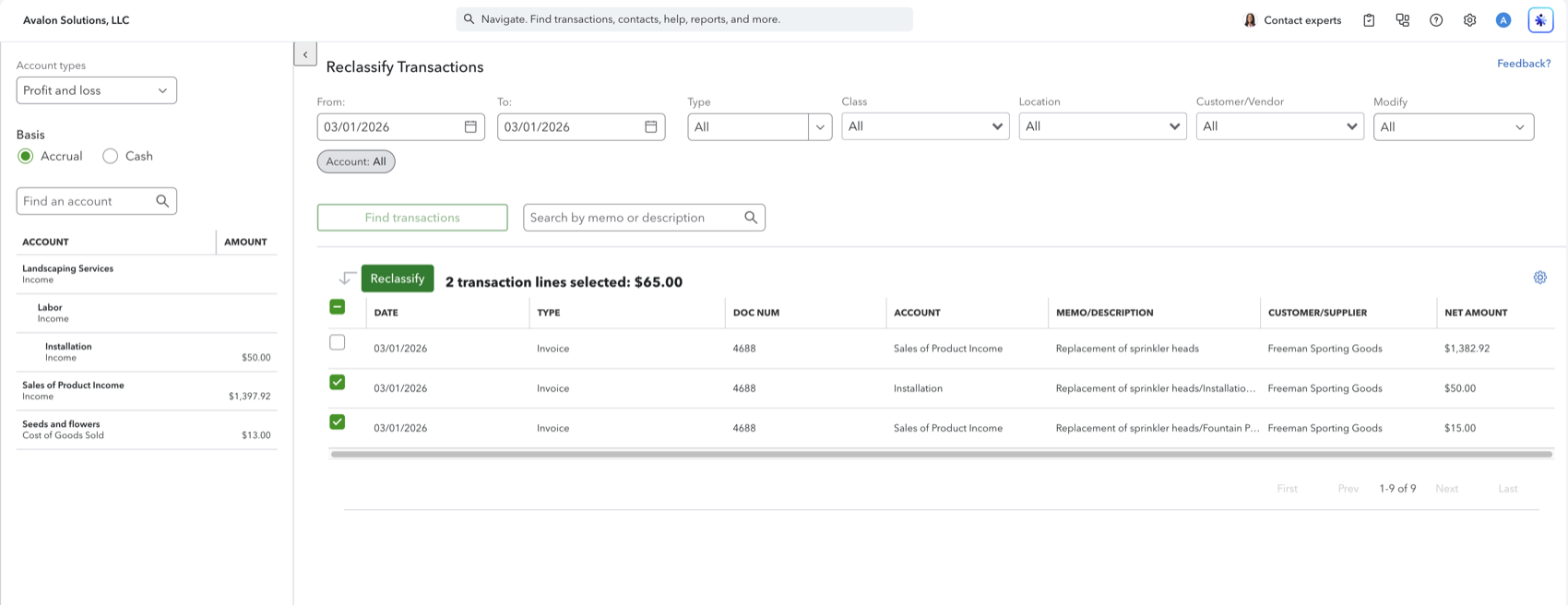
If the Type is Invoice, Reclassify cannot change the account. The income account lives on the product or service. Here is the error and how to move the amount.
Aubrey Threadgill
August 26, 2026
Intercompany journal entries, cross-company bill pay, allocation templates, dimensions, and consolidation, plus what IES costs and when a consolidated workbook is enough instead.
Aubrey Threadgill
August 26, 2026
QuickBooks rebuilt the Sales Tax Liability report. How to find it, read the nested jurisdictions, drill down accurately, pivot by tax rate, and combine district taxes for your state form.
Aubrey Threadgill
August 26, 2026
QuickBooks Advanced added project phases, AIA-style progress invoicing, and change orders. What each one does, how they connect, and what still lands in a spreadsheet.
Aubrey Threadgill
August 26, 2026
Define chart of accounts, company settings, policies, books close, team access, and custom fields once, then apply them to up to 1,000 clients at a time.
Aubrey Threadgill
July 30, 2026
What changed in QuickBooks Online's new reporting experience, what stayed the same, and where the controls moved.
Aubrey Threadgill
October 15, 2026
Simple Start, Essentials, Plus, and Advanced side by side, from the reporting angle: what each plan can report on and where the real jump is.
Aubrey Threadgill
August 17, 2026
QuickBooks Online retired Classic reports in 2026. What Modern Reports changed, what stayed the same, and how to get your reports into Google Sheets.
Aubrey Threadgill
September 23, 2026
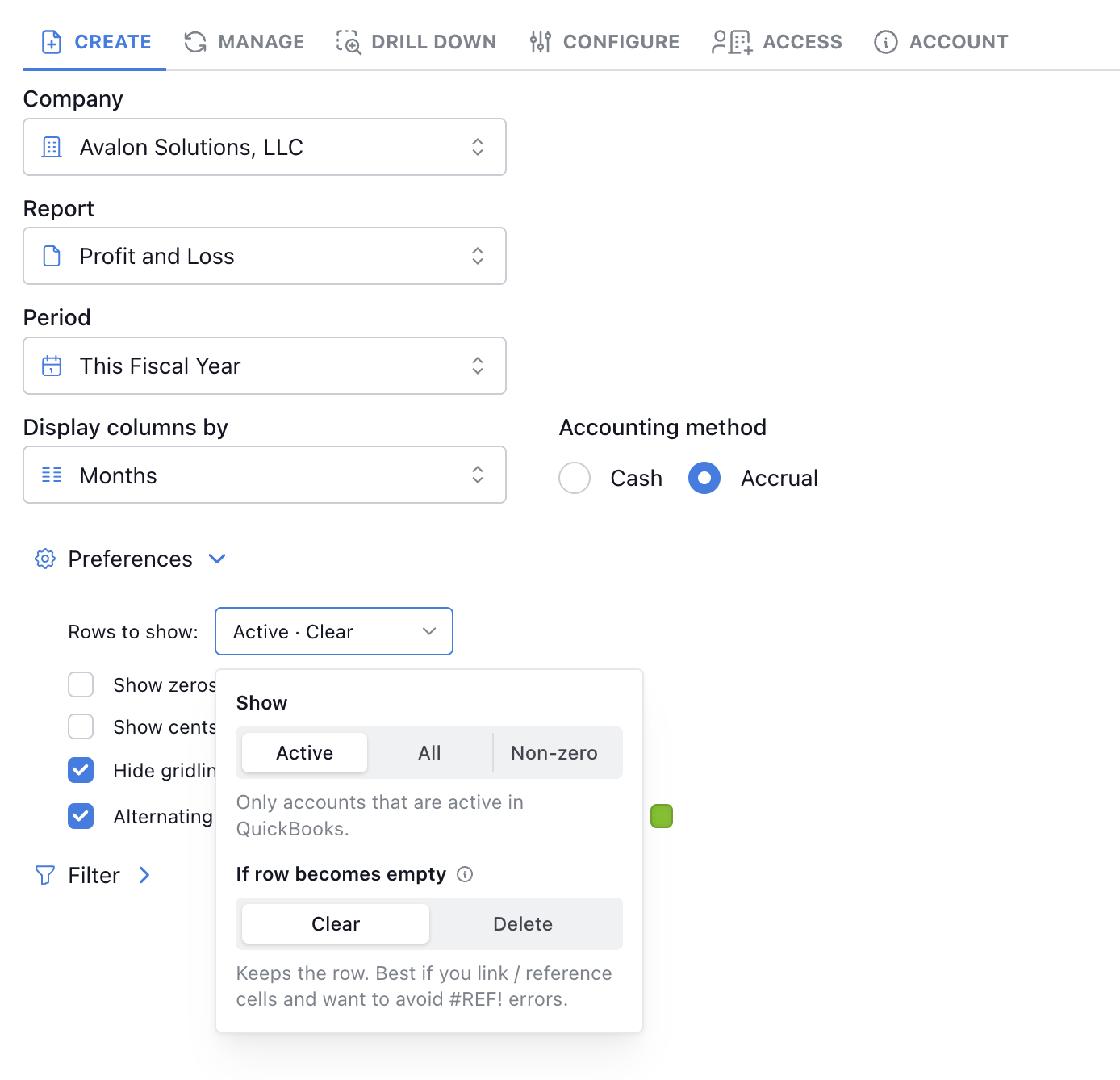
When a QuickBooks account drops off a Retriever refresh, Clear keeps the row and blanks the amounts. Delete removes the row. Clear is the default.
Aubrey Threadgill
August 28, 2026
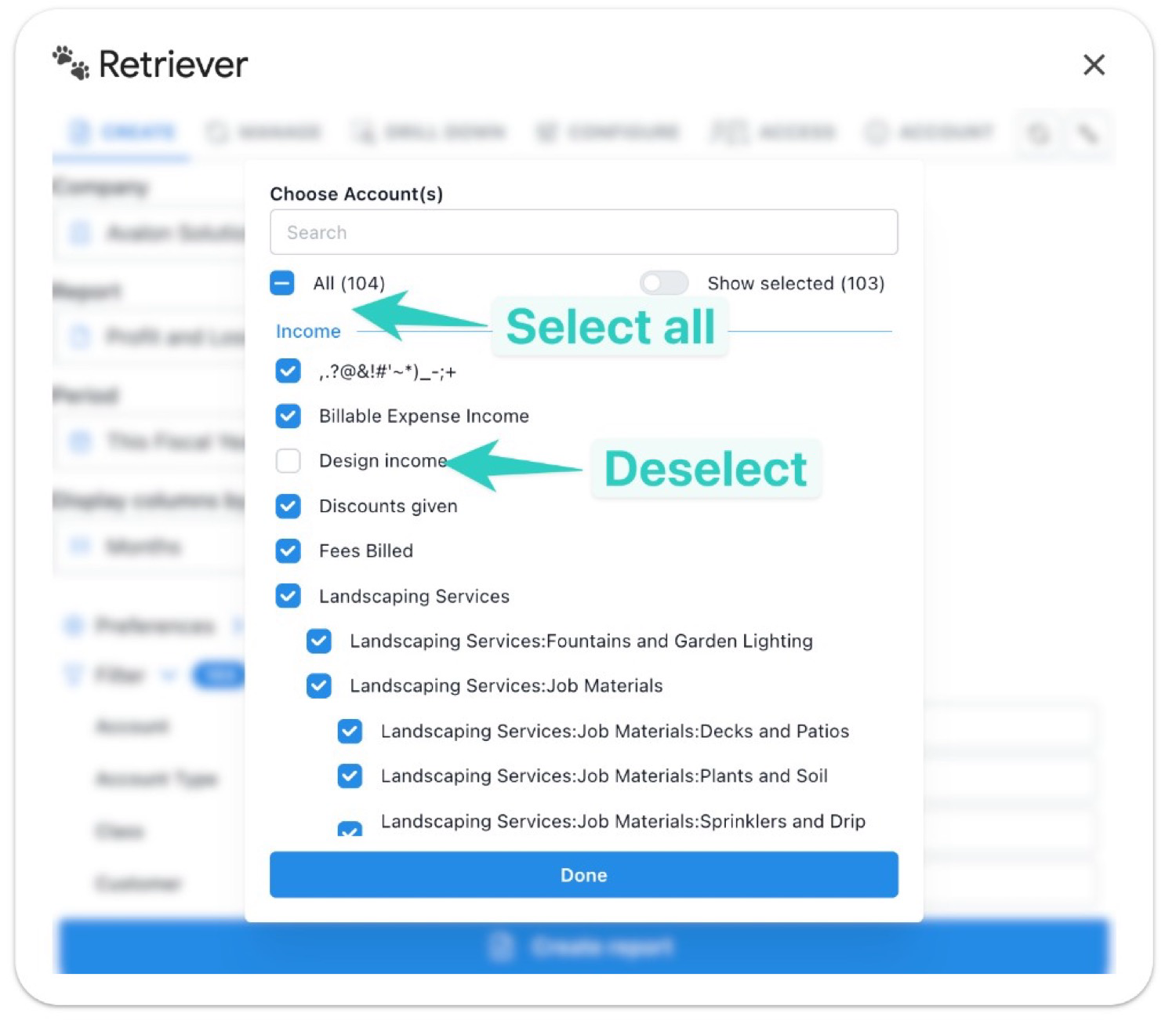
Select all accounts then deselect a few, or use the is not filter so new QuickBooks accounts still appear on your P&L.
Aubrey Threadgill
August 3, 2026
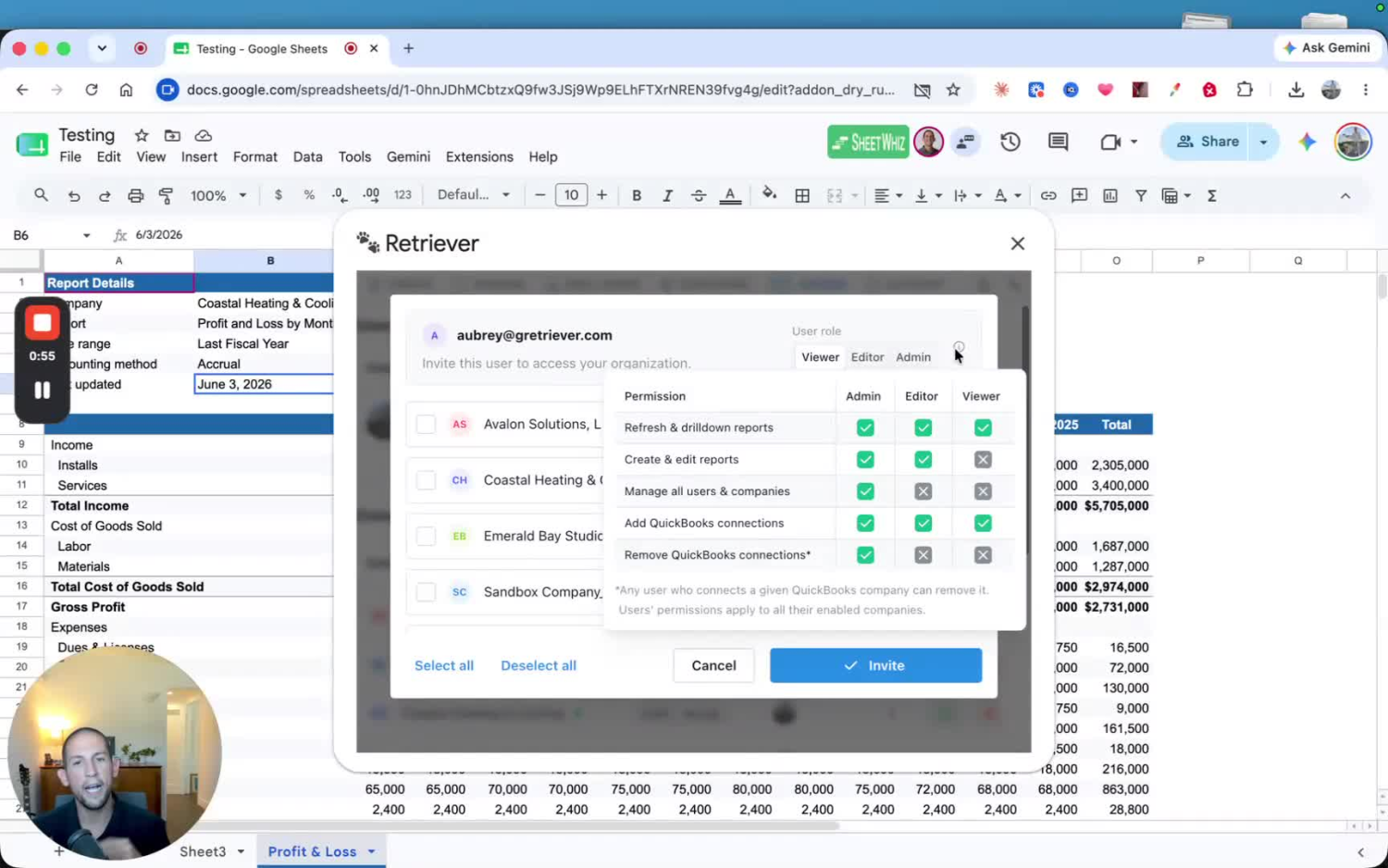
Invite your clients as view-only users so they can refresh and drill down into their own QuickBooks reports — without seeing your other clients, users, or companies.
Aubrey Threadgill
August 12, 2026
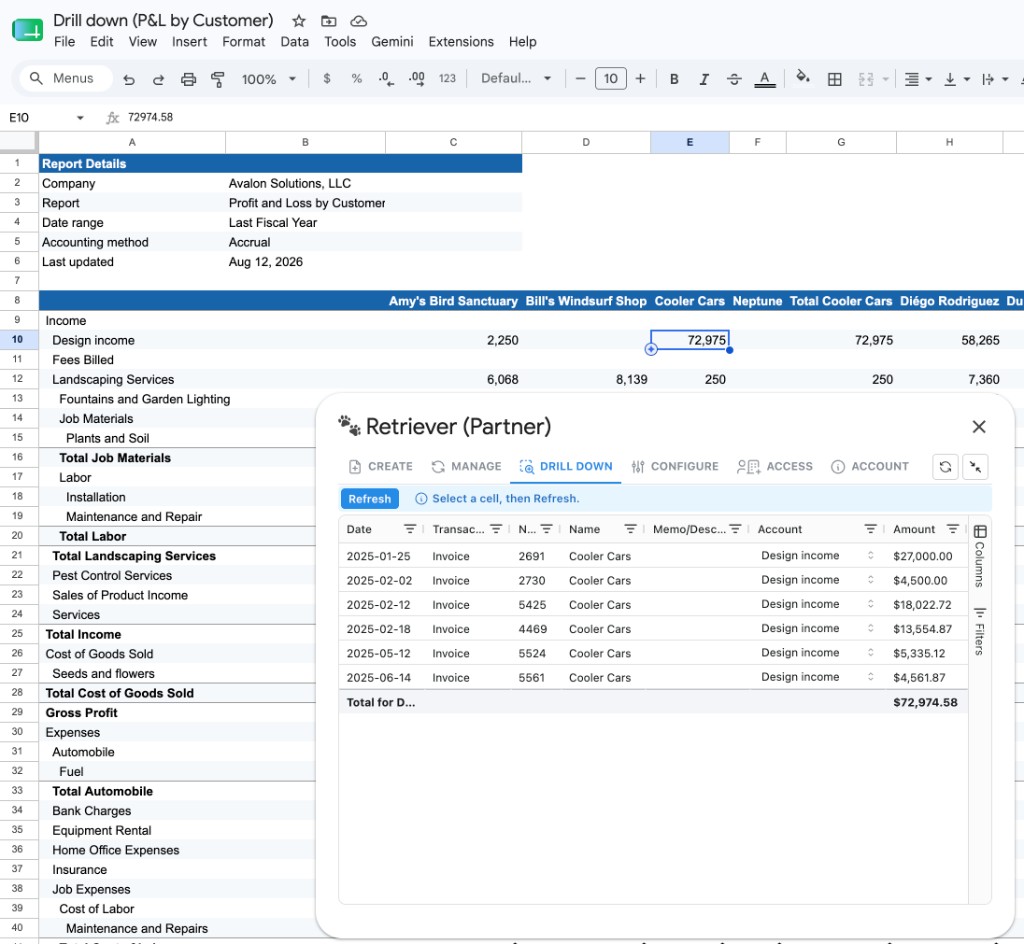
Retriever can now open the transactions behind a cell when columns are customers, classes, locations, or vendors (in addition to dates). Budget vs. Actuals drills from Actual columns.
Aubrey Threadgill
July 30, 2026
Not every customer is equally profitable. Splitting your Profit and Loss by customer shows you which relationships are actually driving margin, and which ones might be costing you more than they're worth.
Aubrey Threadgill
July 30, 2026
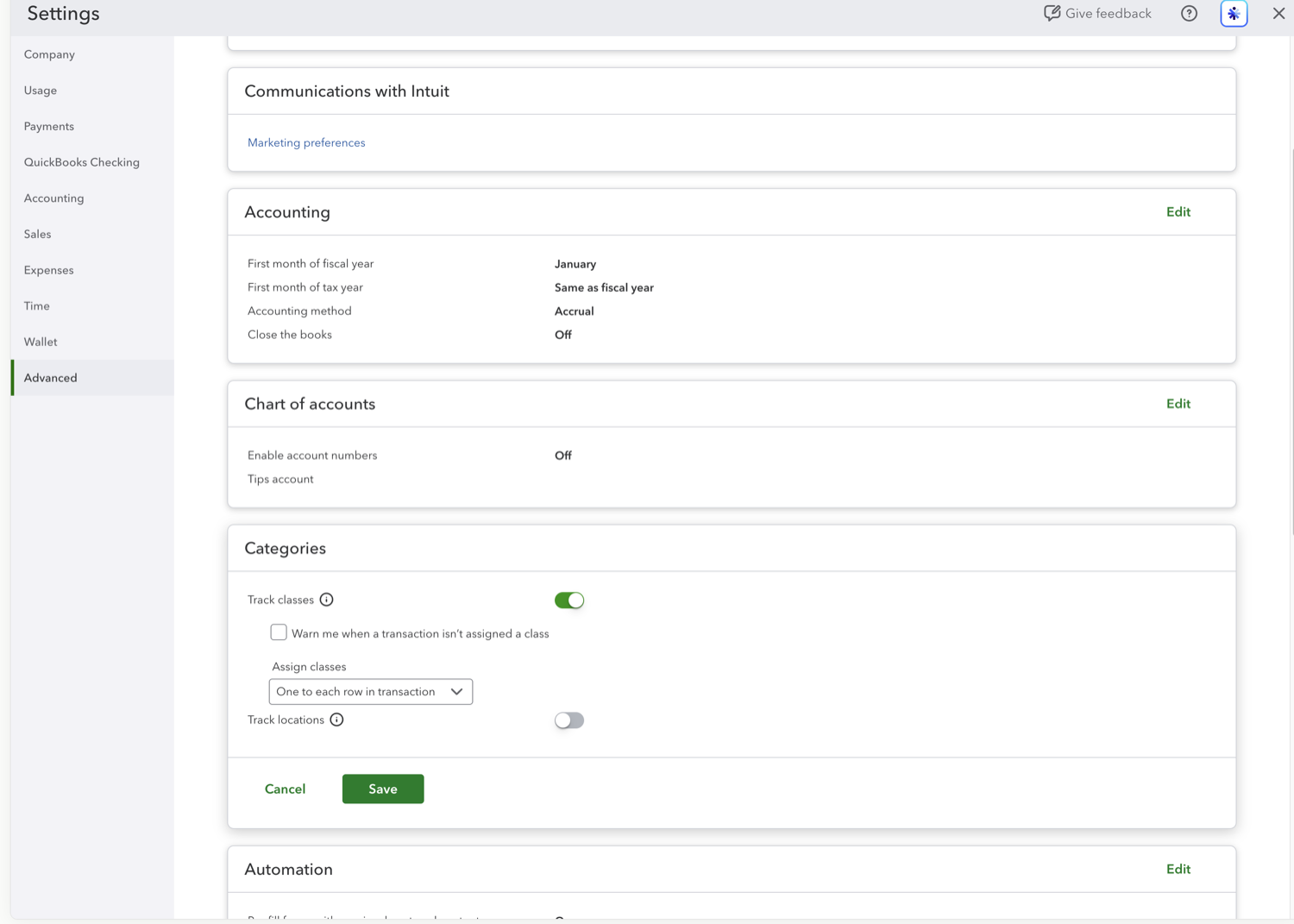
If you use QuickBooks Online classes to track departments, programs, locations, or business lines, a Profit and Loss by Class report is one of the most useful views you can build. Here's how to set it up in the new modern view.
Aubrey Threadgill
July 30, 2026
Quarterly Profit and Loss reports strike a balance between month-level detail and a full annual summary, useful for board updates, investor reporting, or your own quarterly check-ins. Here's how to build one in QuickBooks Online.
Aubrey Threadgill
July 30, 2026
A comparative Profit and Loss report puts this year and last year side by side, so you can see growth (or decline) at a glance without exporting two separate reports. Here's how to set it up in QuickBooks Online.
Aubrey Threadgill
July 30, 2026
A month-over-month Profit and Loss comparison puts a month next to the one before it, so you can catch a cost creeping up or revenue slipping before it becomes a trend. Here's how to build one in QuickBooks Online.
Aubrey Threadgill
July 30, 2026
A quarter-over-quarter Profit and Loss comparison lines a quarter up against the previous quarter, handy for board decks and investor updates where month-level noise gets in the way. Here's how to build one in QuickBooks Online.
Aubrey Threadgill
July 30, 2026
A year-to-date comparison answers a simple question: are we ahead of or behind where we were this time last year? It lines the year so far up against the same span in the prior year. Here's how to build one in QuickBooks Online.
Aubrey Threadgill
September 15, 2026
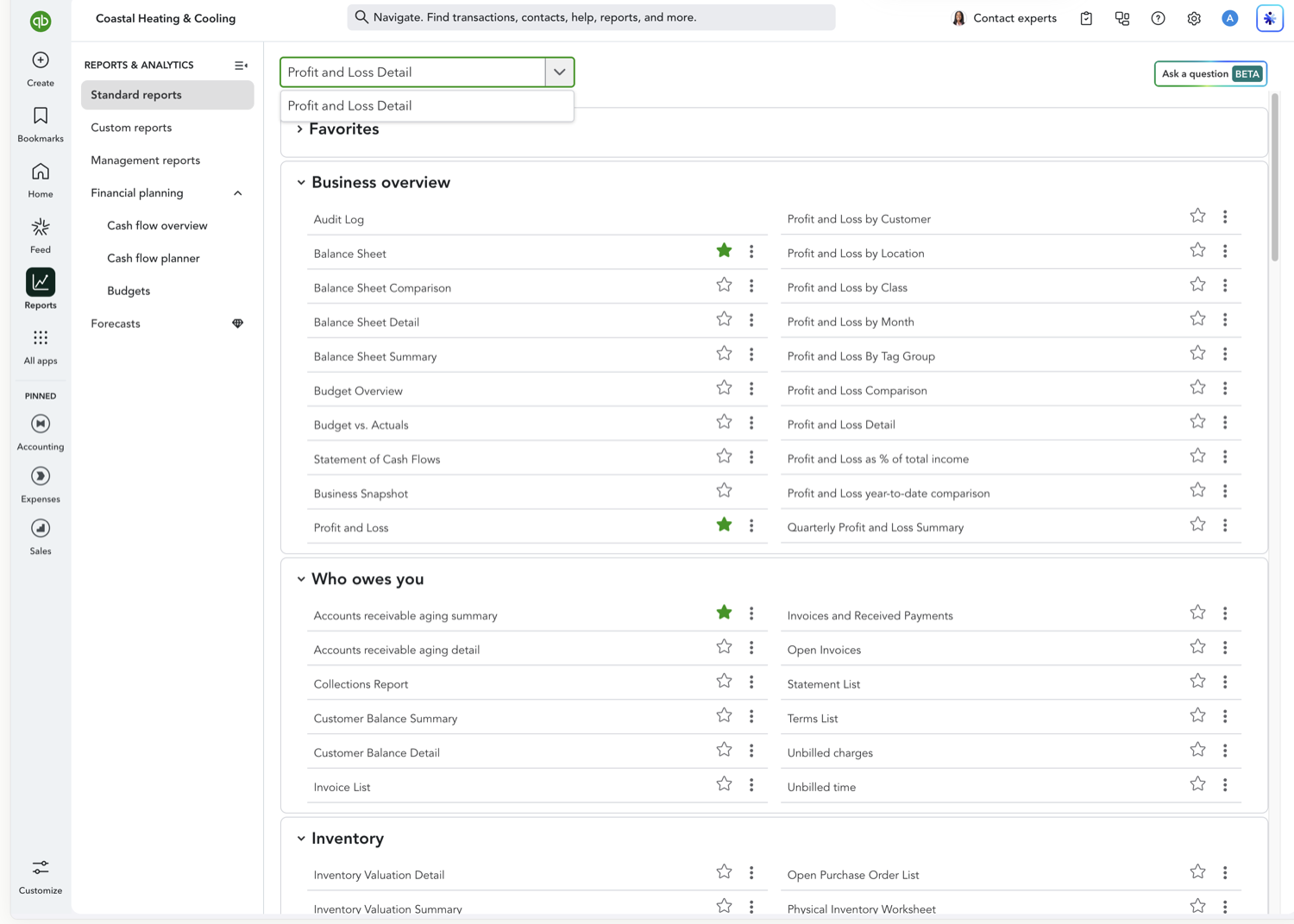
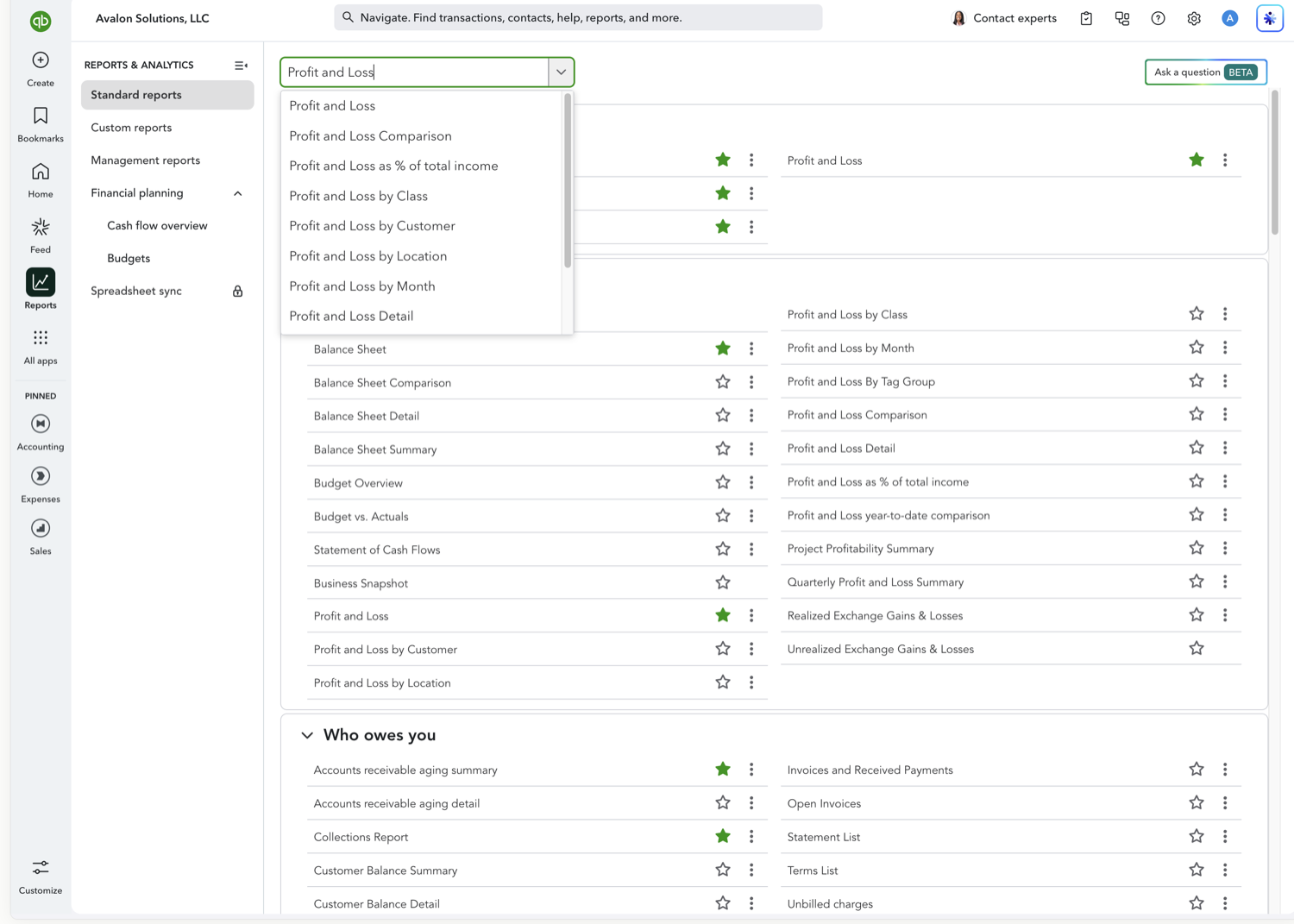
When a Profit and Loss summary raises a question (why did travel expense spike this month?), the Detail report is where you find the answer. It lists every transaction behind each account, not just the totals.
Aubrey Threadgill
July 30, 2026
If you run multiple stores, offices, or job sites, a Profit and Loss by Location report shows you which locations are actually profitable, and which ones are dragging on the business. Here's how to build one in QuickBooks Online.
Aubrey Threadgill
October 27, 2026
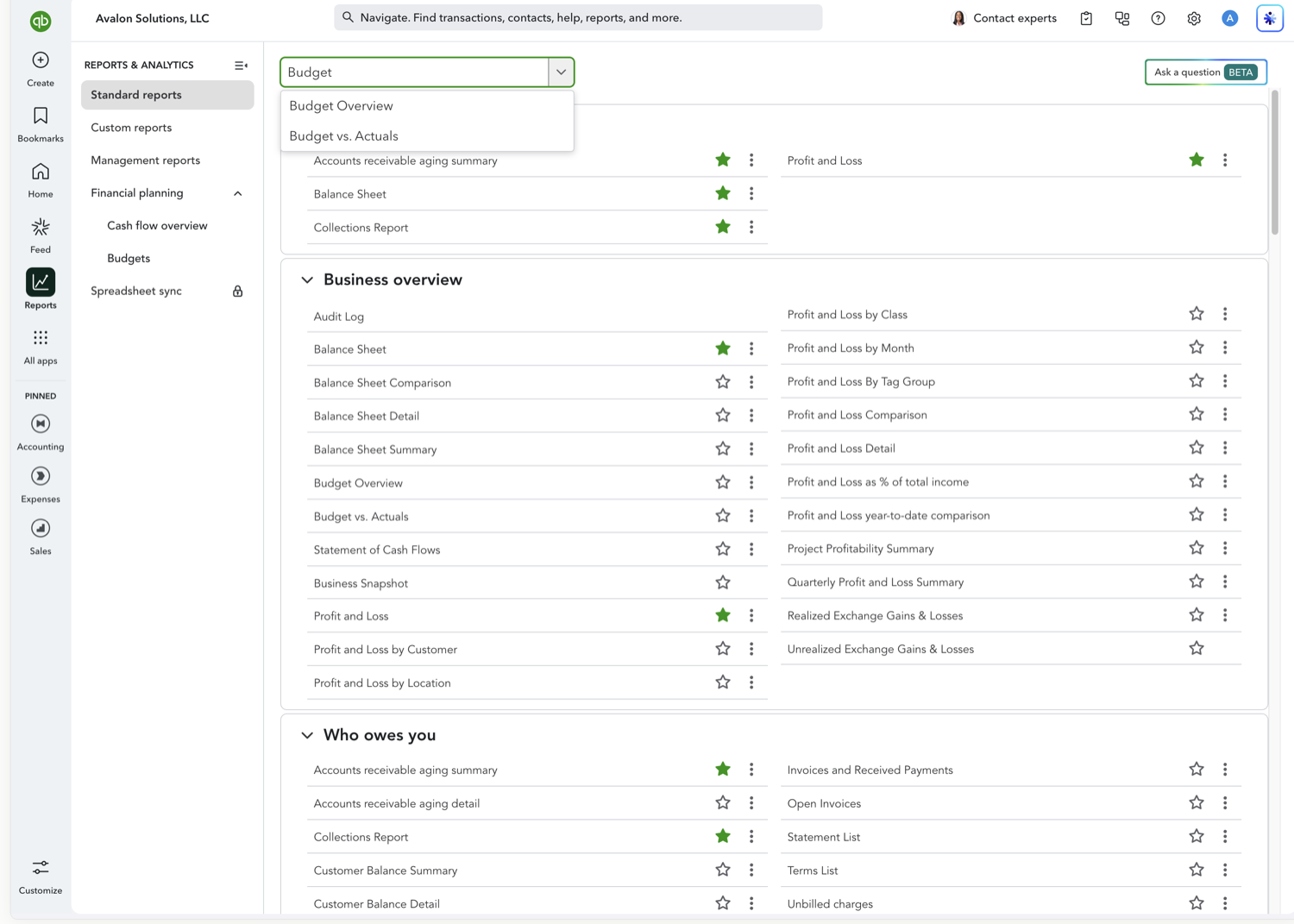
The Budget Overview report shows the numbers you planned, your budgeted income and expenses for each account, laid out by period (and by class, customer, or location if your budget is subdivided). Here's how to open and read it in QuickBooks Online.
Aubrey Threadgill
October 27, 2026
A Budget vs. Actuals report puts your plan next to reality. For every account it shows what you actually earned or spent, what you budgeted, how far over or under you are, and the percentage of budget used. Here's how to run it in QuickBooks Online.
Aubrey Threadgill
October 27, 2026
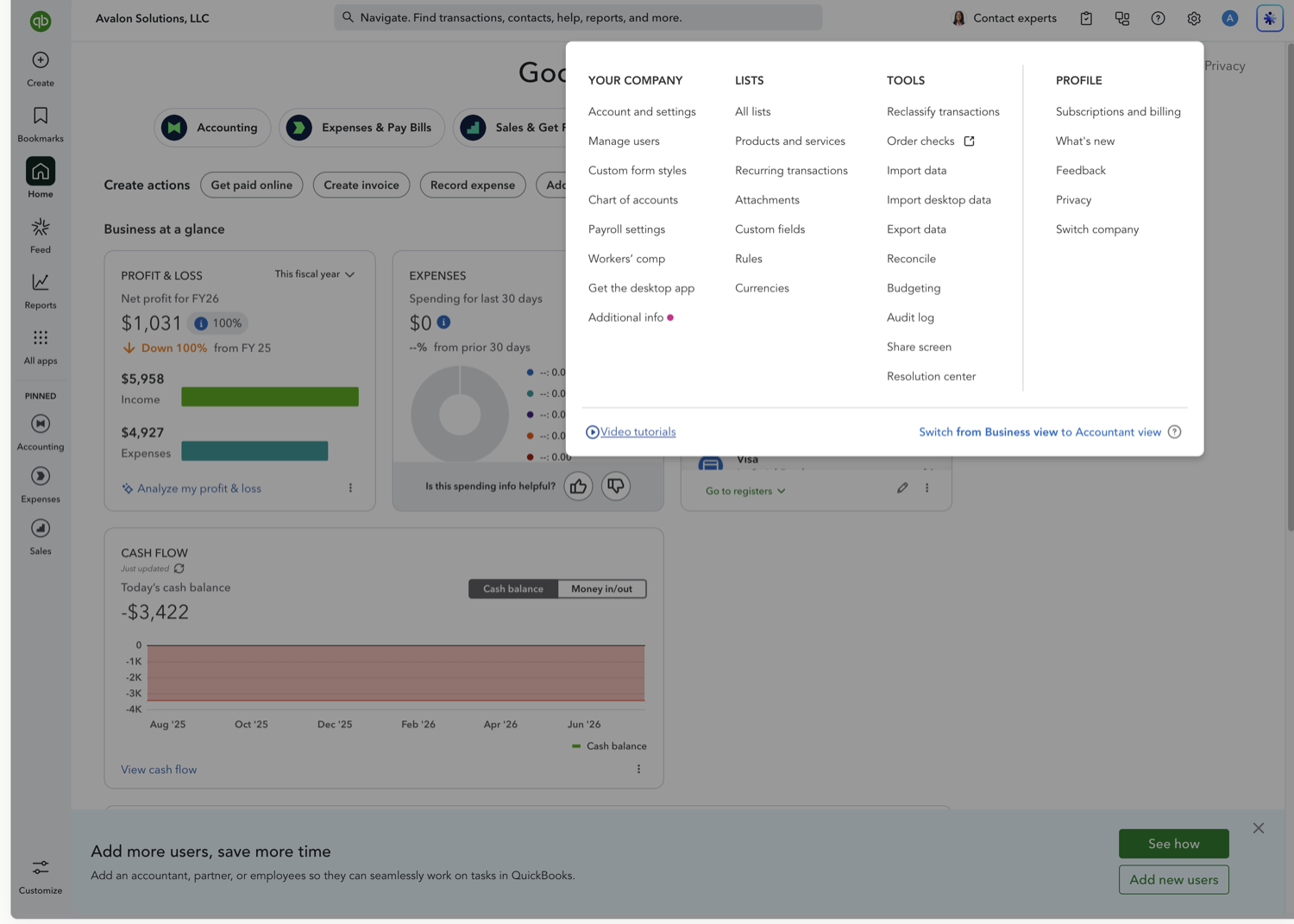
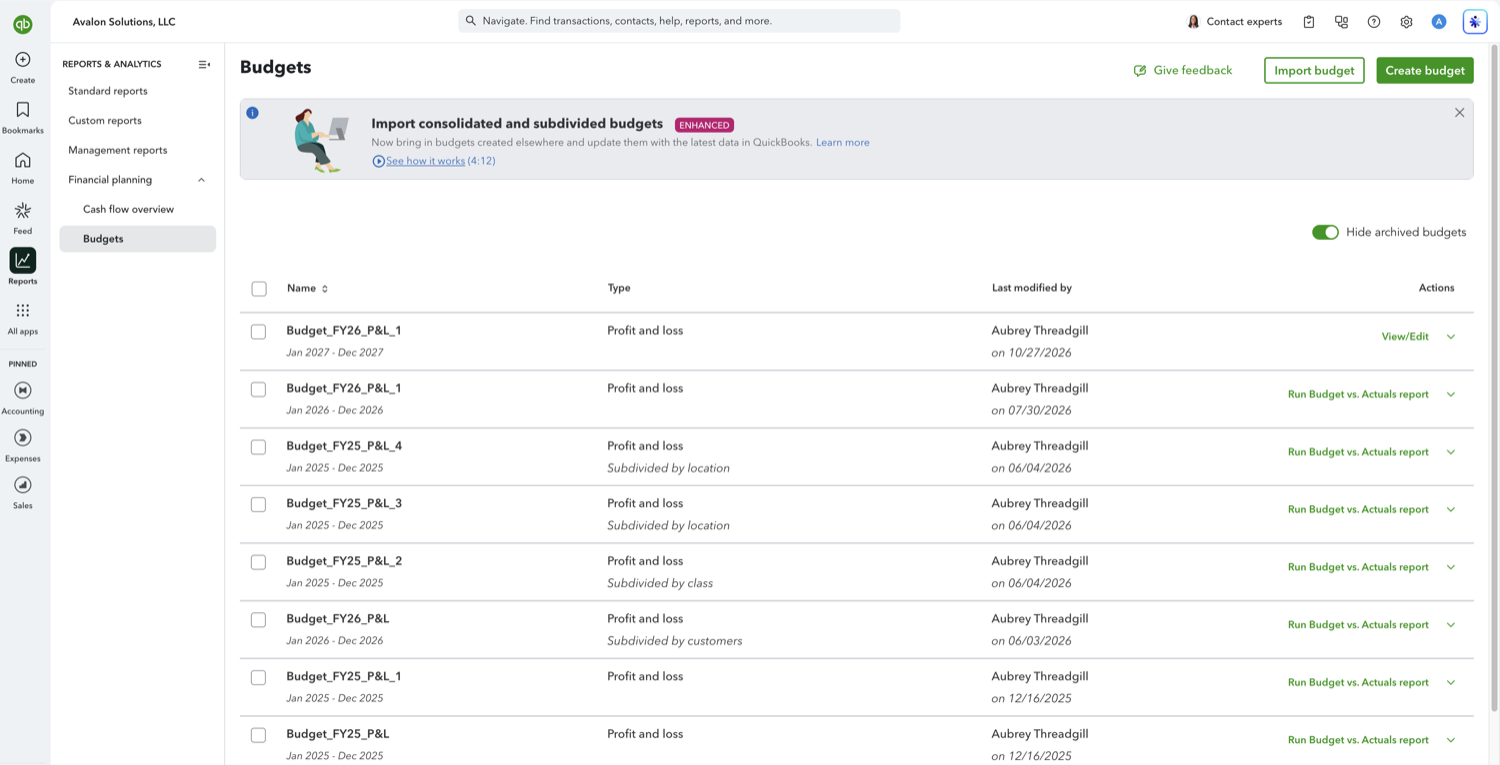
A budget in QuickBooks Online is what powers the Budget Overview and Budget vs. Actuals reports. Setting one up takes a few minutes: name it, pick the fiscal year, and enter the amounts you expect for each account. Here's how.
Aubrey Threadgill
October 27, 2026
Search the QuickBooks Online report list for "variance" and nothing comes back. The variance report exists, it just goes by a different name: Budget vs. Actuals. Its Over Budget column is the dollar variance on every account, and % of Budget is the same gap as a percentage. Here is how to run it and read what it tells you.
Aubrey Threadgill
October 27, 2026
A Budget vs. Actuals report broken out by class shows you which departments, programs, or business lines are tracking to plan and which are not. The catch is that the split is decided when the budget is built, not when the report is run. Here is how it works.
Aubrey Threadgill
October 27, 2026
If you budget per client or per project, a Budget vs. Actuals report subdivided by customer puts the plan and the real numbers side by side for each one. As with the class and location splits, the breakdown is fixed when the budget is created. Here is how to run it.
Aubrey Threadgill
October 27, 2026
For a business with several sites, regions, or branches, a Budget vs. Actuals report subdivided by location shows which ones are holding to plan. The location split is part of how the budget is built rather than something you switch on in the report. Here is how to run it.
Aubrey Threadgill
October 27, 2026
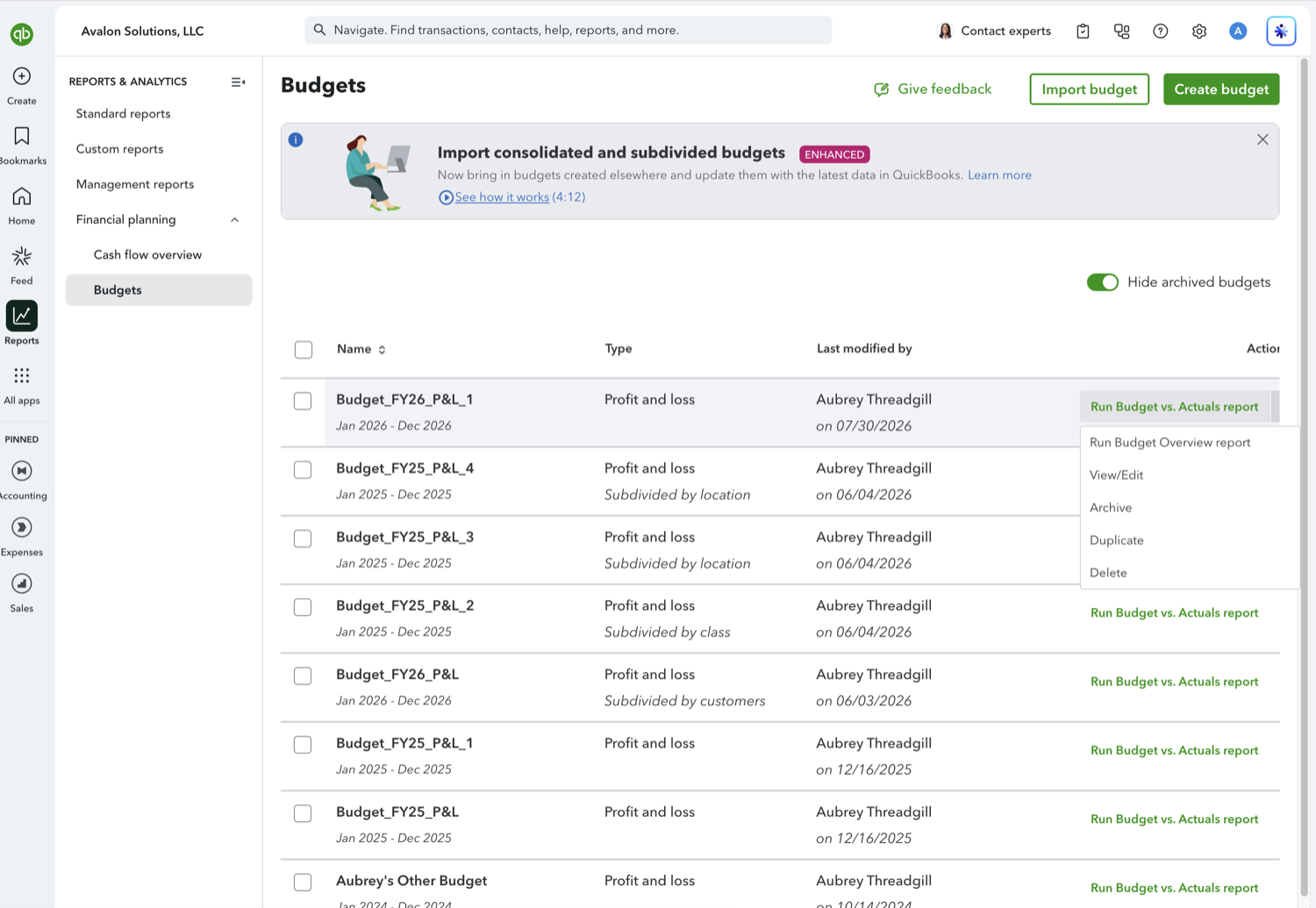
A budget is rarely right the first time. QuickBooks Online lets you reopen a saved budget, change the figures, rename it, and check your numbers against last year while you type. Here is how to get into the editor and what the controls do.
Aubrey Threadgill
October 27, 2026
Most budgets start life as last year's budget with a few numbers moved. QuickBooks Online can copy a saved budget into another fiscal year in a couple of clicks, which beats retyping it. Here is how, and the one thing to fix straight afterwards.
Aubrey Threadgill
October 27, 2026
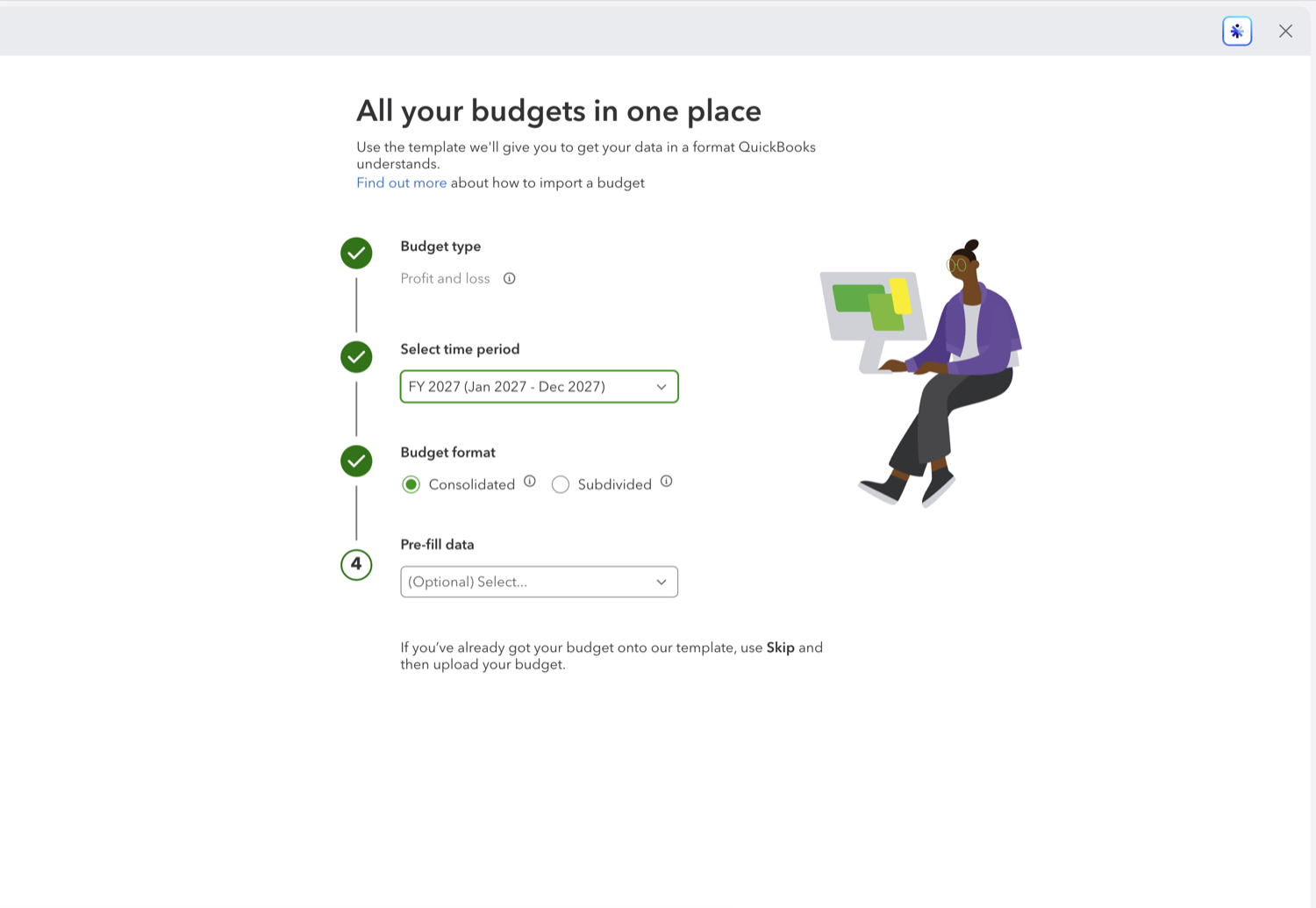
Plenty of budgets get built in a spreadsheet long before anyone opens QuickBooks. Rather than retyping the figures into the budget grid, you can download a template, paste your numbers in, and upload it. Here is the flow.
Aubrey Threadgill
October 27, 2026
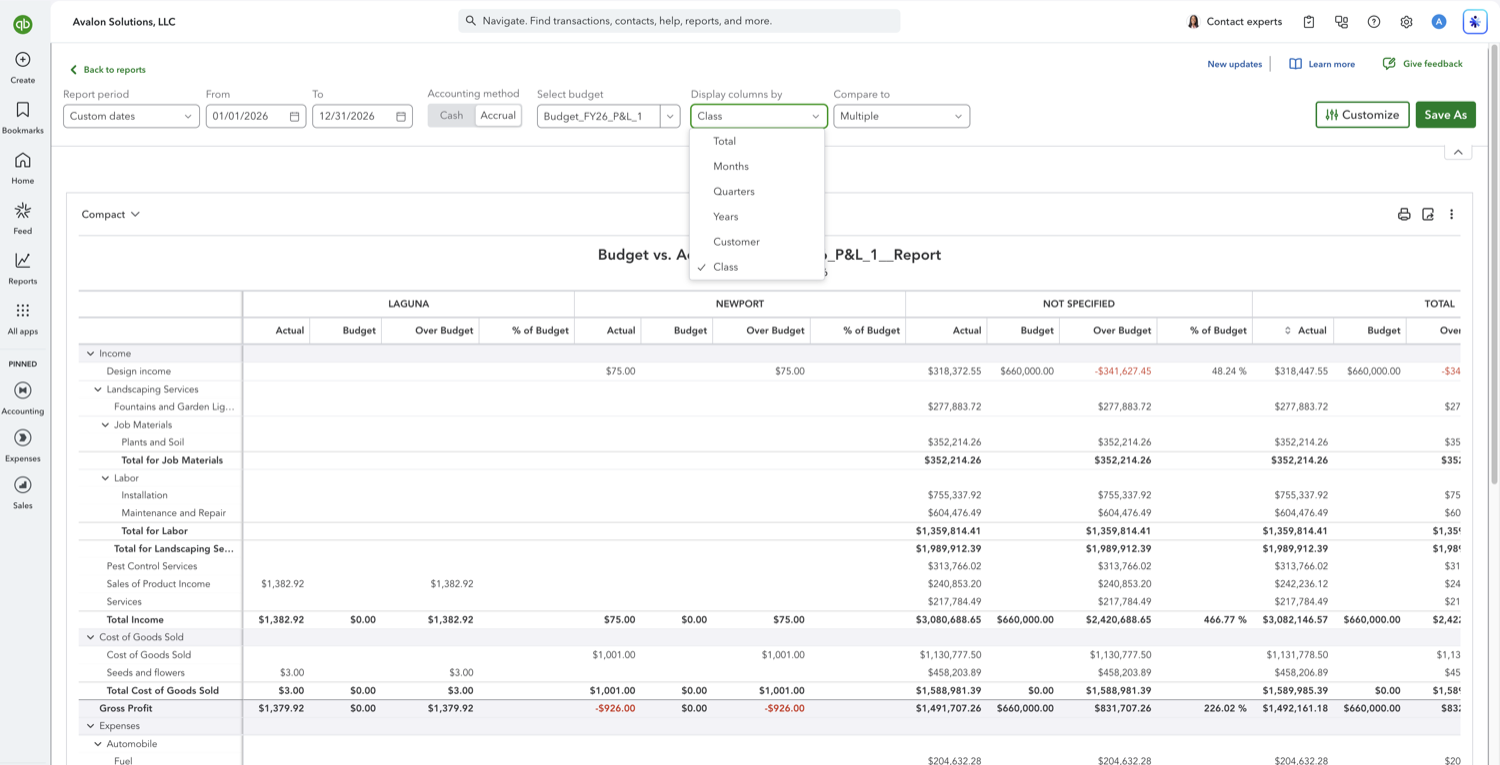
A yearly Budget vs. Actuals tells you whether you ended up ahead. A monthly one tells you when you went wrong, which is the part you can still act on. In the modern report builder this is one dropdown. Here is where it is and what the columns mean.
Aubrey Threadgill
October 27, 2026
Twelve months of Budget vs. Actuals is a lot of columns to read across. Quarters gives you four, which is usually the right grain for a board pack or a quarterly review. It is the same dropdown as the monthly view, set one option lower.
Aubrey Threadgill
October 27, 2026
You set Display columns by to Class, the class columns appear, and every one of them shows a budget of $0.00 while a single "Not specified" column holds the entire plan. Nothing is broken. The report is telling you the budget has no class information in it, and the fix is in the budget rather than the report.
Aubrey Threadgill
October 27, 2026
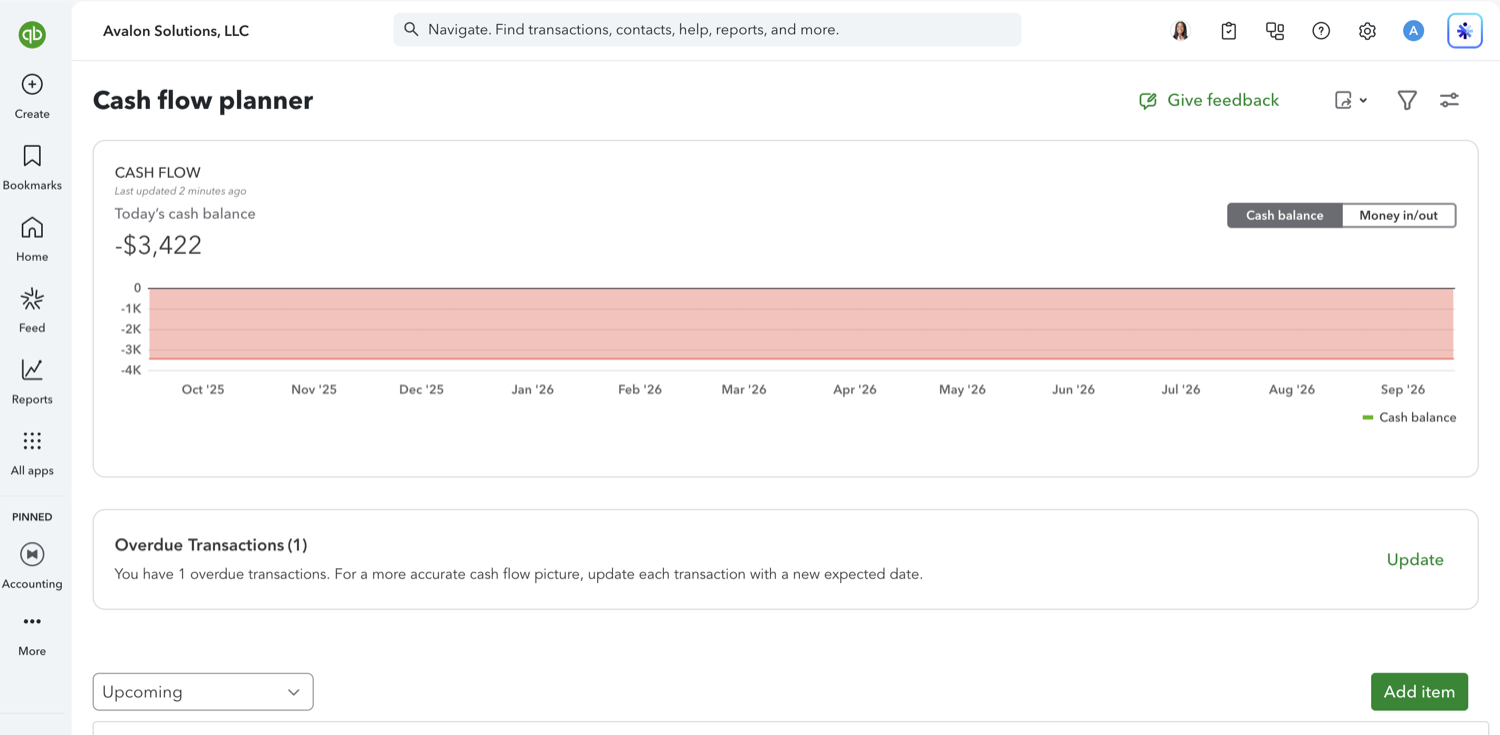
The Cash flow planner is the forward-looking cash tool in QuickBooks Online: it charts your balance ahead of today and lets you add money you expect to come in or go out that QuickBooks does not know about yet. The hard part is finding it, because it is no longer linked from the menus. Here is how to open it and what it does.
Aubrey Threadgill
October 27, 2026
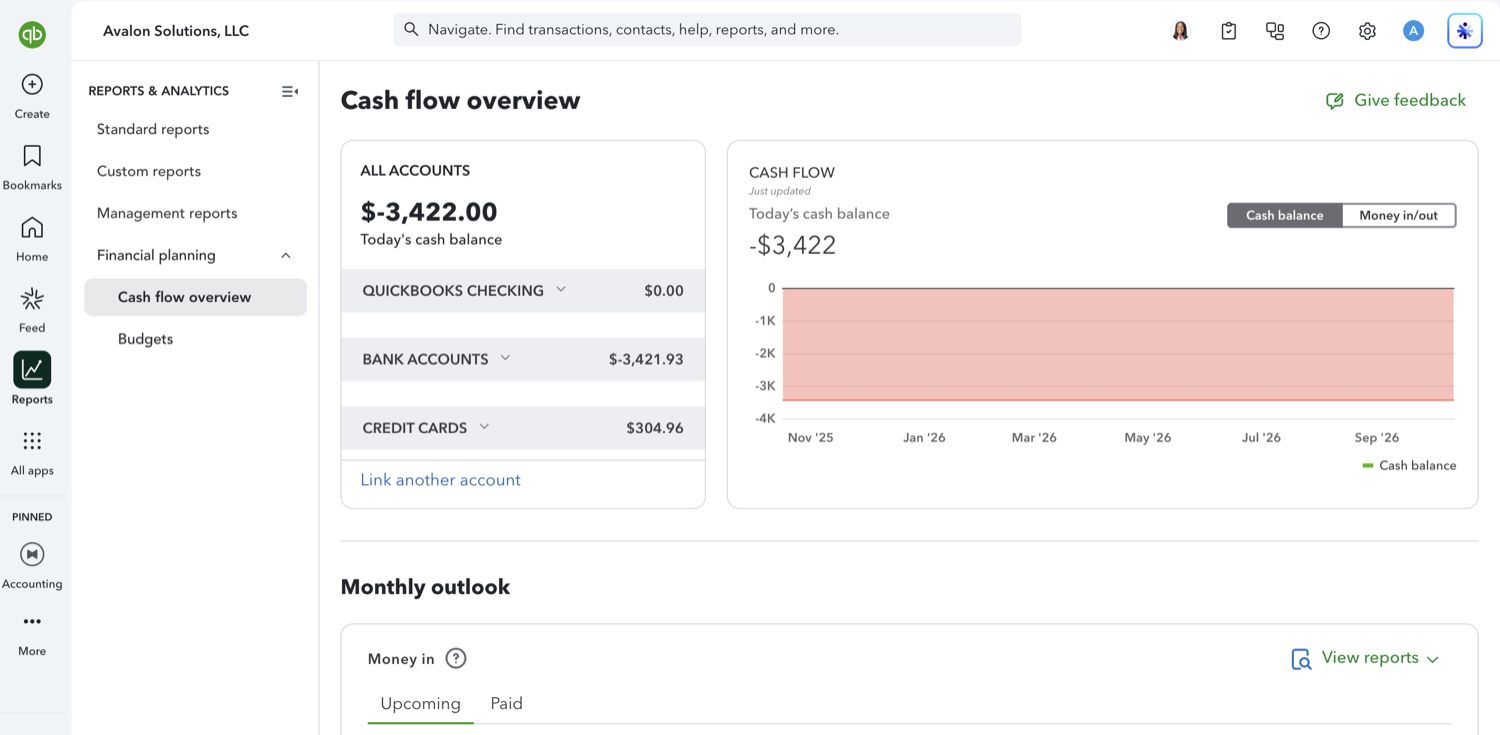
Cash flow overview is the dashboard QuickBooks Online gives you for cash: what is in the accounts today, how the balance has moved, and what is due in and out this month. It is read-only, so it is a place to look rather than a place to plan. Here is what each panel is telling you.
Aubrey Threadgill
July 30, 2026
A Balance Sheet is a snapshot of what your business owns and owes on a single date: assets on one side, liabilities and equity on the other, always balancing to the same total. Here's how to run it in QuickBooks Online's modern view.
Aubrey Threadgill
July 30, 2026
A Balance Sheet Comparison puts your current position next to a prior year or period so you can see how much cash, receivables, debt, and equity have changed. Here's how to build one (and add the $ change and % change columns) in the modern view.
Aubrey Threadgill
July 30, 2026
Splitting your Balance Sheet into monthly columns shows the month-end balance of every account across the year, the fastest way to see cash building, receivables growing, or debt being paid down over time.
Aubrey Threadgill
July 30, 2026
A quarterly Balance Sheet gives you the same period-over-period view as the monthly one, but with fewer, wider columns, handy for board decks and year-end reviews where twelve monthly columns would be too much.
Aubrey Threadgill
July 30, 2026
A Balance Sheet by class breaks your assets, liabilities, and equity into a column per class. It's useful for tracking separate funds, programs, or business lines, but only accounts you've tagged with a class will populate, so expect it to be sparser than a Profit and Loss by class.
Aubrey Threadgill
July 30, 2026
A Balance Sheet by location breaks your financial position into a column per location (region, store, department, or tracked entity) so you can see where your cash, receivables, and liabilities actually sit.
Aubrey Threadgill
July 30, 2026
A Balance Sheet by customer breaks your balances into a column per customer, most useful for seeing Accounts Receivable, customer deposits, and prepayments tied to each client in one view.
Aubrey Threadgill
July 30, 2026
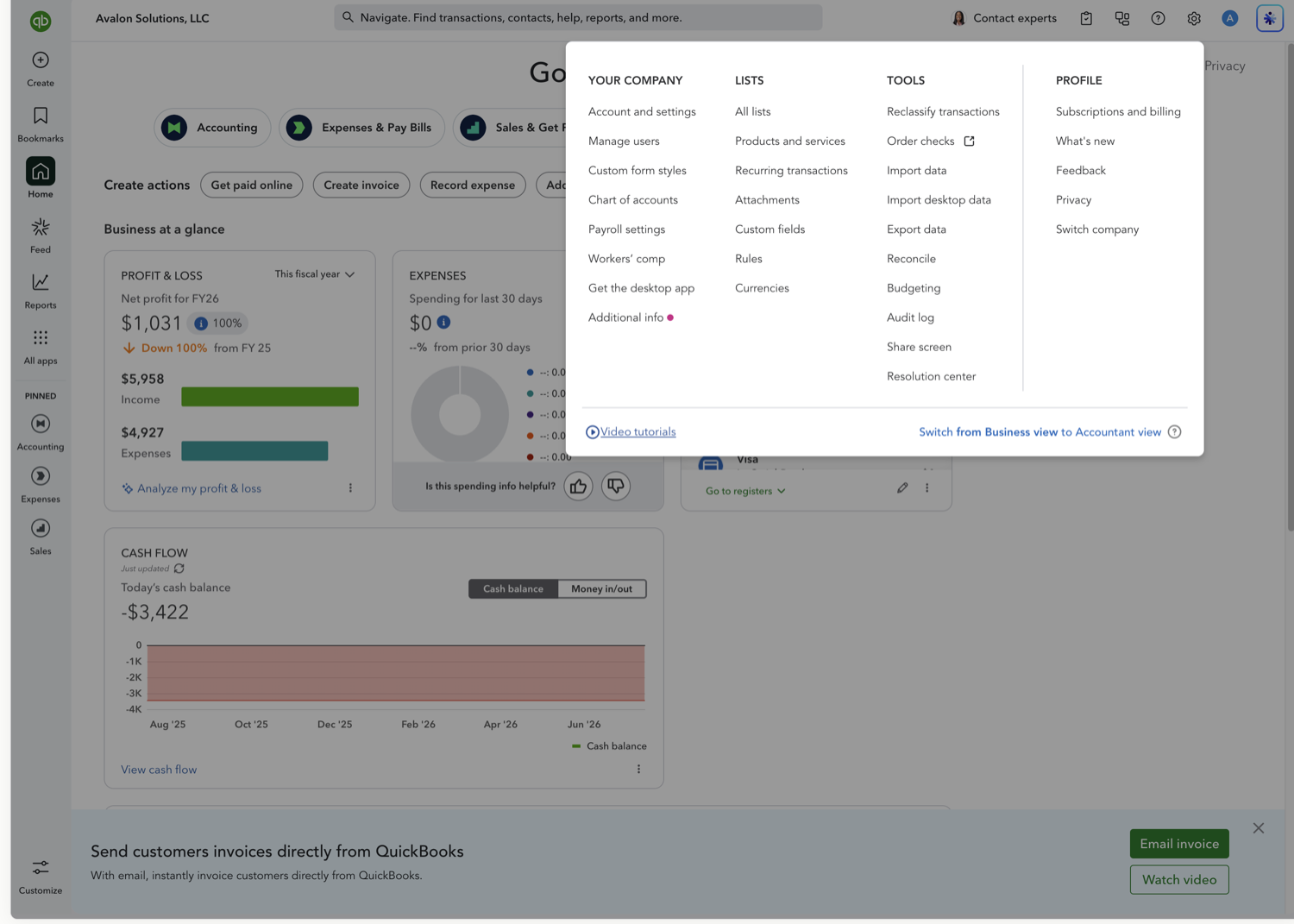
Location tracking lets you tag transactions with a location (a region, store, department, or entity) so you can break your reports out by location. It's a one-time setting, and it takes about a minute to turn on. Location tracking requires QuickBooks Online Plus or Advanced.
Aubrey Threadgill
October 14, 2026
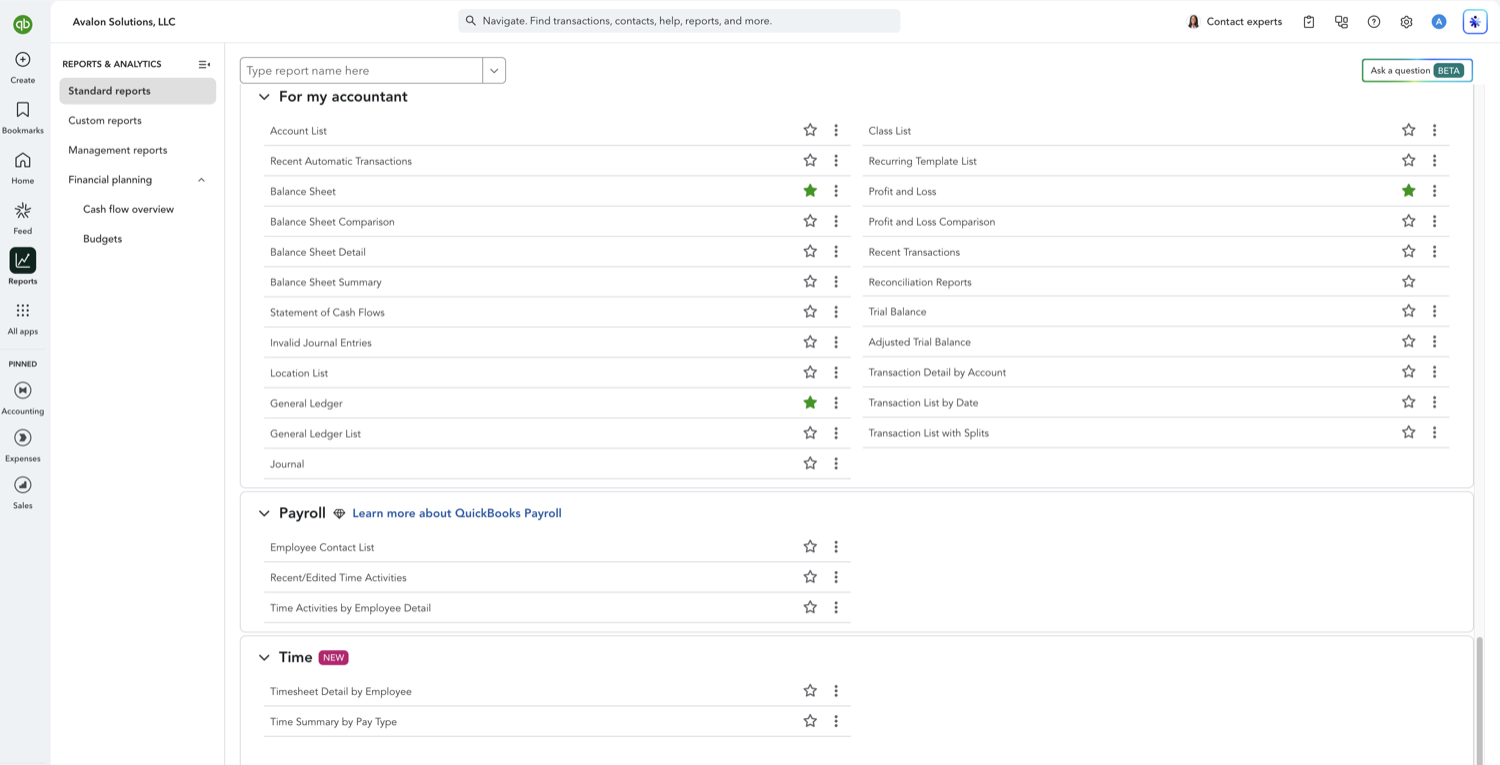
The General Ledger is the full record behind your financial statements: every account, and every transaction posted to it, with a running balance. It is the report you open when a number on the Balance Sheet or Profit and Loss looks off and you need to see the transactions underneath it. Here is how to run it in QuickBooks Online.
Aubrey Threadgill
August 15, 2026
The Statement of Cash Flows shows how cash actually moved through your business over a period, split into operating, investing, and financing activities. It answers a question the Profit and Loss cannot: where the cash went, even in a month you were profitable. Here is how to run it in QuickBooks Online.
Aubrey Threadgill
August 15, 2026
The Trial Balance lists every account with its ending debit or credit balance as of a date, with the two columns totaling to the same number. It is the quick checkpoint accountants run before closing a period or preparing the financial statements. Here is how to run it in QuickBooks Online.
Aubrey Threadgill
August 15, 2026
Aging reports show unpaid amounts bucketed by how overdue they are. The accounts receivable aging is what your customers owe you; the accounts payable aging is what you owe your vendors. Together they are how you stay on top of collections and upcoming bills. Here is how to run both in QuickBooks Online.
Aubrey Threadgill
September 1, 2026
If you are looking for the income statement in QuickBooks Online, you are looking for the Profit and Loss. They are the same report under two names: accountants and lenders usually say income statement, and QuickBooks says Profit and Loss. It shows income, cost of goods sold, and expenses over a period of time, ending in net income. Here is how to run it and how to read what it gives you.
Aubrey Threadgill
September 1, 2026
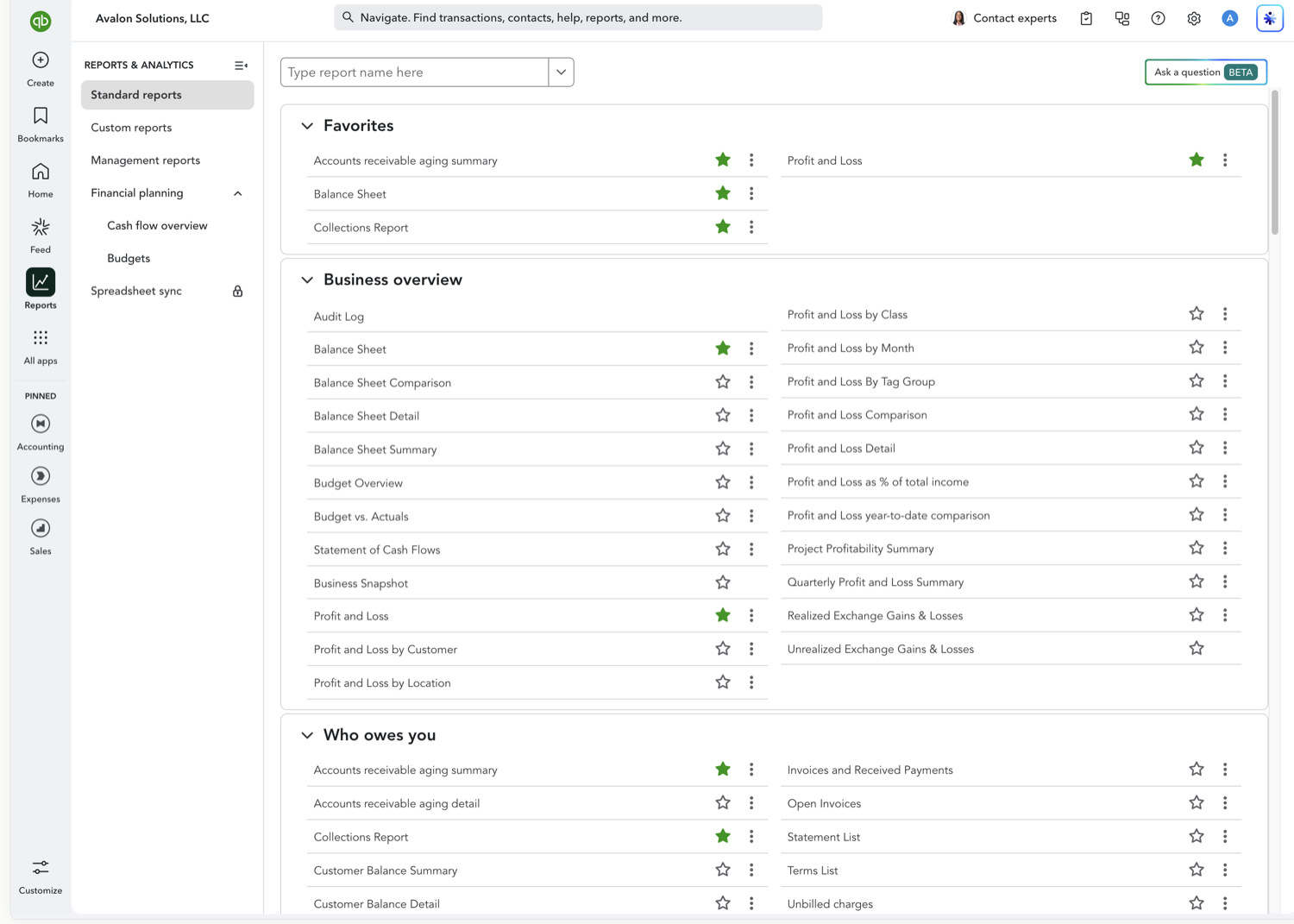
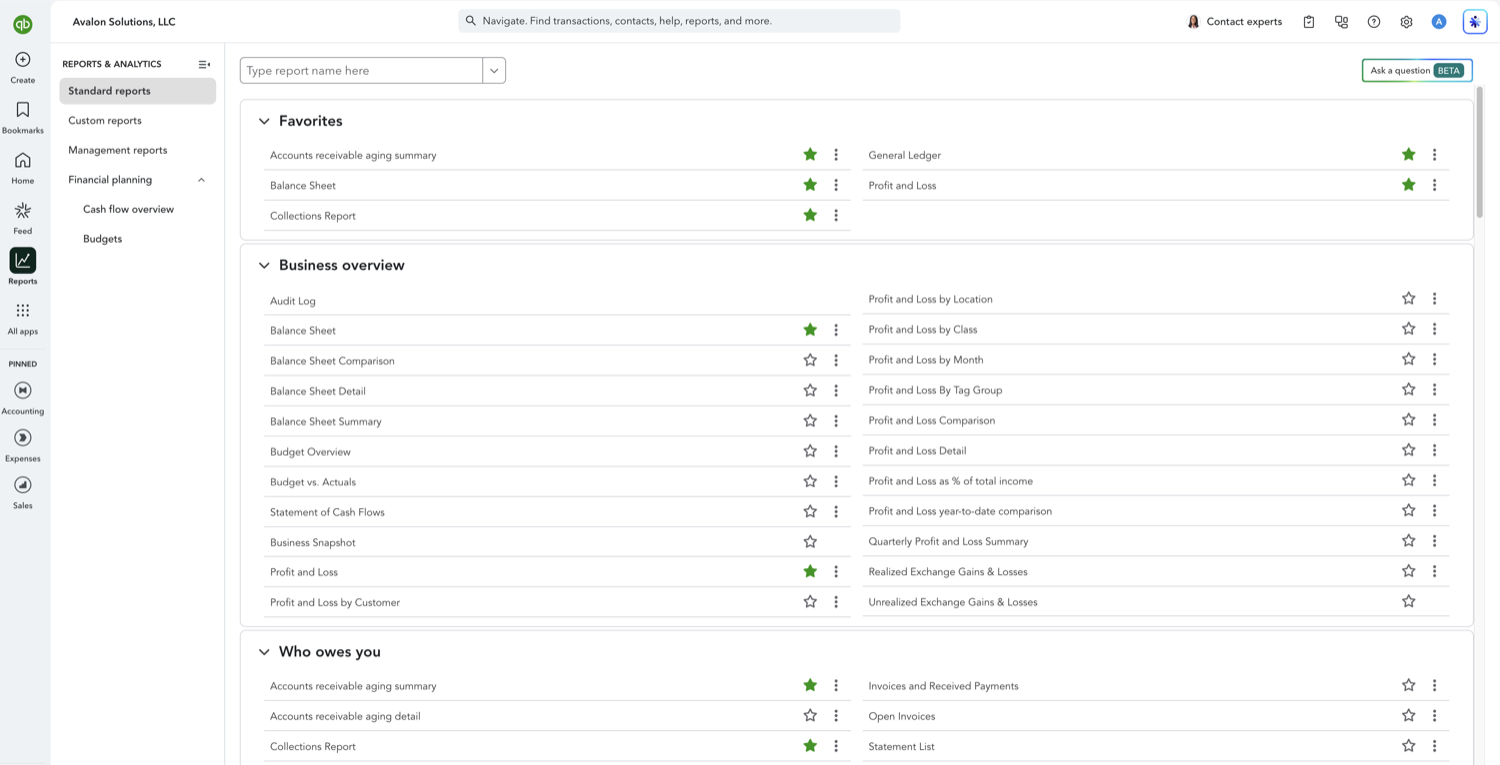
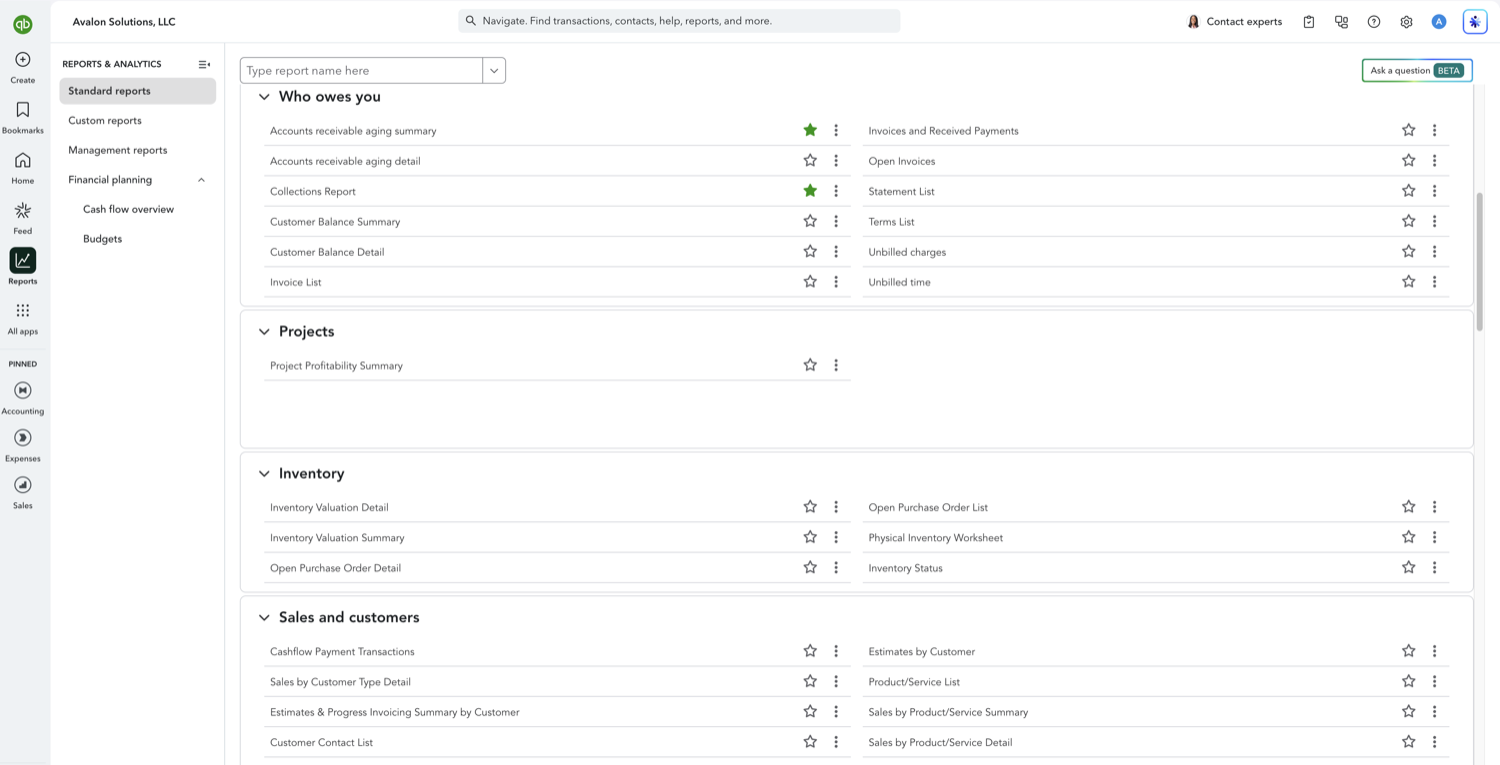
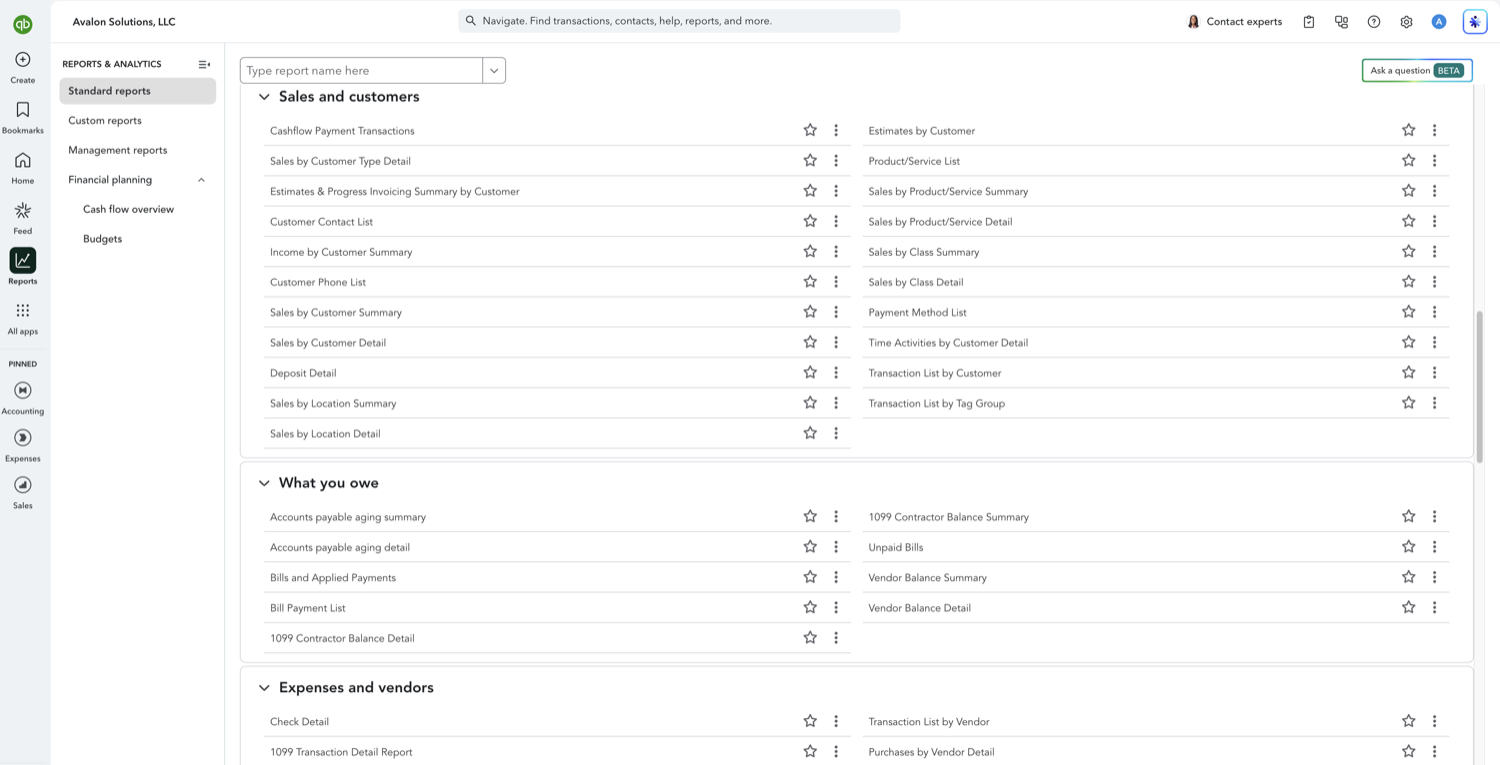
QuickBooks Online ships more than 150 standard reports, organized into groups on the Reports page. Most people use six or seven of them and never find the rest. This is the map: what each group covers, which report in it you probably want, and how to get to it quickly.
Aubrey Threadgill
September 1, 2026
A custom report in QuickBooks Online is a standard report you have filtered, re-columned, and saved. You are not building a report from a blank page, you are starting from one of the 150-plus standard reports and narrowing it. Knowing that up front saves a lot of hunting for a report designer that does not exist on most plans.
Aubrey Threadgill
September 15, 2026
QuickBooks Online has several sales reports and they answer different questions. Picking the wrong one is the usual reason two people quote two different revenue numbers from the same books. This covers which report to run for which question, and why a sales report and the Profit and Loss can disagree.
Aubrey Threadgill
September 15, 2026
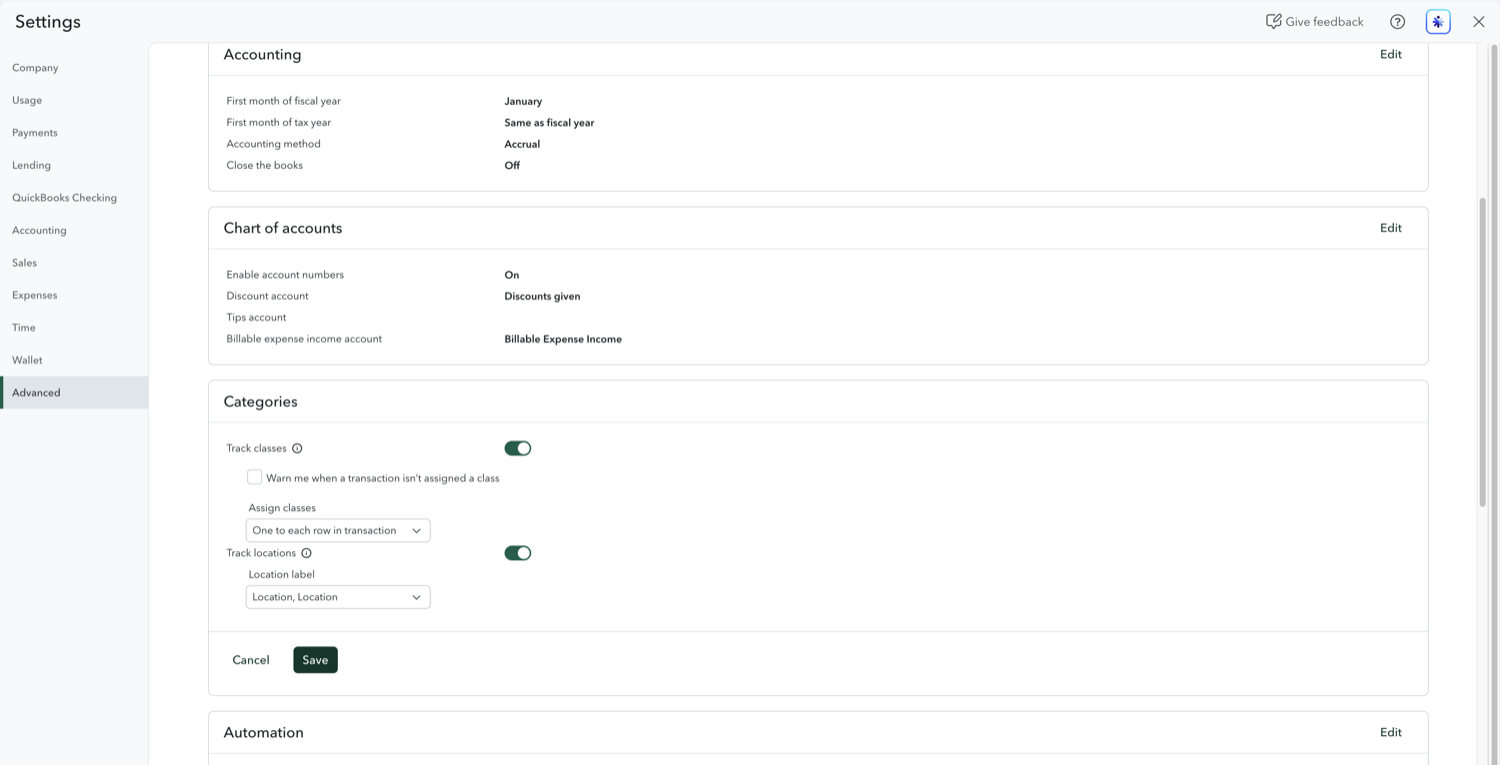
Class tracking tags each transaction with a category of your choosing, such as a program, service line, property, or department, so you can run a Profit and Loss for each one. It is the closest QuickBooks Online gets to segment reporting inside a single company file. Class tracking requires Plus or Advanced.
Aubrey Threadgill
September 1, 2026
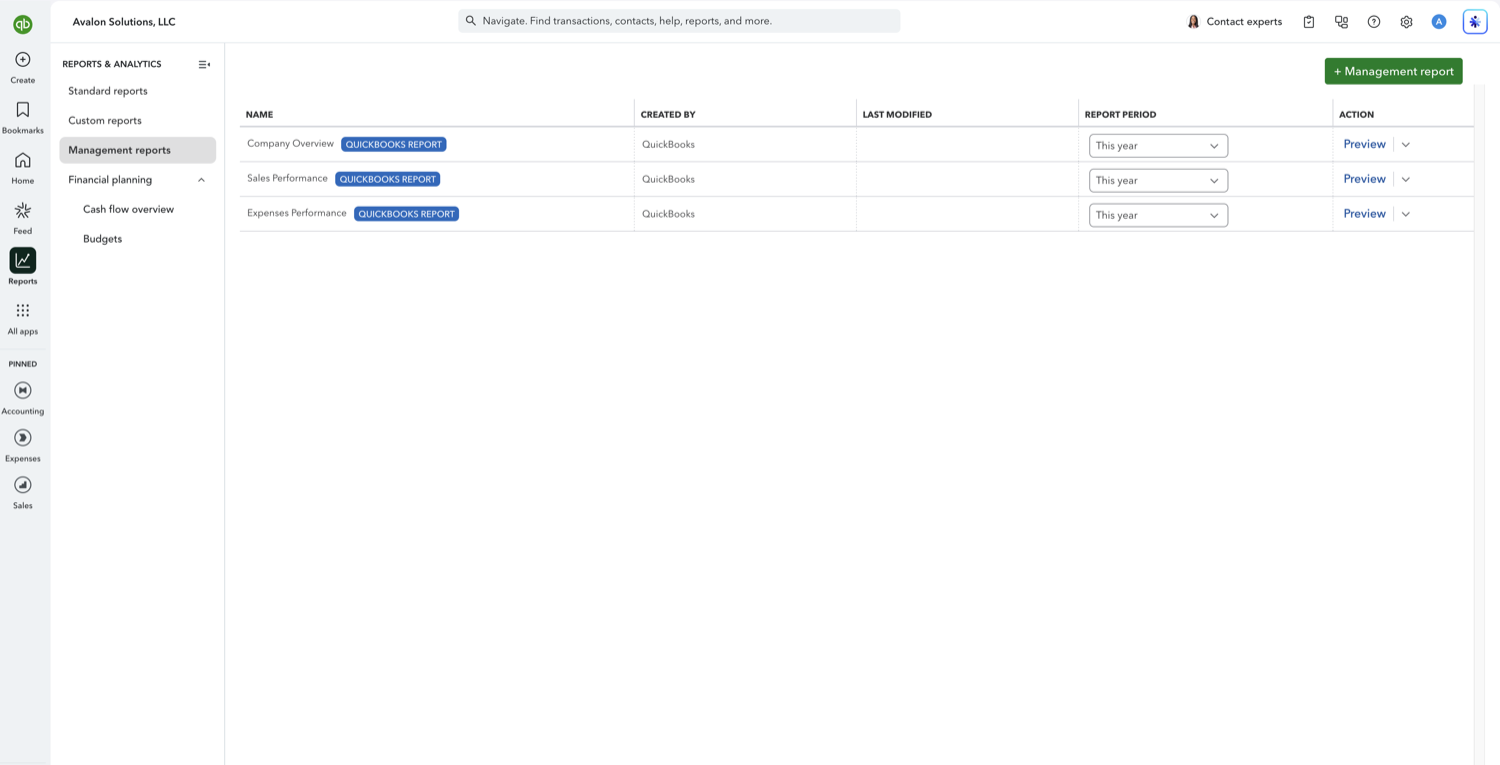
Management reports are QuickBooks Online's report packages: a cover page, a table of contents, the financial statements you choose, and optional notes, assembled into one document you can send to an owner or a board. They are the tidiest thing QuickBooks produces natively, and they come with one limitation worth knowing before you build a process around them: the finished package exports as a PDF or a Word document, never as a spreadsheet.
Aubrey Threadgill
July 31, 2026
QuickBooks Budget vs. Actuals keeps reverting to the full year. Here's how to lock the exact dates in Google Sheets with Retriever.
Aubrey Threadgill
July 31, 2026
QuickBooks won't let you remove COGS, Gross Profit, or unused rows from a P&L. Here's how to drop them in Google Sheets with Retriever.
Aubrey Threadgill
July 31, 2026
QuickBooks' "Compare to" adds only one prior period. Here's how to compare three, five, or ten years side by side in Google Sheets with Retriever.
Aubrey Threadgill
October 14, 2026
QuickBooks' modern reports bury account numbers and won't sort or filter by them. Show, sort, and filter by account number in Google Sheets with Retriever.
Aubrey Threadgill
July 31, 2026
QuickBooks only downloads a report group as PDF, and group exports lose formatting. Here's how to get a whole batch in Excel (refreshable) with Retriever.
Aubrey Threadgill
July 31, 2026
Modern QuickBooks reports can't filter a Balance Sheet by customer type. Here's how to filter and group by it in Google Sheets with Retriever.
Aubrey Threadgill
July 31, 2026
Saved Modern General Ledger reports show zero-balance accounts with no Non-zero setting. Here's how to hide them for good in Google Sheets with Retriever.
Aubrey Threadgill
July 31, 2026
Modern QuickBooks reports dropped shareable custom URLs. Here's how to share any customized report via a Google Sheet link with Retriever.
Aubrey Threadgill
July 31, 2026
QuickBooks Online's Budget vs. Actuals is hard to read and lacks the Desktop layout. Build a clean, board-ready version in Google Sheets with Retriever.
Aubrey Threadgill
July 31, 2026
QuickBooks won't let you change the business name atop a report. Here's how to control the company name and header in Google Sheets with Retriever.
Aubrey Threadgill
July 31, 2026
A full-year QuickBooks P&L by day caps at 200 columns. Here's how to get all 365 daily columns in Google Sheets with Retriever.
Aubrey Threadgill
August 3, 2026
Send QuickBooks Online reports to Google Sheets and keep them live. Retriever refreshes on a schedule, with no CSV exports and no Advanced plan.
Aubrey Threadgill
August 3, 2026
Export your QuickBooks Online chart of accounts to a live Google Sheet. Retriever pulls your full COA and refreshes it as accounts change.
Aubrey Threadgill
August 3, 2026
Export journal entries from QuickBooks Online to a live Google Sheet. Retriever pulls your journal and GL detail and refreshes on a schedule.
Aubrey Threadgill
August 3, 2026
QuickBooks Excel exports go stale. Here's how to export any QuickBooks Online report to a refreshable, Excel-compatible Google Sheet with Retriever.
Aubrey Threadgill
August 3, 2026
Export your QuickBooks Online customer list to a live Google Sheet. Retriever pulls your full customer list and refreshes it as customers change.
Aubrey Threadgill
August 3, 2026
Export invoices from QuickBooks Online to Excel or Google Sheets and keep them live. Retriever pulls your invoice list and refreshes on a schedule.
Aubrey Threadgill
August 15, 2026
Export your QuickBooks Online check register to a live Google Sheet. Retriever pulls your check and expense detail and refreshes on a schedule.
Aubrey Threadgill
August 15, 2026
QuickBooks reporting software and tools: built-in reports, FP&A platforms, and Google Sheets connectors. How to pick the right one for your team.
Aubrey Threadgill
August 15, 2026
Schedule QuickBooks Online reports so they refresh on their own. What the native email schedule does, and how to get live report data in Google Sheets.
Aubrey Threadgill
September 1, 2026
Build a reusable chart of accounts template in Google Sheets from a real QuickBooks Online company, then apply the same structure to every client.
Aubrey Threadgill
September 1, 2026
The accounting templates worth building in Google Sheets, and how to feed them live QuickBooks Online data so they do not go stale after the first month.
Aubrey Threadgill
September 1, 2026
A profit and loss template for Google Sheets that pulls from QuickBooks Online and refreshes on a schedule, so the monthly P&L builds itself.
Aubrey Threadgill
September 1, 2026
A balance sheet template in Google Sheets fed by QuickBooks Online, with the ratio and comparison rows QuickBooks does not calculate.
Aubrey Threadgill
September 1, 2026
A budget vs actual template in Google Sheets fed by QuickBooks Online, with variance columns and periods you set separately for budget and actuals.
Aubrey Threadgill
September 1, 2026
QuickBooks Online cannot filter financial statements by account number range. How to split reports by account number block in Google Sheets.
Aubrey Threadgill
October 14, 2026
Comparative reports in QuickBooks Online push accounts with no current activity to the bottom of each section. How to restore account order in Sheets.
Aubrey Threadgill
September 1, 2026
Drilling into a QuickBooks account shows Amount and Balance, not Debit and Credit. How to get true debit and credit columns in Google Sheets.
Aubrey Threadgill
September 1, 2026
QuickBooks retired the Class column on the Transaction List by Vendor report. The native workaround, and how to rebuild the original view in Sheets.
Aubrey Threadgill
September 1, 2026
Advanced costs $200/month more than Plus. Which reporting features are gated behind it, who needs them, and when the upgrade is avoidable.
Aubrey Threadgill
October 14, 2026
Your company is on cash basis but every report opens on accrual. Where both accounting-method settings live, and how to pin the basis to a report for good.
Aubrey Threadgill
October 14, 2026
Modern reports changed the wording of balance sheet total rows, so lookup formulas keyed to the old text now fail. How to stop keying a model to label text.
Aubrey Threadgill
October 14, 2026
QuickBooks has no firm-level report templates, so every client file gets rebuilt by hand. How to build a report format once and point it at the next company.
Aubrey Threadgill
October 14, 2026
Modern reports can keep showing the old figure after you fix a transaction, with no sign it is stale. How to work from a report that says when it was pulled.
Aubrey Threadgill
October 15, 2026
QuickBooks Online has starter report packages built in, and Spreadsheet Sync templates need Advanced. Here is each option and which ones refresh themselves.
Aubrey Threadgill
July 31, 2026
A cheaper LiveFlow alternative: Retriever syncs QuickBooks Online to Google Sheets on a schedule from $60/mo. Transparent, self-serve, no demo.
Aubrey Threadgill
July 31, 2026
LiveFlow doesn't publish pricing and is demo-only. Here's what users report about cost, plus a transparent alternative from $60/mo.
Aubrey Threadgill
July 31, 2026
LiveFlow vs Retriever: pricing, QuickBooks-to-Google-Sheets sync, setup, and multi-entity support. See which reporting tool fits your budget.
Aubrey Threadgill
August 3, 2026
A simpler G-Accon alternative: Retriever syncs QuickBooks Online to Google Sheets on a schedule. Read-only, focused, transparent from $60/mo.
Aubrey Threadgill
August 3, 2026
QuickBooks Spreadsheet Sync only works on Advanced or Accountant. Here's what it does, and how Retriever syncs to Google Sheets on any plan from $60/mo.
Aubrey Threadgill
August 15, 2026
A focused Fathom alternative: Retriever syncs QuickBooks Online into Google Sheets on a schedule from $60/mo. Self-serve, read-only, no per-company pricing.
Aubrey Threadgill
August 15, 2026
A lightweight Jirav alternative: Retriever syncs QuickBooks Online into Google Sheets from $60/mo, self-serve. Focused reporting, not a full FP&A platform.
Aubrey Threadgill

© 2026 Avalon Innovation Corporation. All rights reserved.
🇺🇸 Built in Orange County, California