
How to Run a Budget vs. Actuals Report by Quarter in QuickBooks Online
Twelve months of Budget vs. Actuals is a lot of columns to read across. Quarters gives you four, which is usually the right grain for a board pack or a quarterly review. It is the same dropdown as the monthly view, set one option lower.
The report needs a saved budget covering the year you want to look at. See how to create a budget in QuickBooks Online.
Steps
- Set Display columns by to Quarters
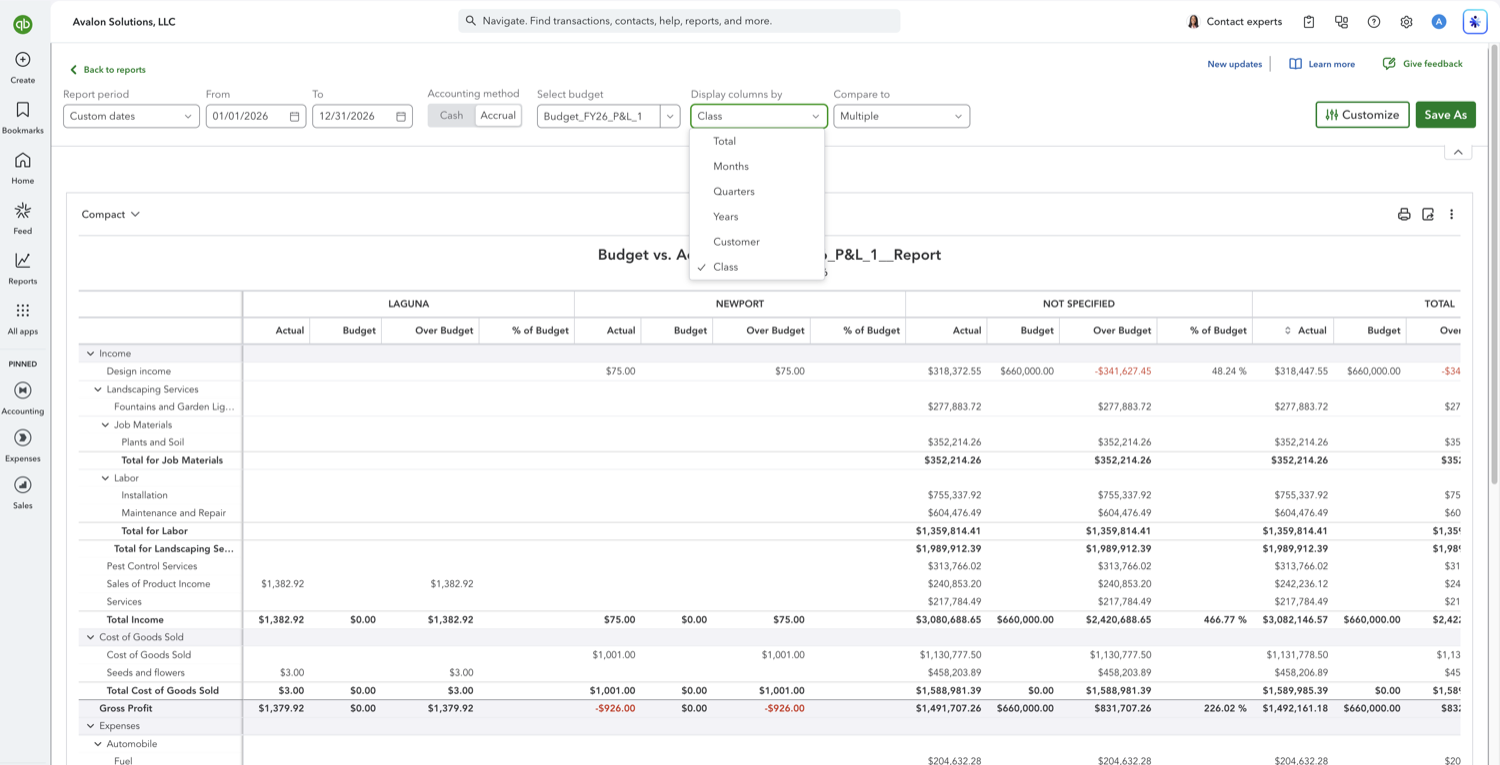
Run the Budget vs. Actuals report from Reports, Financial planning, Budgets. On the toolbar, open Display columns by, which sits between Select budget and Compare to, and choose Quarters.
- Read the four quarter columns
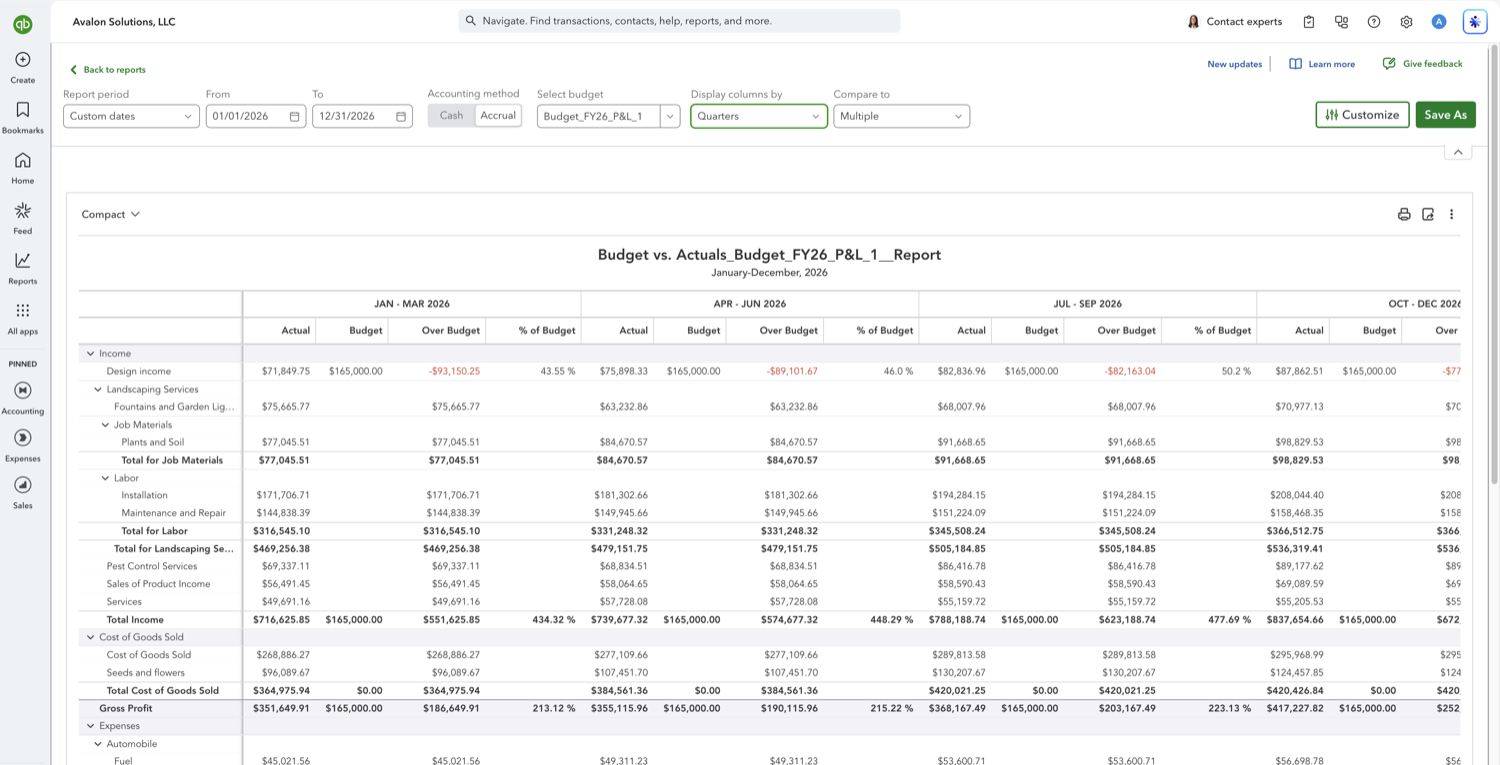
The report regroups into column sets headed by date range rather than quarter number, so a calendar year reads Jan - Mar 2026, Apr - Jun 2026, Jul - Sep 2026, and Oct - Dec 2026, each with Actual, Budget, Over Budget, and % of Budget, then a Total set. The ranges follow your fiscal year, so a non-calendar year starts the first quarter at your own year start rather than in January.
Other Budget vs. Actuals comparisons
See also
Frequently asked questions
I don't see a Display columns by dropdown. Where is it?
Your browser window is too narrow. QuickBooks drops both Display columns by and Compare to from the report toolbar below roughly 1,700 pixels of window width, and it does not move them into the three-dot menu, so there is nothing left to click. Widen the window, or zoom the page out with Ctrl and minus, and both reappear between Select budget and Customize.
Can I show years instead of quarters?
Yes. The same Display columns by dropdown has a Years option, which is useful when the report period spans more than one fiscal year. Over a single year it gives you one column group, the same as Total.
Do the quarters follow the calendar or my fiscal year?
Your fiscal year. QuickBooks labels each group with its date range, so you can see at a glance where the first quarter starts.
Tired of rebuilding reports? Need more customization?
Retriever pulls QuickBooks Online reports like this one into Google Sheets on a schedule. They refresh on their own, and once the data is in Sheets you can pivot, chart, and customize it far beyond QuickBooks' fixed report layouts.
See how Retriever worksRelated report guides
Questions about this report? Reach out at aubrey@retrieverhq.com.

© 2026 Avalon Innovation Corporation. All rights reserved.
🇺🇸 Built in Orange County, California