
How to Duplicate a Budget in QuickBooks Online
Most budgets start life as last year's budget with a few numbers moved. QuickBooks Online can copy a saved budget into another fiscal year in a couple of clicks, which beats retyping it. Here is how, and the one thing to fix straight afterwards.
Steps
- Open the row actions and choose Duplicate
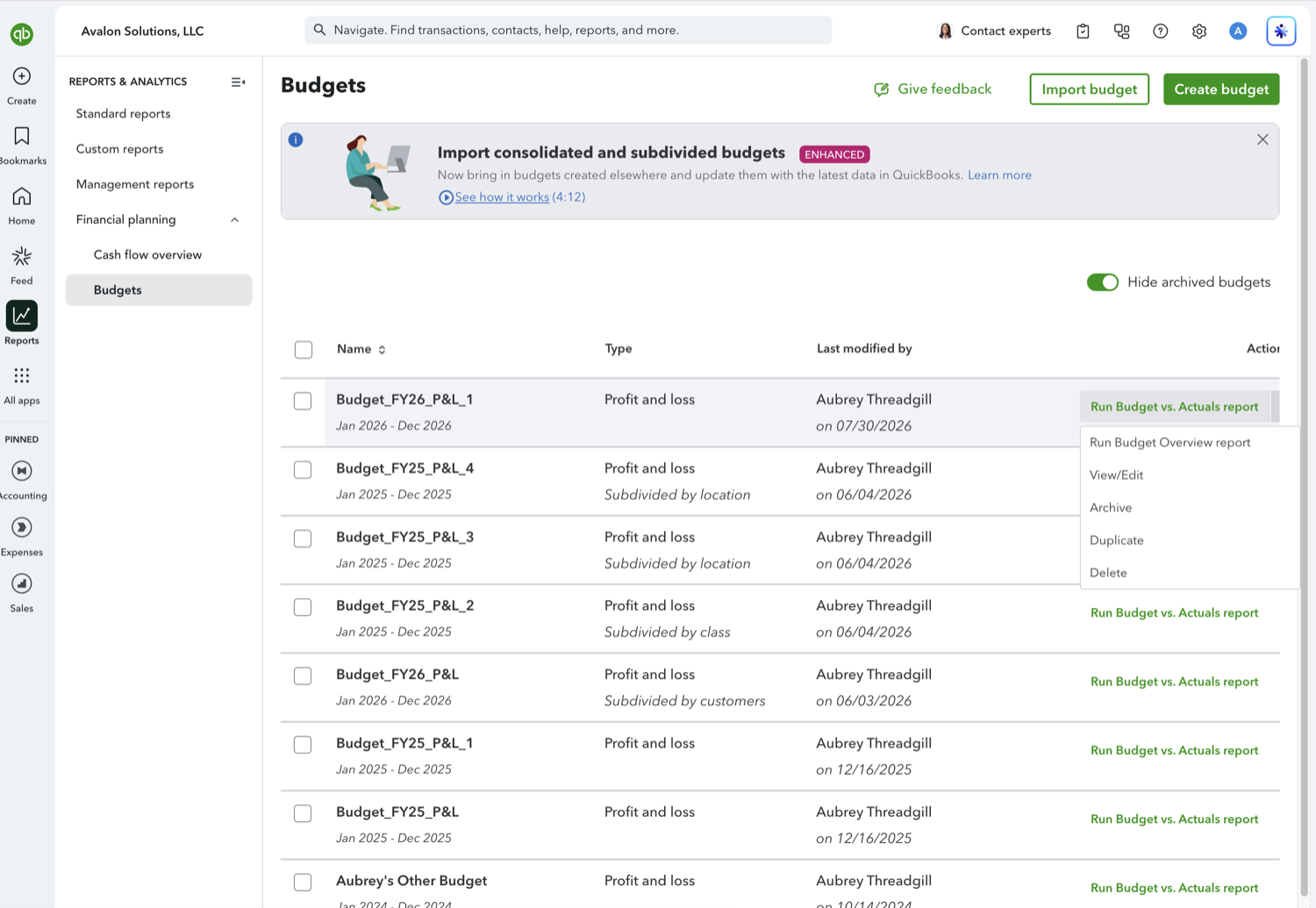
Go to Reports, open Financial planning, and select Budgets. Open the dropdown at the end of the row for the budget you want to copy. The menu holds Run Budget Overview report, View/Edit, Archive, Duplicate, and Delete. Choose Duplicate.
- Pick the fiscal year to copy into
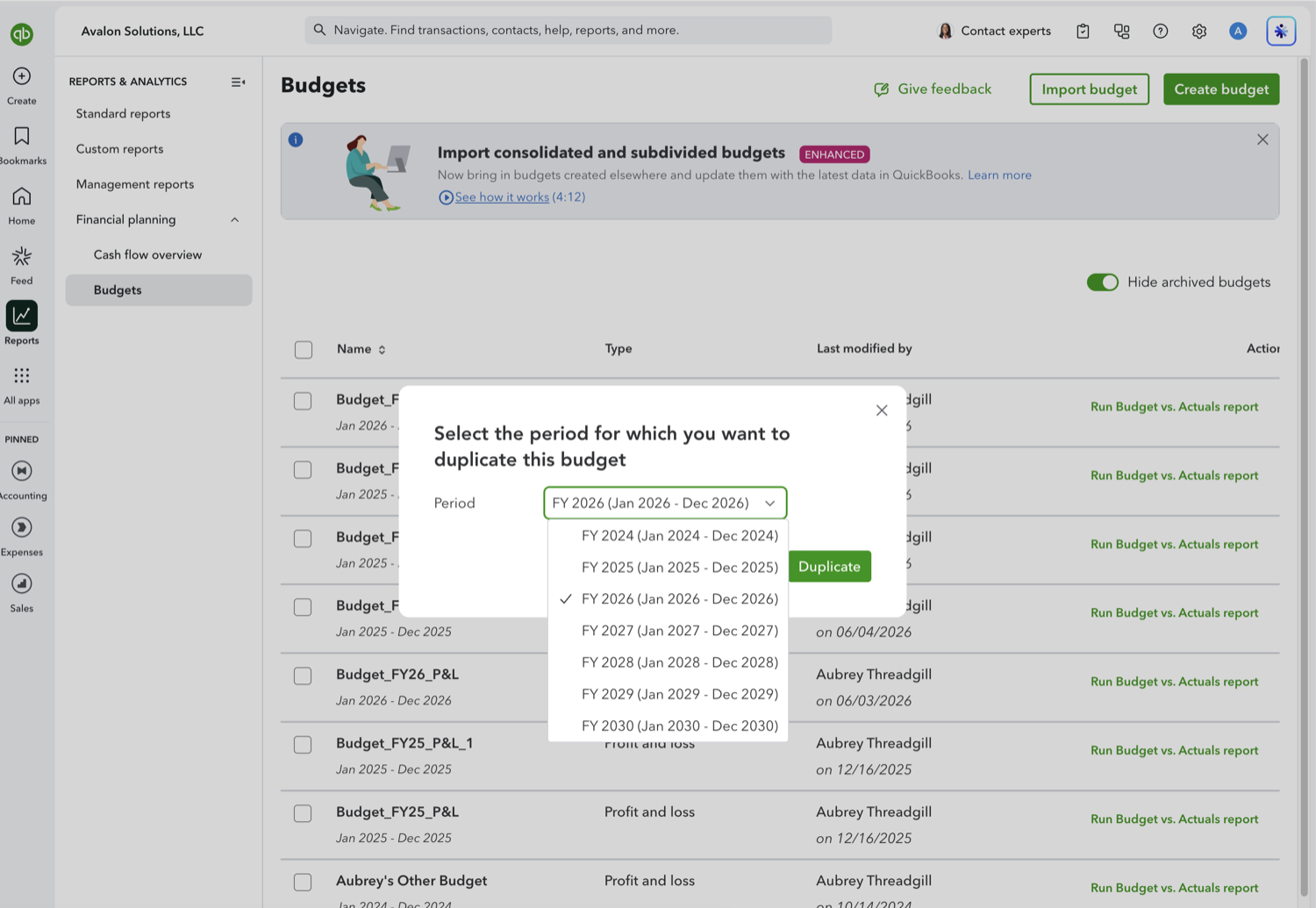
QuickBooks asks which period you want the copy to cover and offers a range of fiscal years, a few back and several ahead. Pick the year you are planning for and select Duplicate. The amounts, the budget type, and the consolidated or subdivided format all carry across.
- Rename the copy
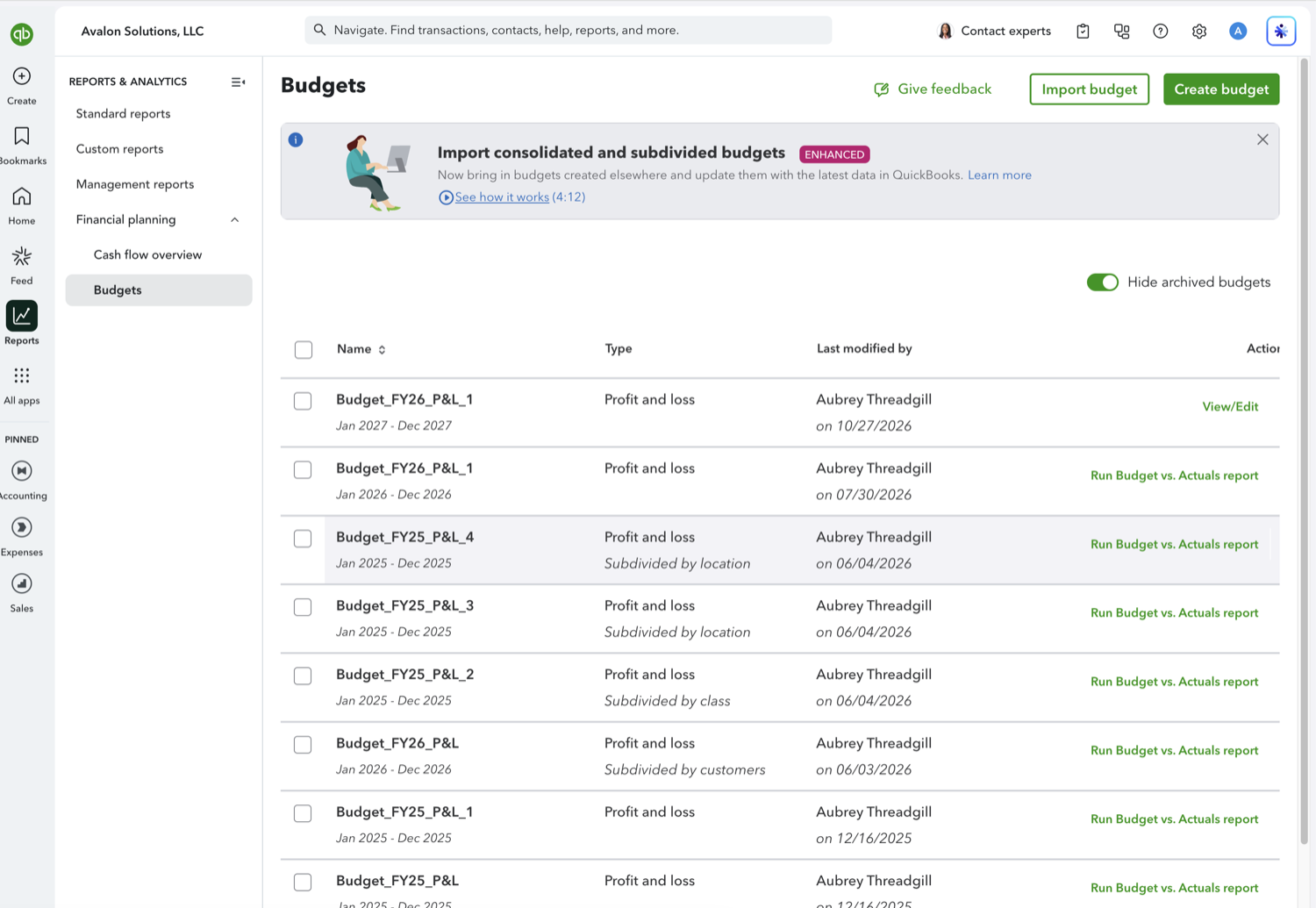
The new budget appears at the top of the list with the right period but the original's name, so a copy of Budget_FY26_P&L_1 is still called Budget_FY26_P&L_1 while covering next year. Open it with View/Edit and rename it, or you will be guessing which is which by the date column. A budget whose year has not started yet shows View/Edit rather than a report link, since it has no actuals to compare against.
See also
Frequently asked questions
Does duplicating copy the amounts as well as the structure?
Yes. The copy starts with the same figures, accounts, and format as the original, which is the point: you adjust from a filled grid instead of an empty one.
Can I duplicate into a year that already has a budget?
Yes. QuickBooks does not stop you holding more than one budget for the same year, which is how people keep separate scenarios. Name them clearly, because the report picker lists them by name.
What is the difference between Duplicate and Archive?
Duplicate makes a copy in another period. Archive hides a budget you have finished with, and the Budgets page has a "Hide archived budgets" toggle that controls whether archived ones are listed.
Tired of rebuilding reports? Need more customization?
Retriever pulls QuickBooks Online reports like this one into Google Sheets on a schedule. They refresh on their own, and once the data is in Sheets you can pivot, chart, and customize it far beyond QuickBooks' fixed report layouts.
See how Retriever worksRelated report guides
Questions about this report? Reach out at aubrey@retrieverhq.com.

© 2026 Avalon Innovation Corporation. All rights reserved.
🇺🇸 Built in Orange County, California