
How to Edit a Budget in QuickBooks Online
A budget is rarely right the first time. QuickBooks Online lets you reopen a saved budget, change the figures, rename it, and check your numbers against last year while you type. Here is how to get into the editor and what the controls do.
Steps
- Open the budget from the Budgets page
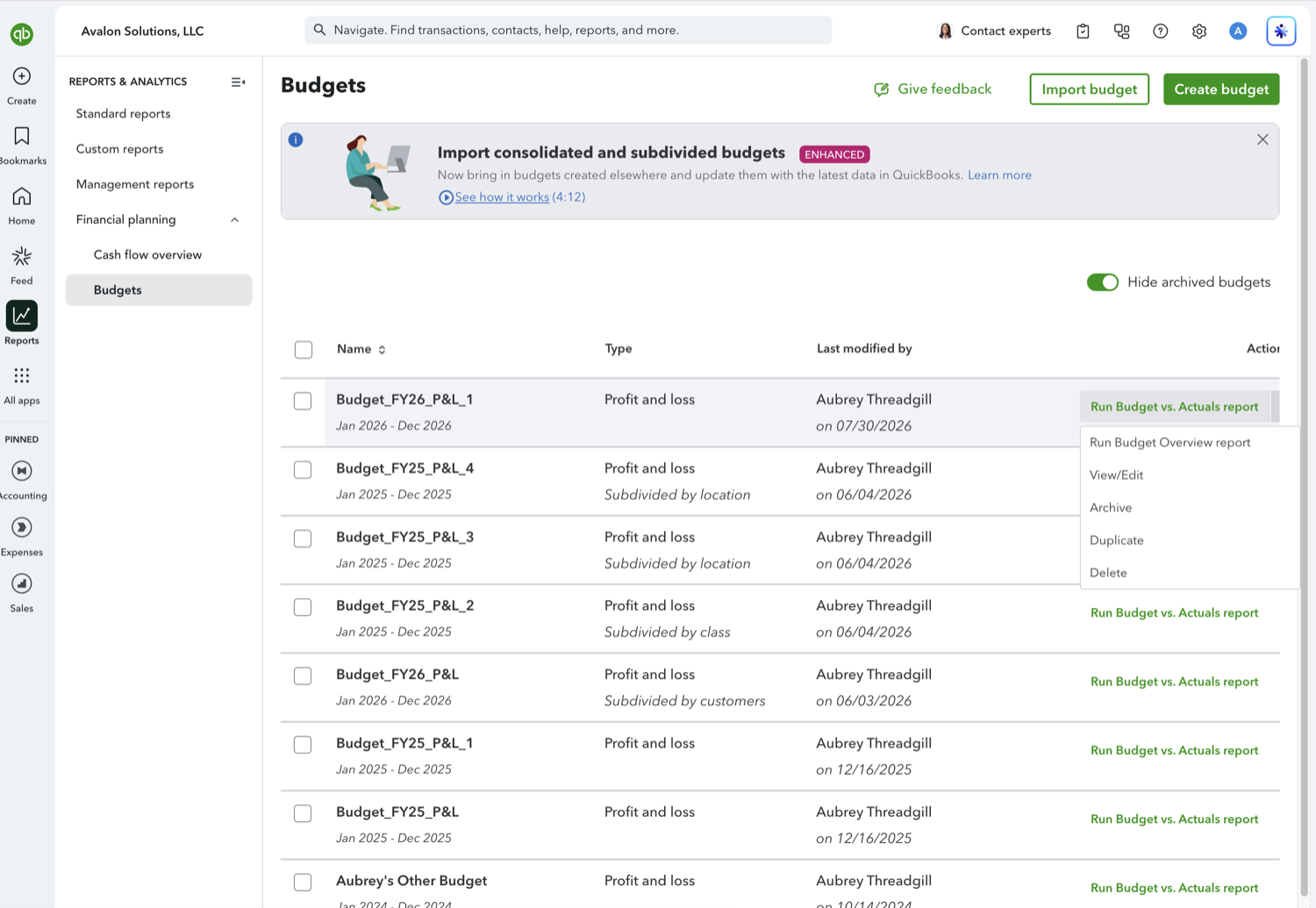
Go to Reports, open Financial planning, and select Budgets. Open the dropdown at the end of the budget's row and choose View/Edit. A budget whose period has not started yet shows View/Edit directly in the Actions column, because there are no actuals for it to report on.
- Change the amounts
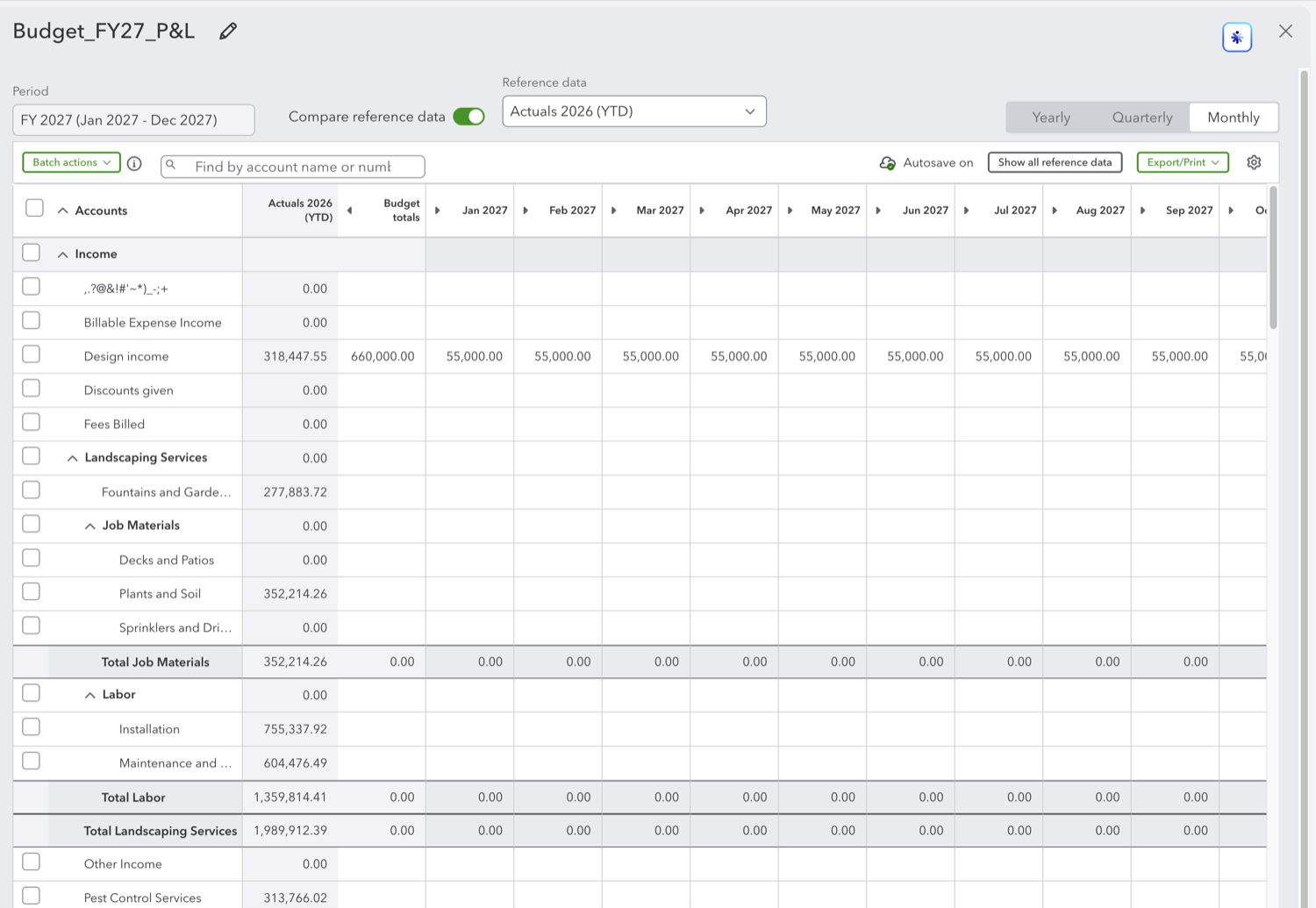
The editor fills the window with a grid: accounts down the left, one column per period across the top. Type over any figure to change it. The Yearly, Quarterly, and Monthly buttons at the top right change how finely the periods are split, Batch actions applies a change across many rows at once, and the search box finds an account by name or number. QuickBooks shows "Autosave on" above the grid, so edits are kept as you go.
- Rename the budget, and use reference data if it helps
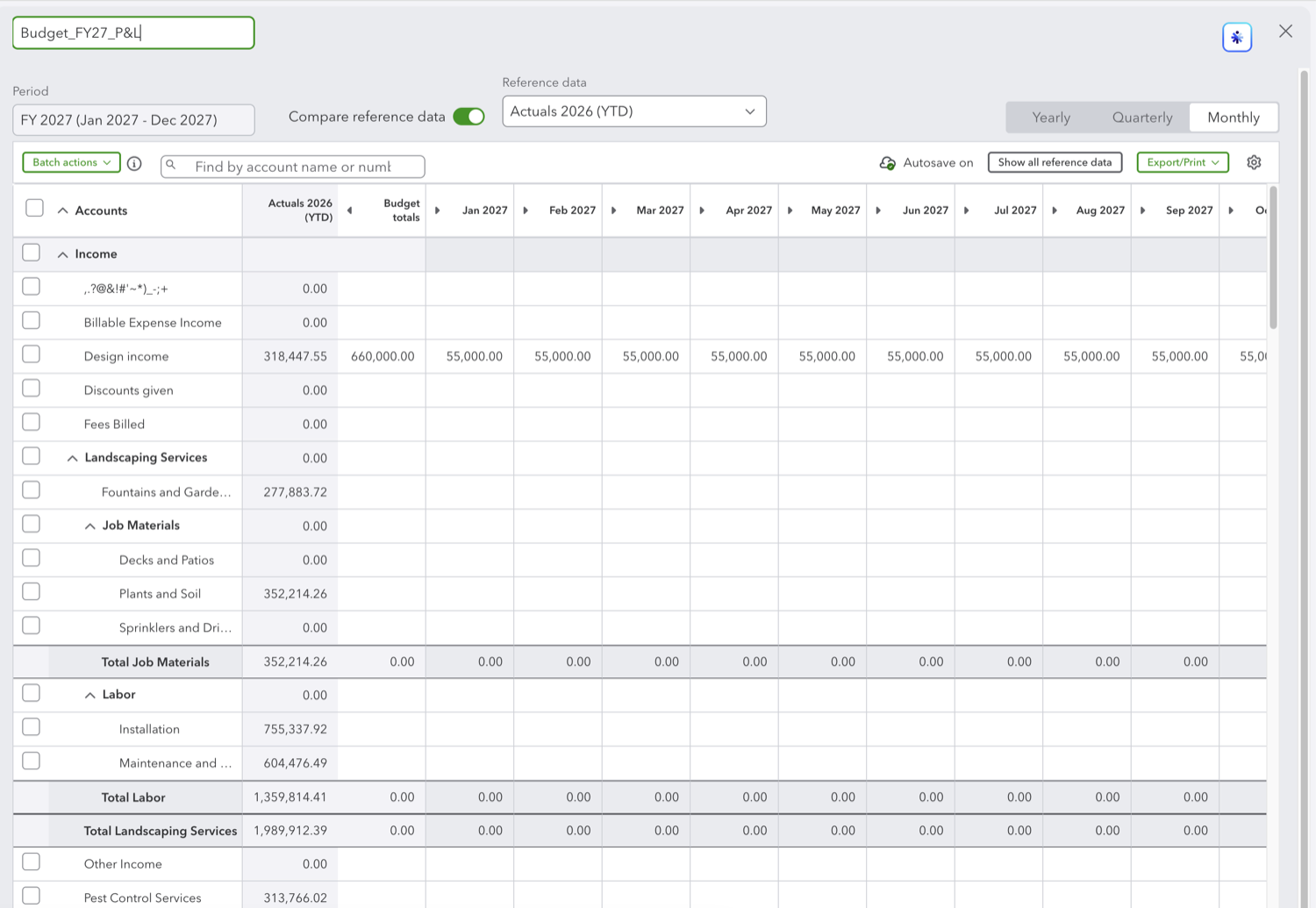
Click the pencil next to the budget name at the top left to rename it, then press Enter. The "Compare reference data" toggle adds a reference column next to your figures, with the source chosen in the Reference data dropdown, so you can set next year's numbers while this year's actuals sit beside them. Export/Print sends the budget out as a file.
See also
Frequently asked questions
Do I have to click Save?
The editor shows "Autosave on" above the grid, so changes are kept as you make them. A Save button sits at the bottom right if you would rather commit the budget yourself.
Can I change the fiscal year or the format of a saved budget?
No. The period and the Budget format, consolidated or subdivided, are fixed when the budget is created. To change either, duplicate the budget into the period you want or create a new one.
What is the reference data column for?
It puts a comparison column next to the grid, such as the current year's actuals, so you can set each figure with something to anchor it to instead of working from an empty sheet.
Tired of rebuilding reports? Need more customization?
Retriever pulls QuickBooks Online reports like this one into Google Sheets on a schedule. They refresh on their own, and once the data is in Sheets you can pivot, chart, and customize it far beyond QuickBooks' fixed report layouts.
See how Retriever worksRelated report guides
Questions about this report? Reach out at aubrey@retrieverhq.com.

© 2026 Avalon Innovation Corporation. All rights reserved.
🇺🇸 Built in Orange County, California