
Why Reclassify Transactions won't change the account in QuickBooks Online
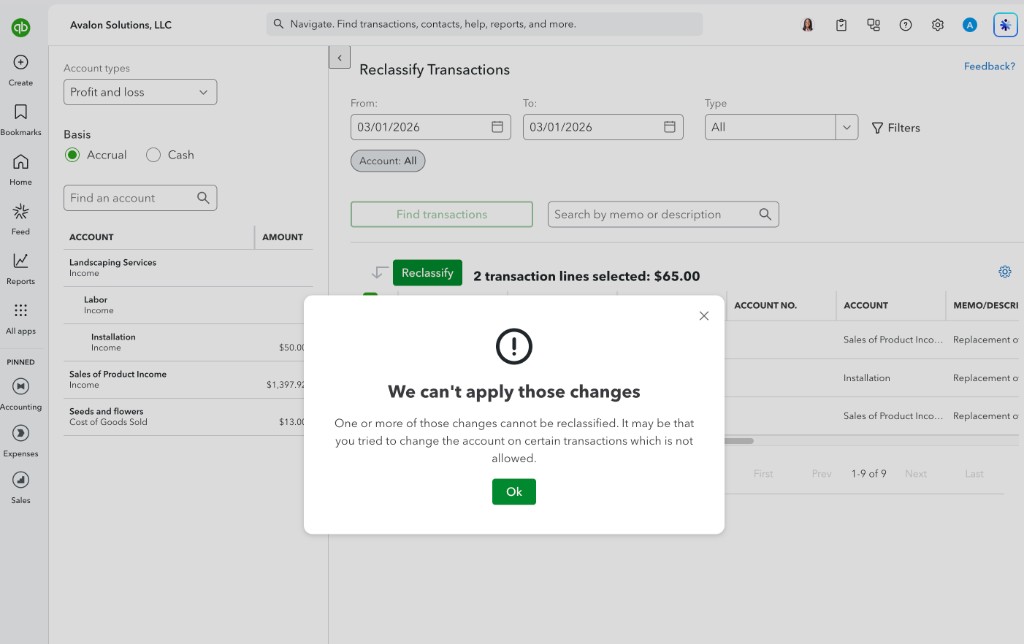
If you've ever tried to change the account on invoice lines with Reclassify Transactions, then you may have run into the error "We can't apply those changes." You pick the lines, choose the new account, click Apply, and the amounts stay where they were.
The reason QuickBooks gives us this error is that those lines are invoices. An invoice does not have an account you can directly retarget. Instead, it has one or more products or services, and each item decides which income account that line hits.
Why an invoice will not reclassify
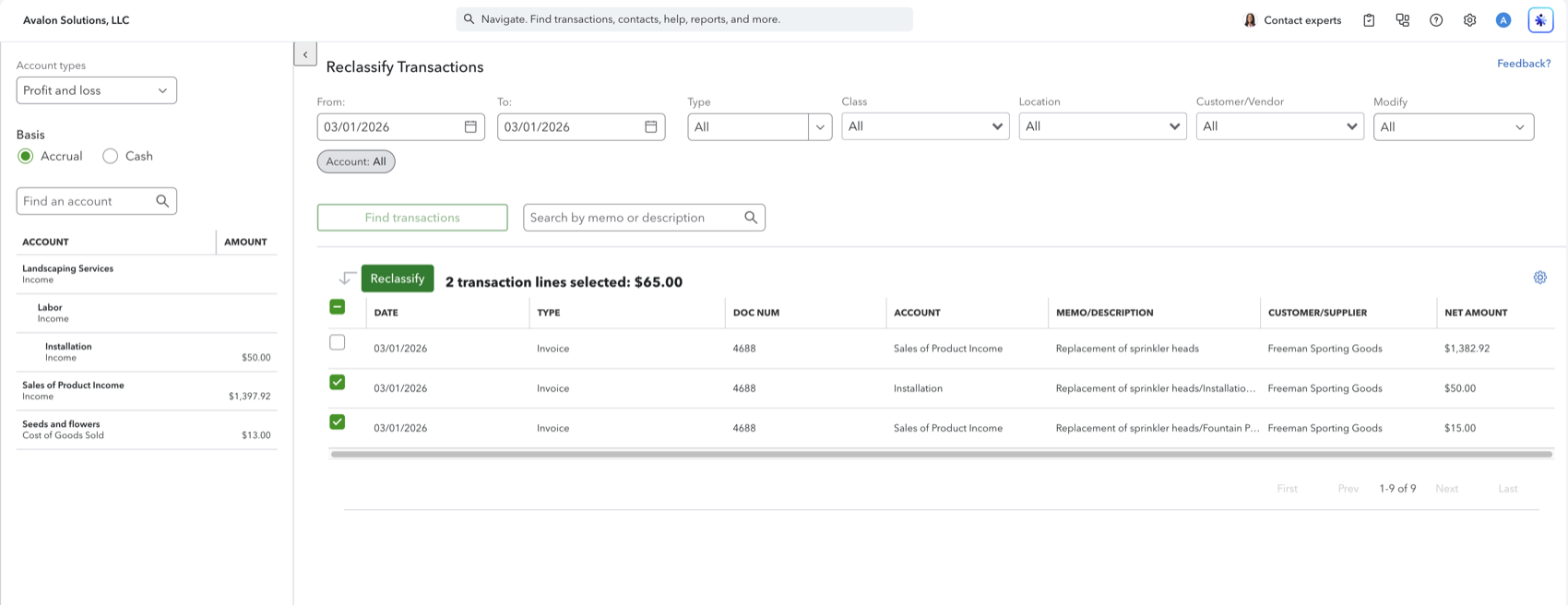
These two lines are invoices. Reclassify shows them on the list and lets you select them. That does not mean it can change the account.
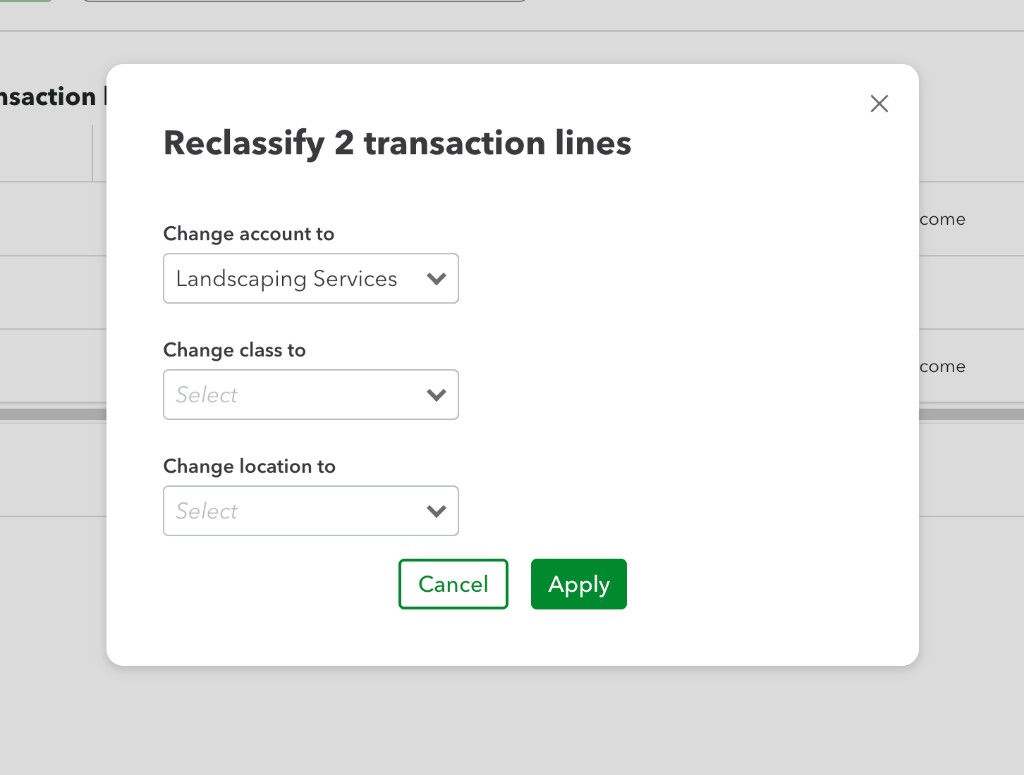
The dialog lets you pick a new account anyway. In this example the destination was Landscaping Services.
Apply fails with "We can't apply those changes." The message does not mention invoices. It only says the account on certain transactions is not allowed to change.
Open the invoice and the reason is visible. There is no Account column. Each line has a Product/service, and that is what posts the income.
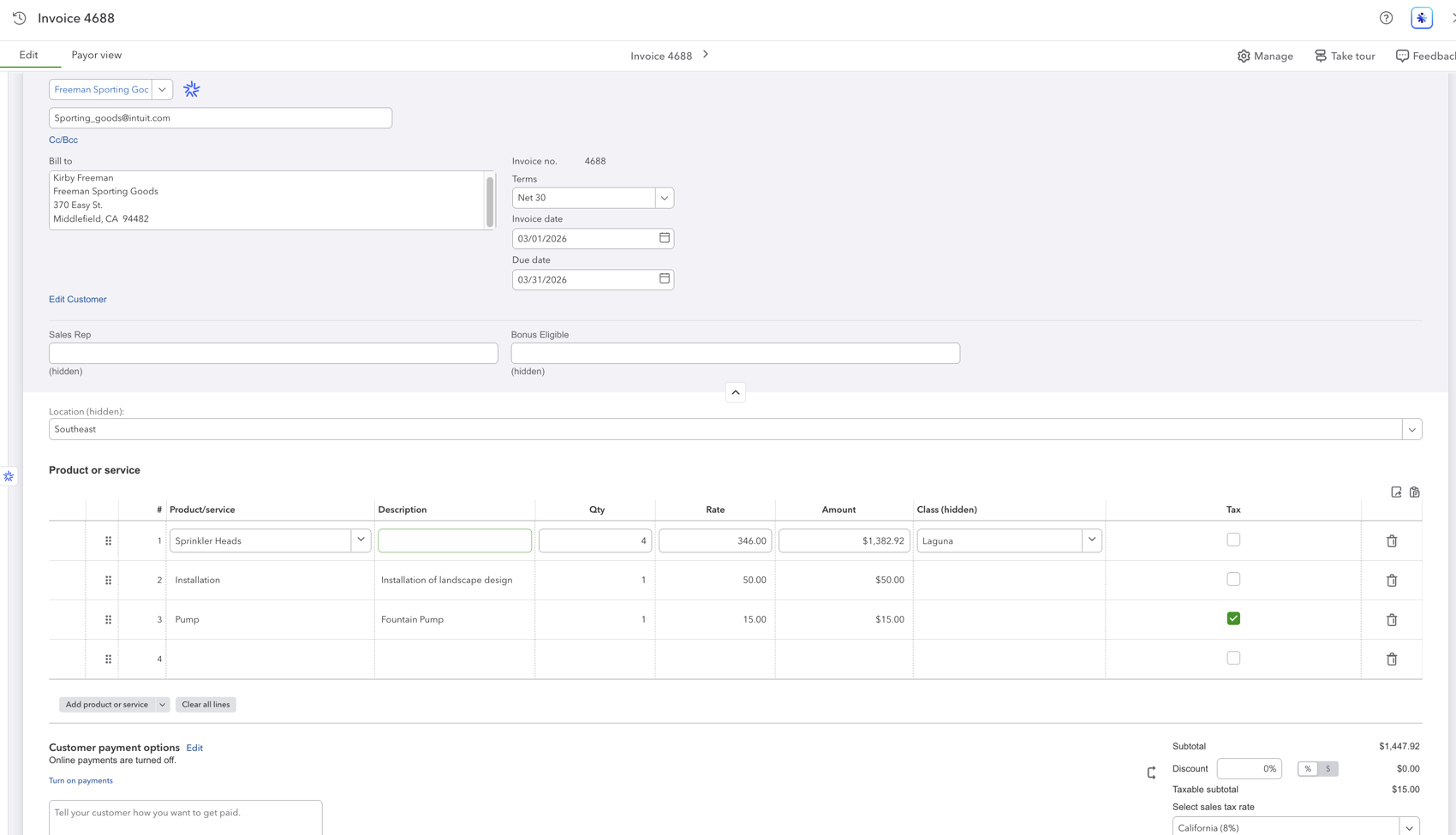
Reclassify can list the accounts those items already post to. It cannot write a different account over the item. Intuit documents the same limit: on an invoice that uses products or services, you can change class, not the account.
How to actually change the account
Edit the invoice and change the Product/service to an item that posts to the account you want.
- Open the invoice. Click the line in Reclassify, or find it under Sales, then Invoices.
- If no item posts to the destination account yet, create one under Settings, then Products and services. Set its Income account to the account you want.
- Change Product/service on each line you want to move, then save the invoice.
The Profit and Loss Detail is the fastest place to confirm the amounts landed on the new account.
Changing the income account on the existing product or service only affects new invoices. It does not rewrite ones already saved.
A journal entry can move the totals on the income statement without editing the invoice. The invoice still posts through its original items, so a sales report and the Profit and Loss can then disagree.
Other cases that also block an account change
The same error can appear for other locked types. Intuit lists these separately from the product-or-service rule:
- The payment account on an expense (the bank or credit card). Reclassify will not move that side.
- Inventory adjustments, which stay tied to inventory and shrinkage accounts.
- Payroll transactions, which you change in the Payroll app.
- The income side of a billed billable expense. The expense account can change. The related income cannot.
If the line is a category-coded expense with no product or service, Reclassify can usually change the account. That is the job the tool is built for. Item-coded sales are not.
After the accounts are right, keep the P&L current
Retriever does not write back to QuickBooks, so it cannot reclassify for you. Once the invoices post to the right accounts, it can pull the Profit and Loss and the transaction detail into Google Sheets and refresh them on a schedule. Any QuickBooks Online plan, read-only. $60 a month for the first company, $12 for each additional.
See how Retriever worksFrequently asked questions
Why does Reclassify say "We can't apply those changes"?
The Type is Invoice. An invoice line posts through its product or service, so Reclassify is not allowed to change the account. The same lock applies to sales receipts, checks, and bills that use items.
Can I change the account on invoice lines in bulk?
Not with Reclassify Transactions. The tool will not override the account on item-coded invoices. Open each invoice and change the product or service to one that posts to the account you want, or create that item first and then swap it on the lines.
If I change the income account on the product or service, do old invoices move?
No. The item's income account applies to new invoices. Existing invoices keep the account they posted with until you edit those lines.
Which QuickBooks Online plans have Reclassify Transactions?
Intuit documents the tool for QuickBooks Online Advanced and QuickBooks Online Accountant. On Accountant it sits under Accountant tools. On Advanced it is under Settings. Search "reclassify" if you do not see it in either place.
What else will Reclassify refuse to change the account on?
Intuit also blocks the bank or credit card account on expenses, inventory adjustments, payroll, and the income side of a billed billable expense. Those are separate limits from the product-or-service lock on invoices.
Can Reclassify change class on the same invoice lines?
Yes. Class is allowed on invoices that use products or services. That does not move the amount to a different income account. If the job is to change the account, edit the invoice.
See also
Source: Intuit, Reclassify or move multiple transactions. The screenshots are from a QuickBooks Online invoice that uses products and services.

© 2026 Avalon Innovation Corporation. All rights reserved.
🇺🇸 Built in Orange County, California