
How to Create a Profit and Loss Report Comparison (Quarter-over-Quarter) in QuickBooks Online
A quarter-over-quarter Profit and Loss comparison lines a quarter up against the previous quarter, handy for board decks and investor updates where month-level noise gets in the way. Here's how to build one in QuickBooks Online.
New to QuickBooks Online's modern view? See how it compares to the classic view.
Steps
- Open the Profit and Loss report
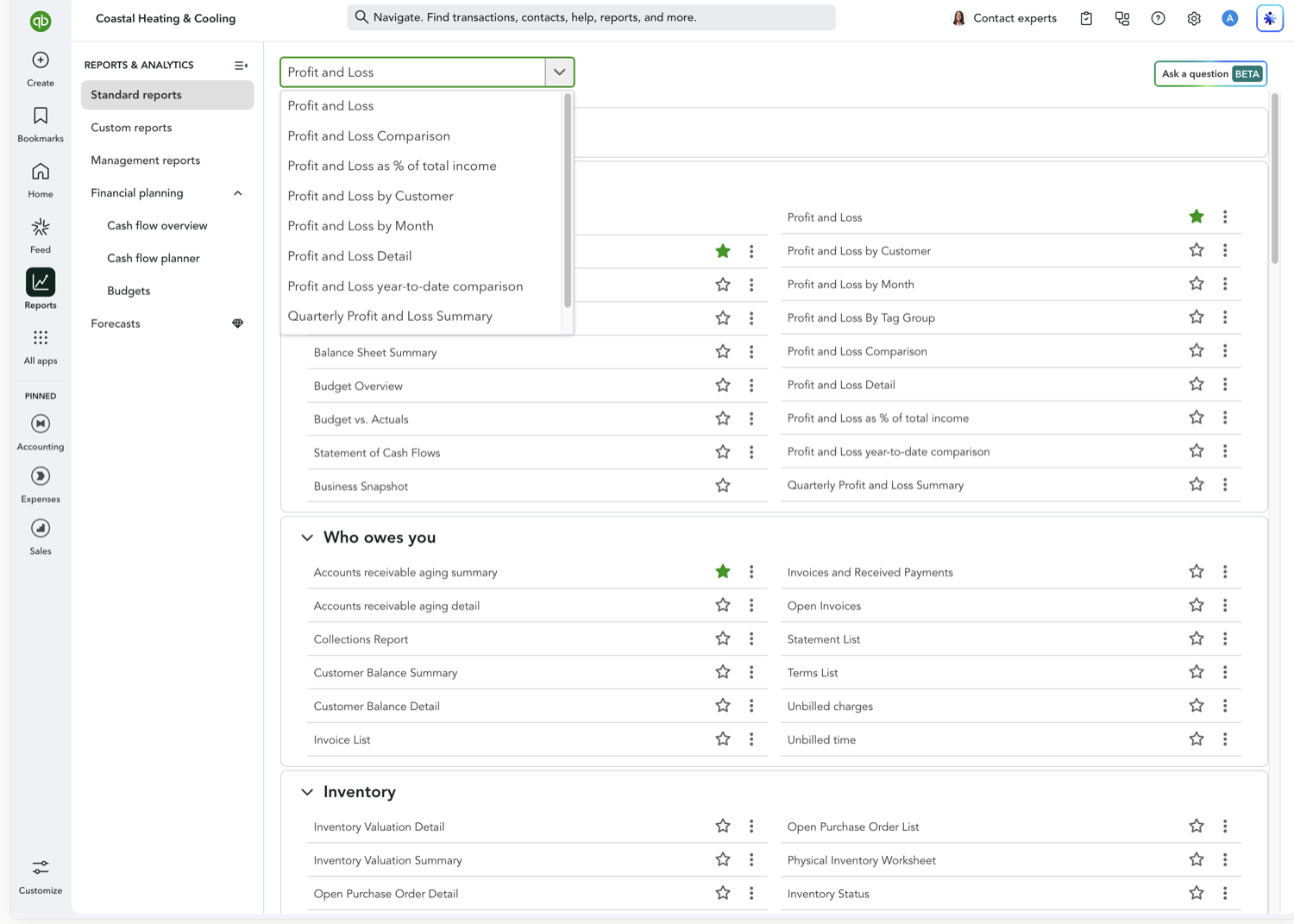
Go to Reports and select "Profit and Loss."
- Set the date range to the quarter you want to analyze
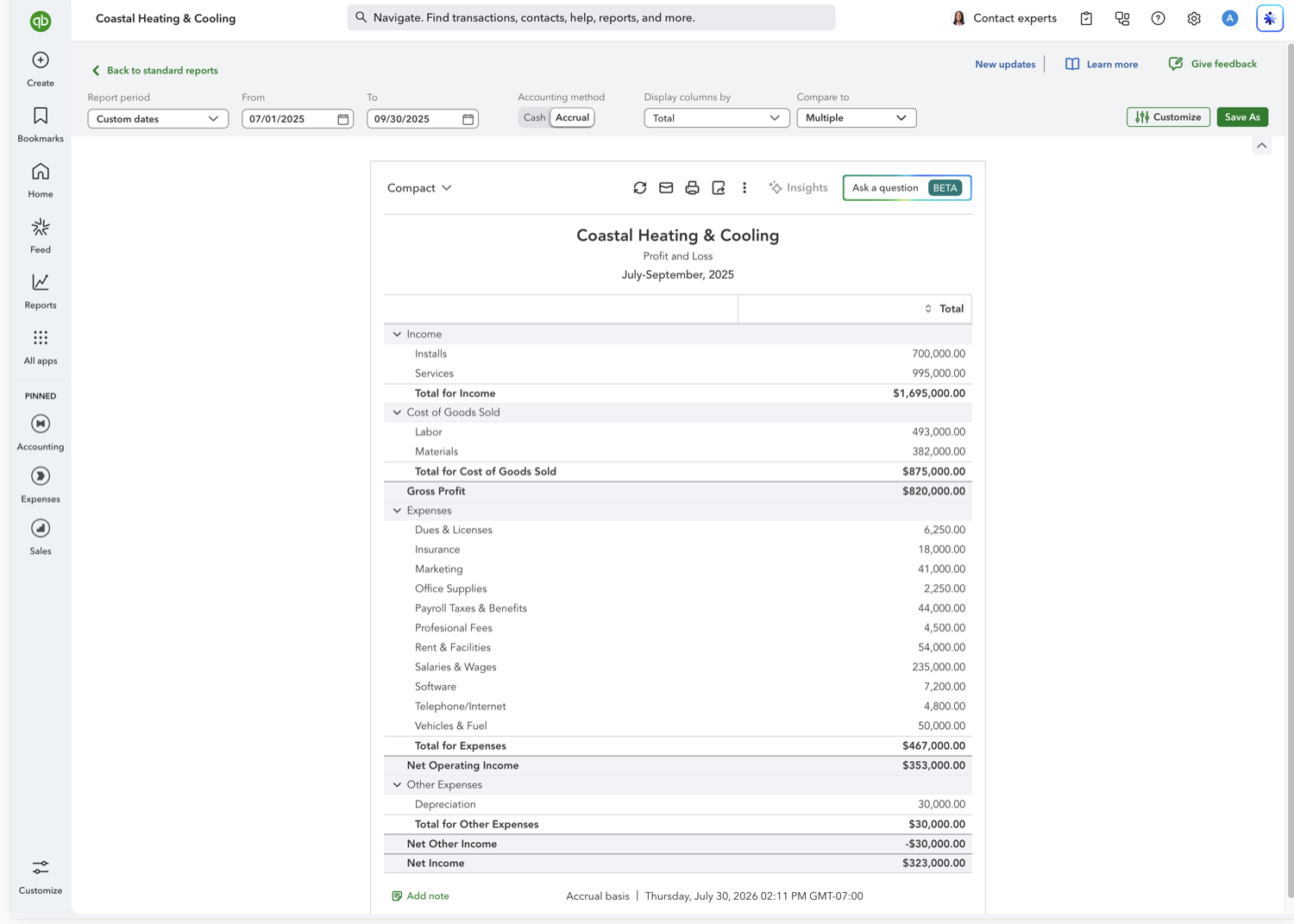
Use the Report period control to select a single quarter, for example "Last quarter" or "This fiscal quarter." The quarter you compare against is added in the next step.
- Set "Compare to" to Previous Period
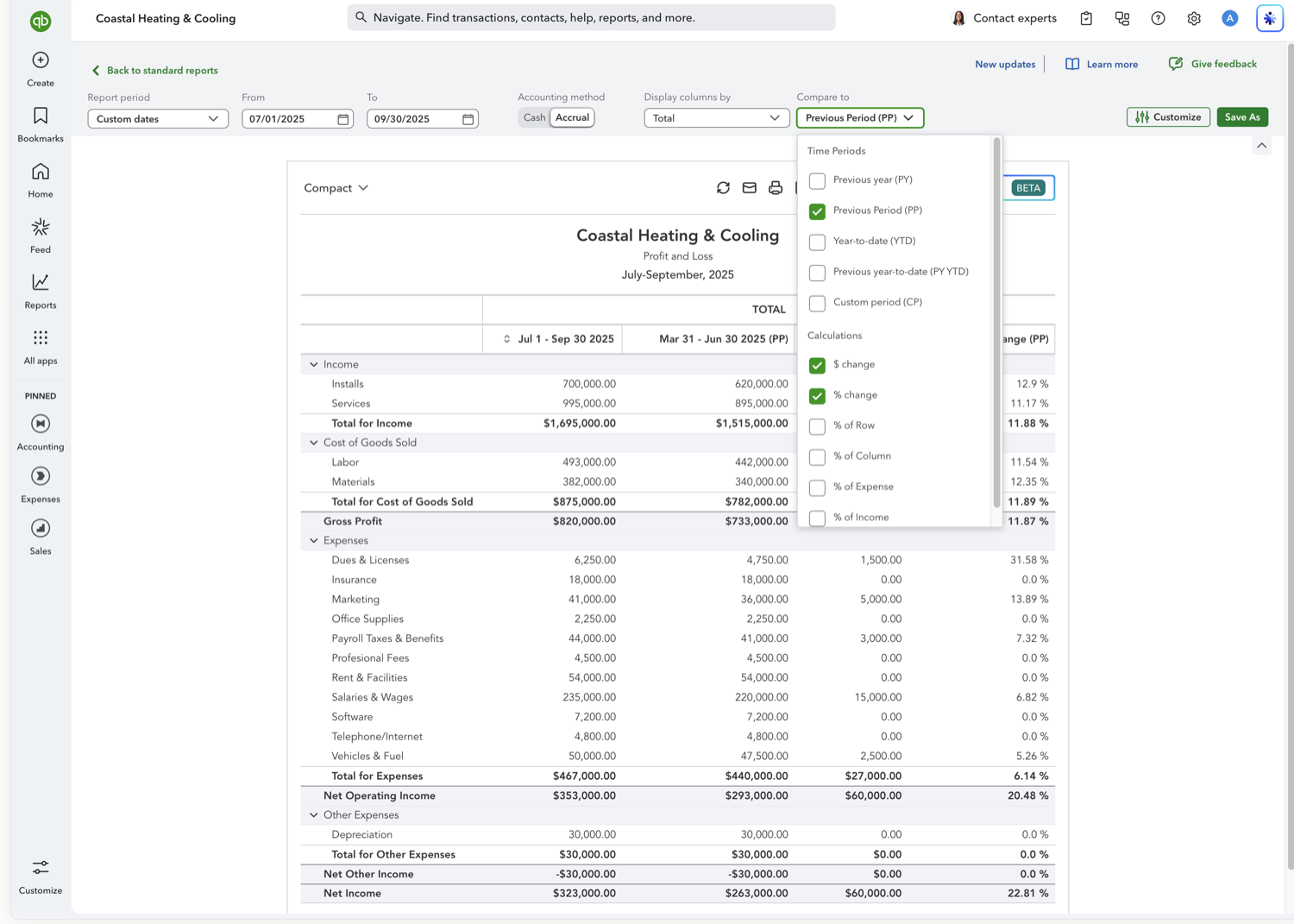
Open the "Compare to" dropdown and check "Previous Period (PP)." With a one-quarter period, this adds the immediately preceding quarter. Then check "$ change" and "% change" for the difference columns.
- Review the quarter-over-quarter columns
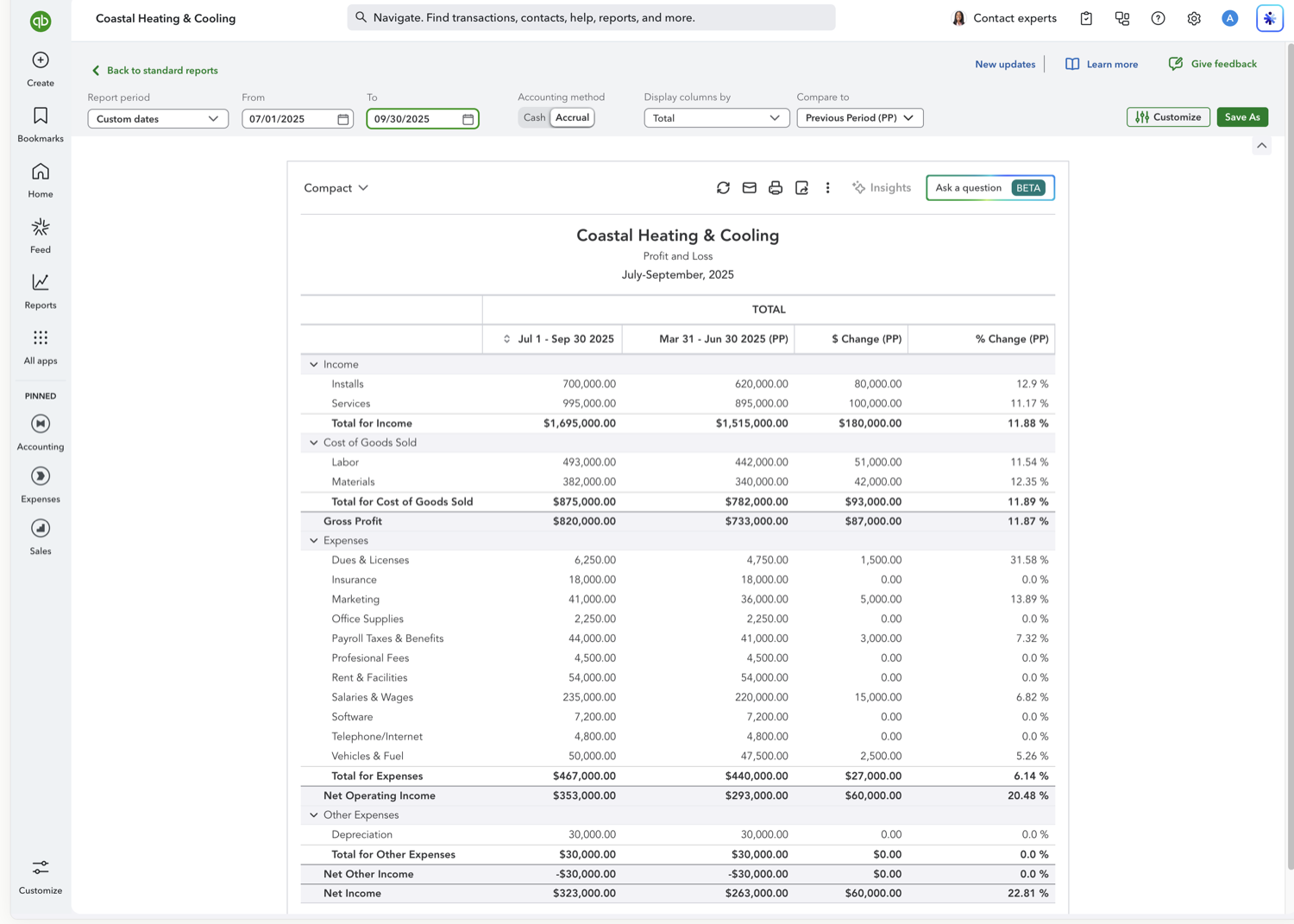
The report updates automatically, showing the selected quarter next to the prior quarter with dollar and percentage change.
Calculation columns you can add
Alongside the comparison period, the "Compare to" dropdown offers calculation columns that add computed values rather than another time period:
$ change — The dollar difference between the current period and the comparison period.
% change — The percentage difference between the current period and the comparison period.
% of Row — Shows each amount as a percentage of its row total.
% of Column — Shows each amount as a percentage of its column total.
% of Expense — Shows each amount as a percentage of total expenses.
% of Income — Shows each amount as a percentage of total income.
Other Profit and Loss comparisons
Frequently asked questions
What is the difference between quarter-over-quarter and a Profit and Loss by quarter?
A by-quarter report (Display columns by Quarters) shows all four quarters as columns for a full-year view. Quarter-over-quarter focuses on two consecutive quarters and adds explicit dollar and percentage change columns.
How do I compare to the same quarter last year?
Use a year-over-year comparison. Set "Compare to" to "Previous year (PY)." See our Year-over-Year guide for the walkthrough.
Does QuickBooks use calendar quarters or fiscal quarters?
Quarters follow the fiscal year start date set in Account and settings > Advanced. If your fiscal year starts in January, quarters align to the calendar; otherwise they shift accordingly.
Tired of rebuilding reports? Need more customization?
Retriever pulls QuickBooks Online reports like this one into Google Sheets on a schedule. They refresh on their own, and once the data is in Sheets you can pivot, chart, and customize it far beyond QuickBooks' fixed report layouts.
See how Retriever worksRelated report guides
Questions about this report? Reach out at aubrey@retrieverhq.com.

© 2026 Avalon Innovation Corporation. All rights reserved.
🇺🇸 Built in Orange County, California