
How to Run the Trial Balance Report in QuickBooks Online
The Trial Balance lists every account with its ending debit or credit balance as of a date, with the two columns totaling to the same number. It is the quick checkpoint accountants run before closing a period or preparing the financial statements. Here is how to run it in QuickBooks Online.
Steps
- Open the Trial Balance report
Go to Reports and scroll to the "For my accountant" group, then select "Trial Balance." You can also type "Trial Balance" into the report search box. It opens with every account that has a balance, in two columns: Debit and Credit.
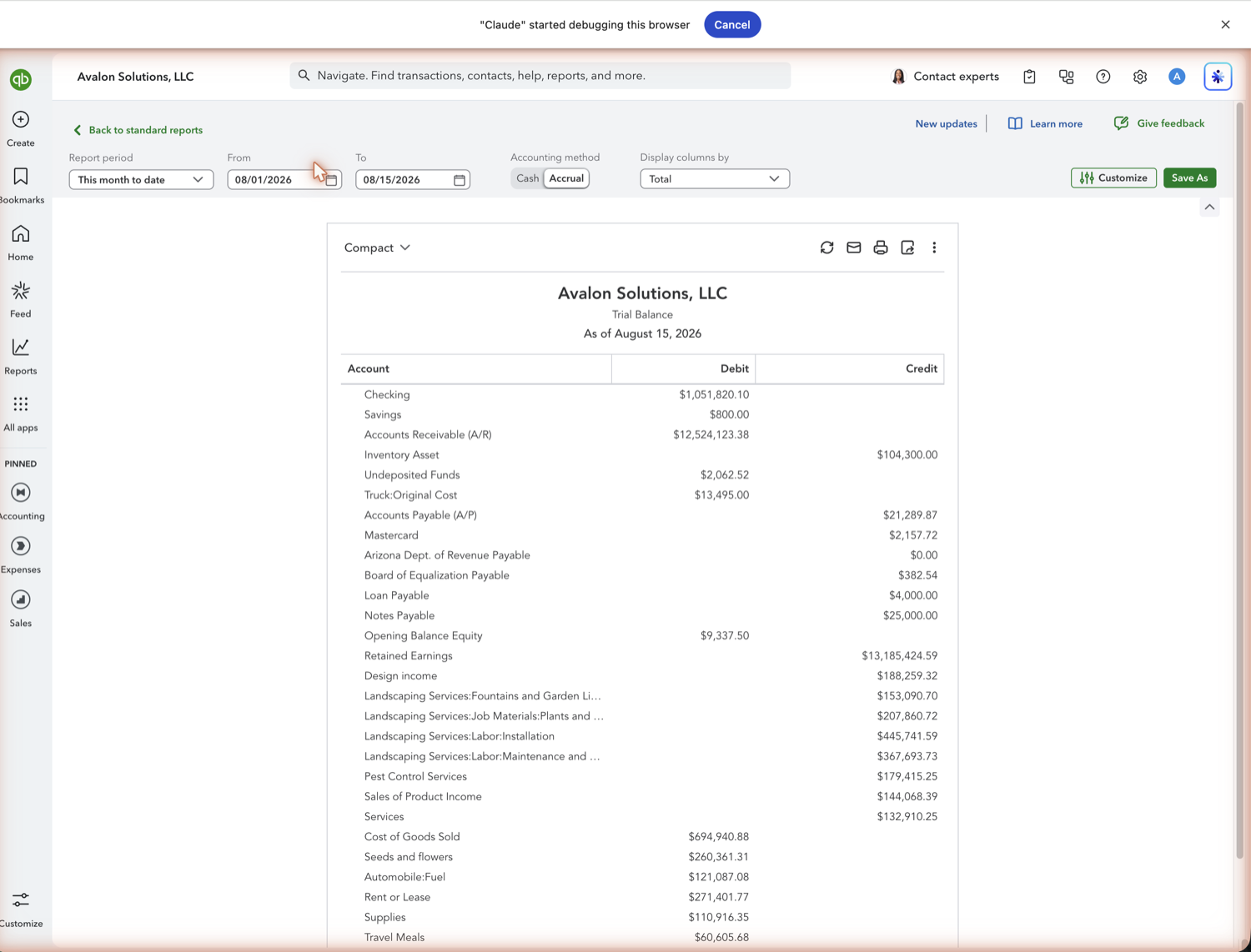
- Set the as-of date and accounting method
A Trial Balance is always as of a single date. Use the Report period (or the To date) to set it, then choose Cash or Accrual next to Accounting method. Accrual includes unpaid invoices and bills; cash does not.
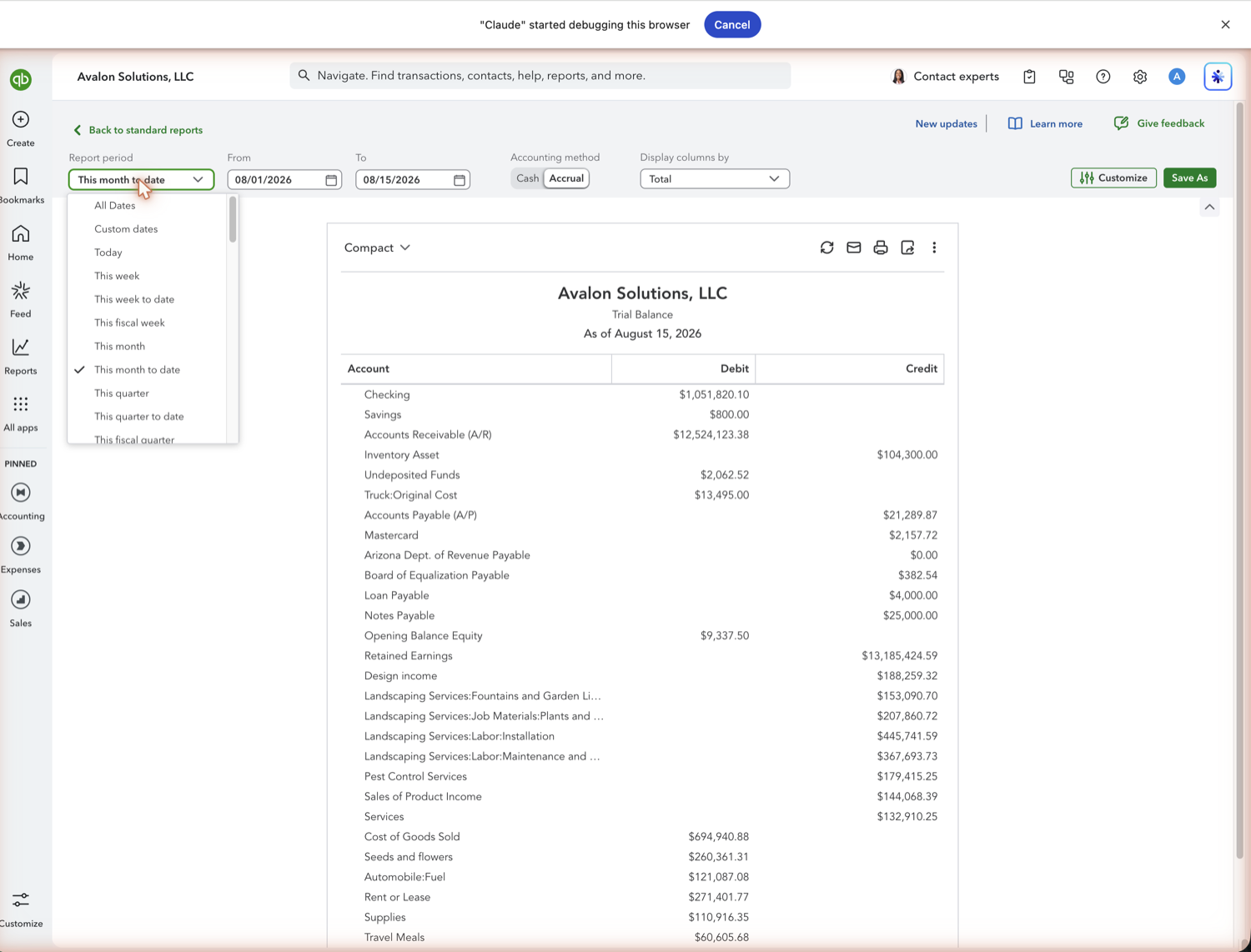
- Check that the totals match
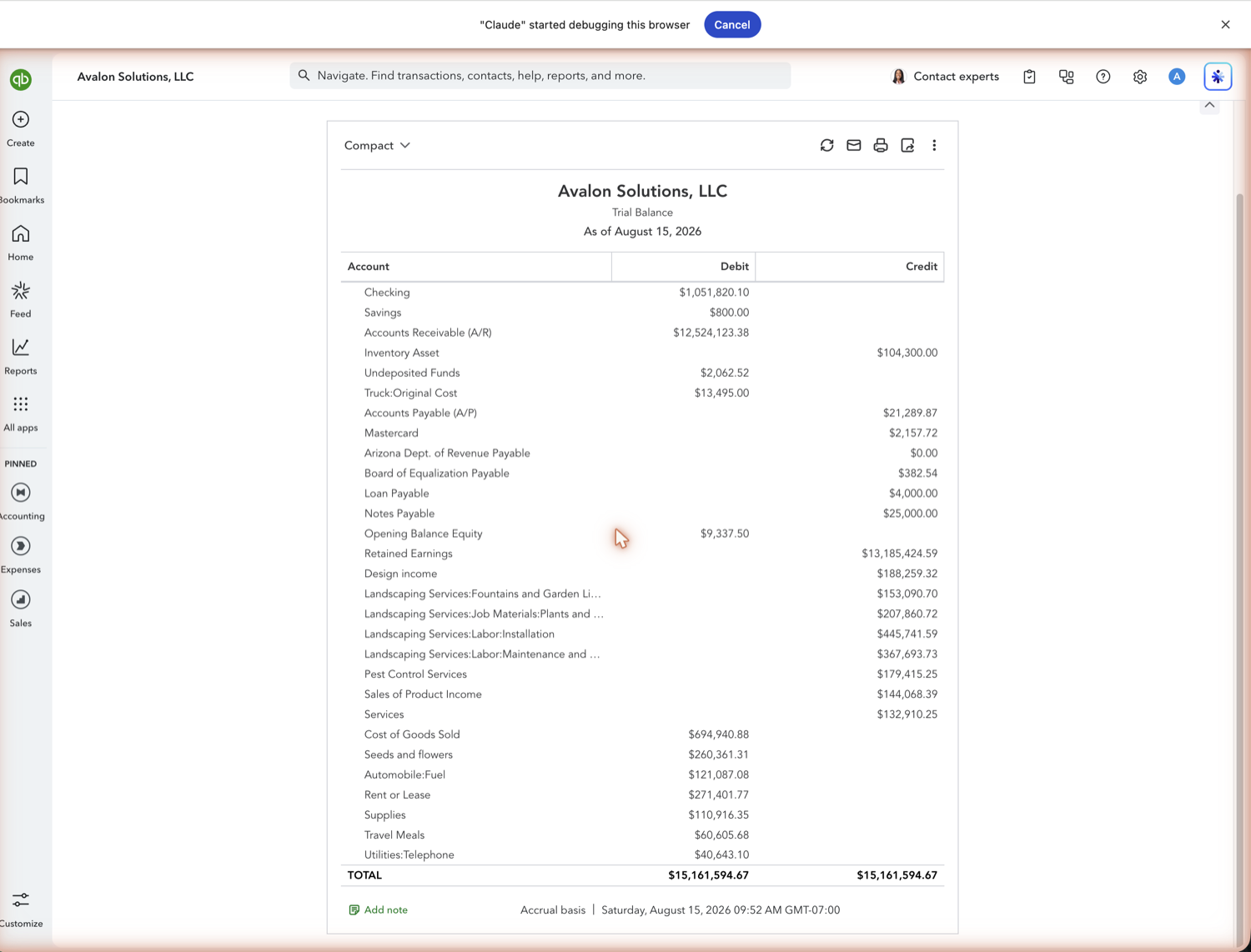
Read down the Debit and Credit columns; the two totals at the bottom are always equal. If a balance looks wrong, click it to drill into the transactions, or open the General Ledger for the full detail behind the account.
See also
Frequently asked questions
What's the difference between a Trial Balance and a Balance Sheet?
The Trial Balance lists every account (including income and expense accounts) with a raw debit or credit balance. The Balance Sheet groups only the asset, liability, and equity accounts into a formatted statement.
Why do the debit and credit totals have to match?
QuickBooks uses double-entry accounting, so every transaction posts an equal debit and credit. The Trial Balance totals confirm the books are in balance as of your date.
Can I pull the Trial Balance into Google Sheets?
Yes. Retriever brings the Trial Balance into Google Sheets and refreshes it on demand, which is useful for workpapers and reconciliations. See the guide on connecting QuickBooks to Google Sheets.
Tired of rebuilding reports? Need more customization?
Retriever pulls QuickBooks Online reports like this one into Google Sheets on a schedule. They refresh on their own, and once the data is in Sheets you can pivot, chart, and customize it far beyond QuickBooks' fixed report layouts.
See how Retriever worksRelated report guides
Questions about this report? Reach out at aubrey@retrieverhq.com.

© 2026 Avalon Innovation Corporation. All rights reserved.
🇺🇸 Built in Orange County, California