
How to Turn On Location Tracking in QuickBooks Online
Location tracking lets you tag transactions with a location (a region, store, department, or entity) so you can break your reports out by location. It's a one-time setting, and it takes about a minute to turn on. Location tracking requires QuickBooks Online Plus or Advanced.
Steps
- Open Account and settings
Click the Settings (gear) icon in the top-right corner, then choose "Account and settings" under Your Company.
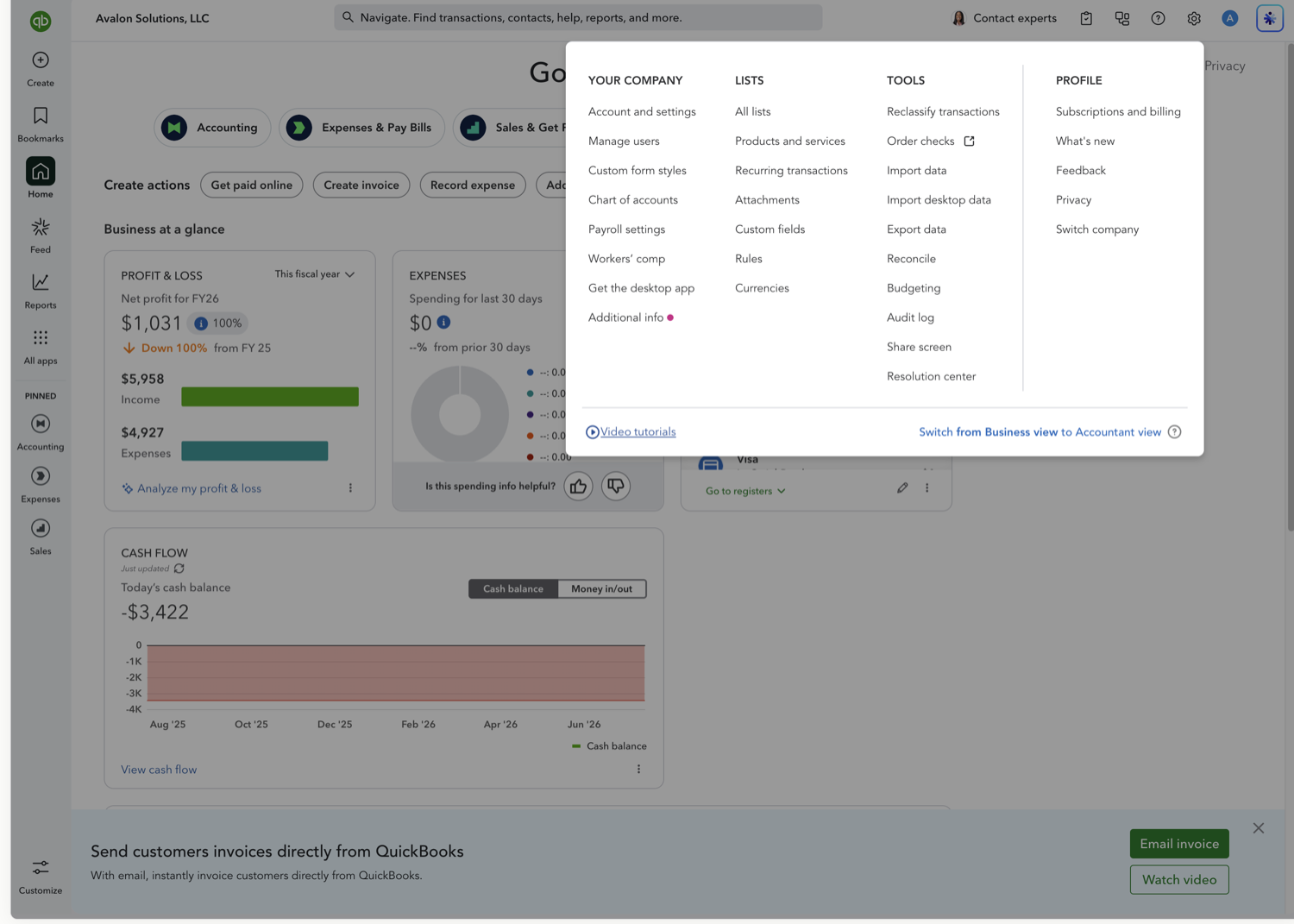
- Turn on "Track locations" under Advanced → Categories
Open the Advanced tab, find the Categories section, and click Edit. Toggle on "Track locations," then click Save. This makes Location available as a column and filter across your reports.
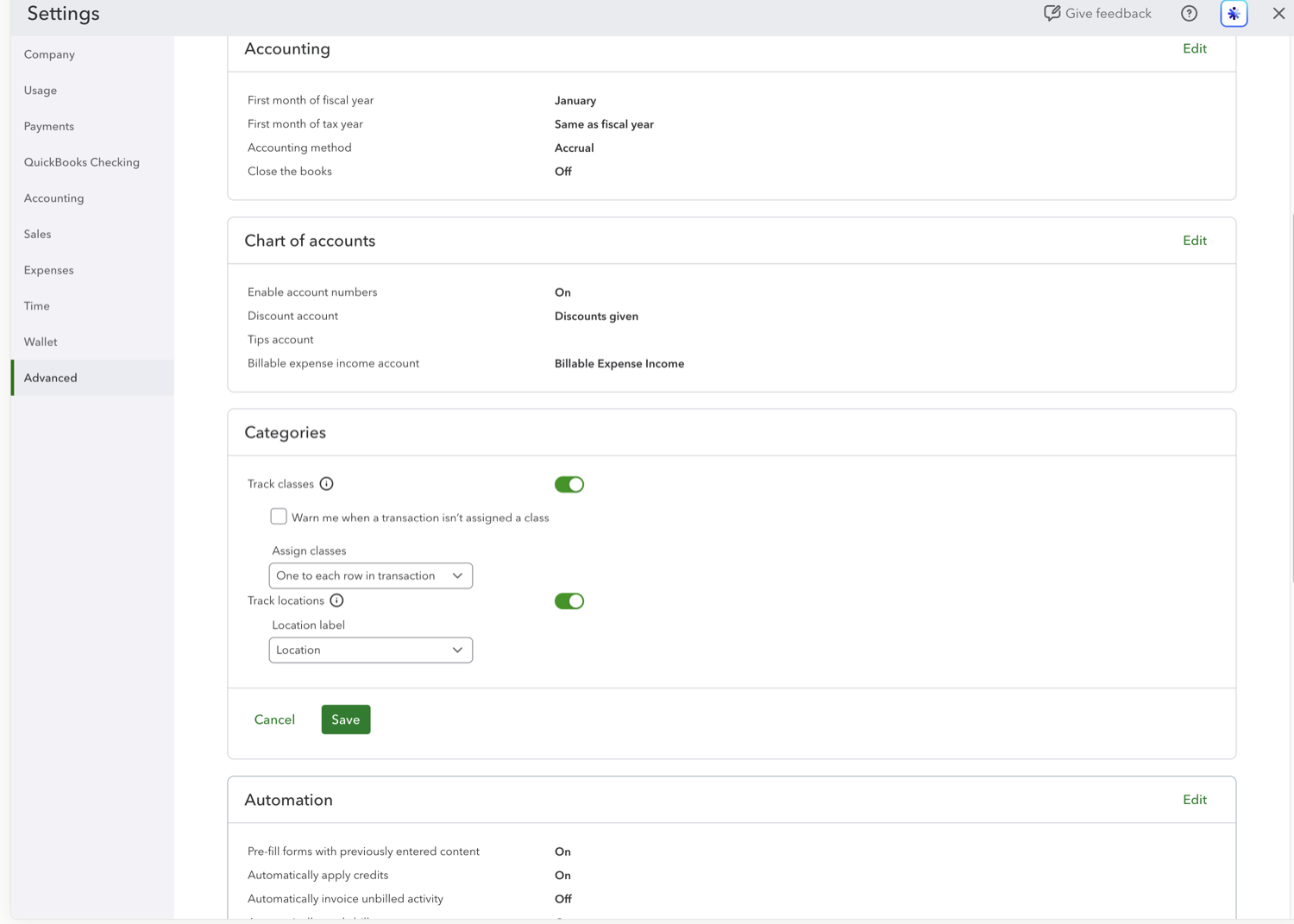
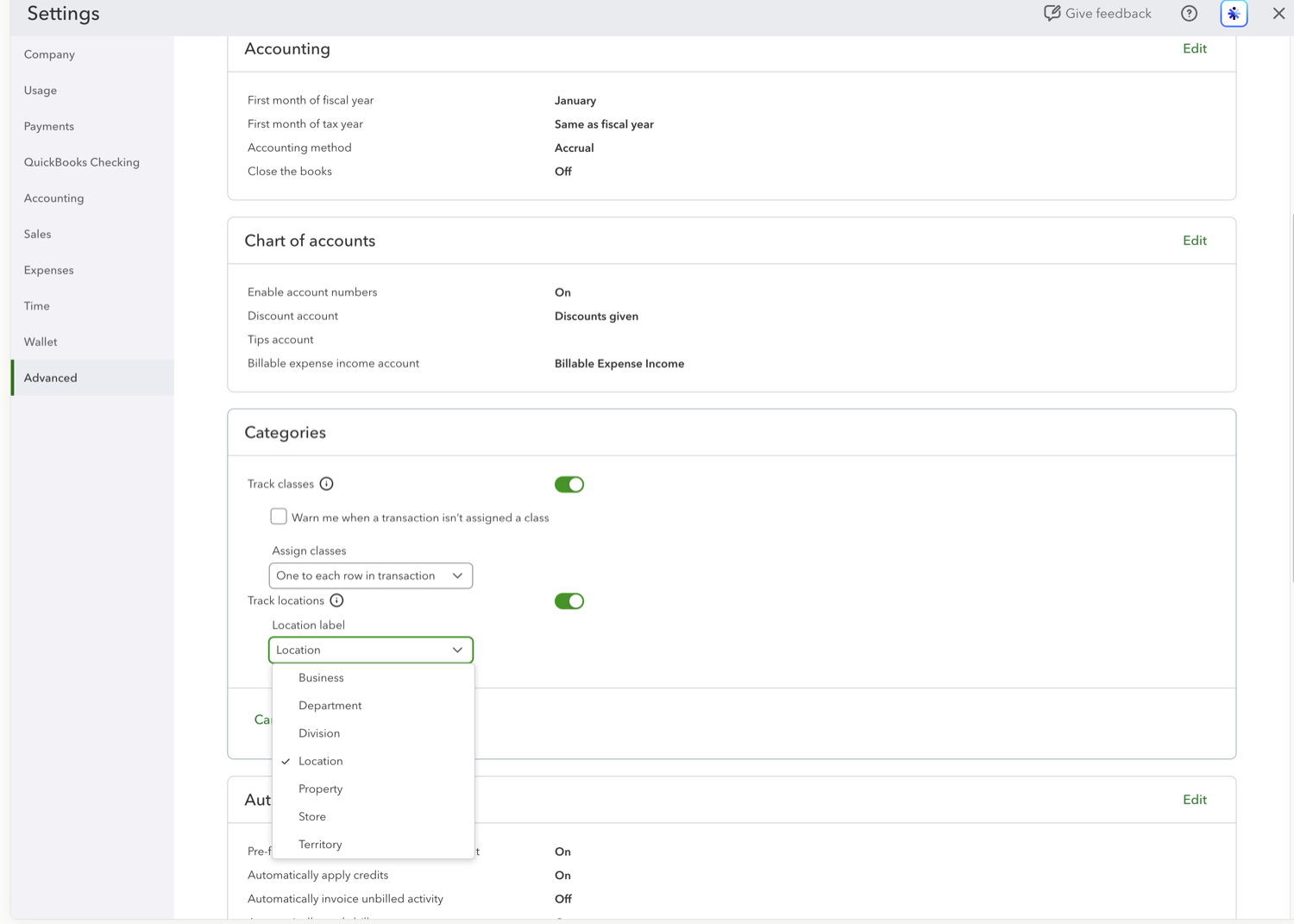
- Choose how to label locations
Under "Location label," pick the word that fits your business: Location, Business, Department, Division, Property, Store, or Territory. It only changes the label QuickBooks uses; the tracking works the same either way.
See also
Frequently asked questions
Which QuickBooks Online plan do I need for location tracking?
Location tracking is available on QuickBooks Online Plus and Advanced. It is not included in Simple Start or Essentials.
What's the difference between locations and classes?
Locations tag the whole transaction (where it happened), while classes can tag individual lines (what kind of activity). Many businesses use locations for sites or entities and classes for departments or programs.
Can I rename the location label later?
Yes. Return to Advanced → Categories and change the Location label at any time. It only changes the wording QuickBooks shows; your existing location data stays intact.
Tired of rebuilding reports? Need more customization?
Retriever pulls QuickBooks Online reports like this one into Google Sheets on a schedule. They refresh on their own, and once the data is in Sheets you can pivot, chart, and customize it far beyond QuickBooks' fixed report layouts.
See how Retriever worksRelated report guides
Questions about this report? Reach out at aubrey@retrieverhq.com.

© 2026 Avalon Innovation Corporation. All rights reserved.
🇺🇸 Built in Orange County, California