
How to Build Management Reports in QuickBooks Online
Management reports are QuickBooks Online's report packages: a cover page, a table of contents, the financial statements you choose, and optional notes, assembled into one document you can send to an owner or a board. They are the tidiest thing QuickBooks produces natively, and they come with one limitation worth knowing before you build a process around them: the finished package exports as a PDF or a Word document, never as a spreadsheet.
Steps
- Open the management reports section
Go to Reports and find the management reports area. QuickBooks provides starter packages, typically a company overview, a sales performance package, and an expenses performance package, which you copy rather than edit directly.
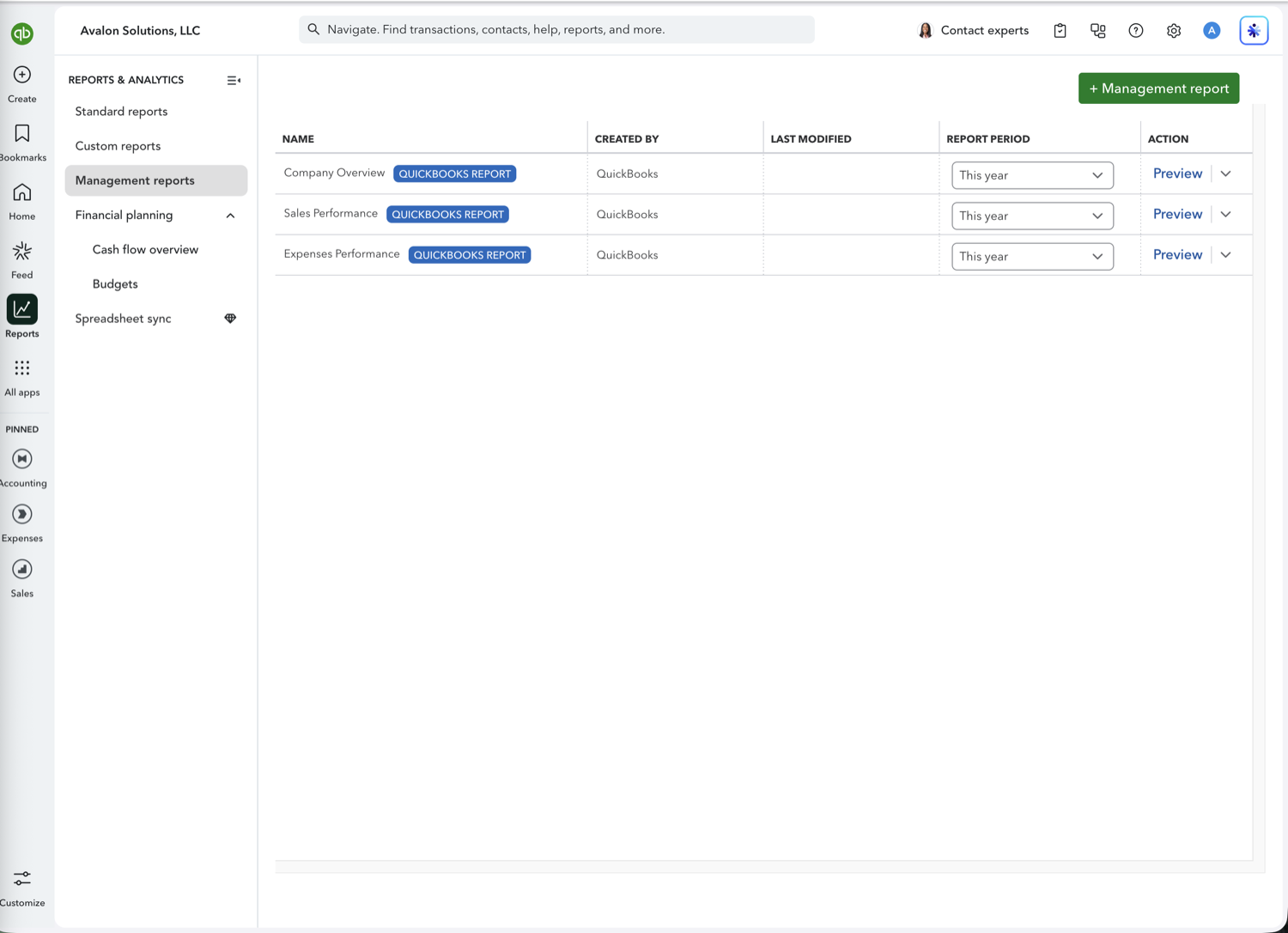
- Copy a package and edit it
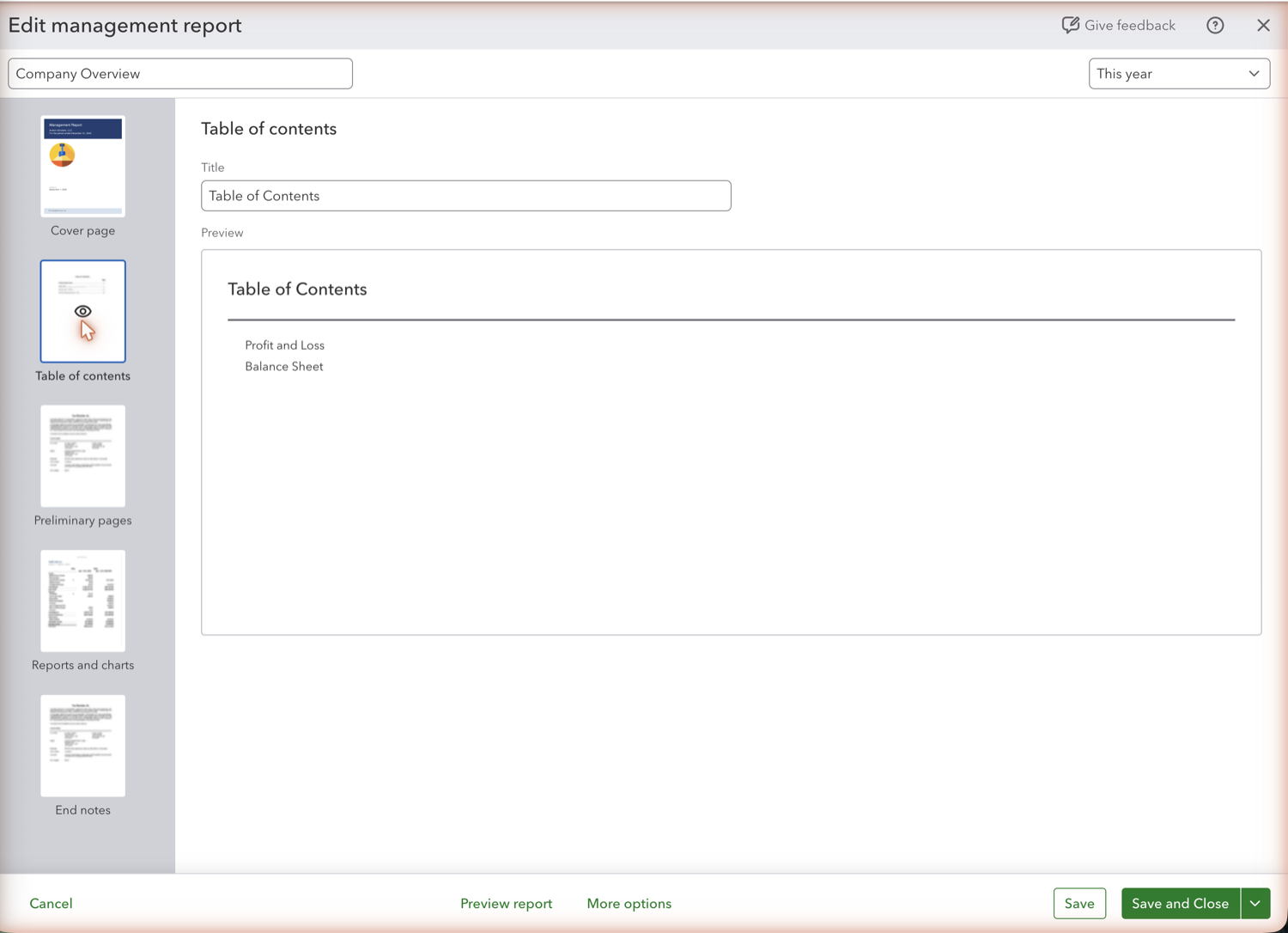
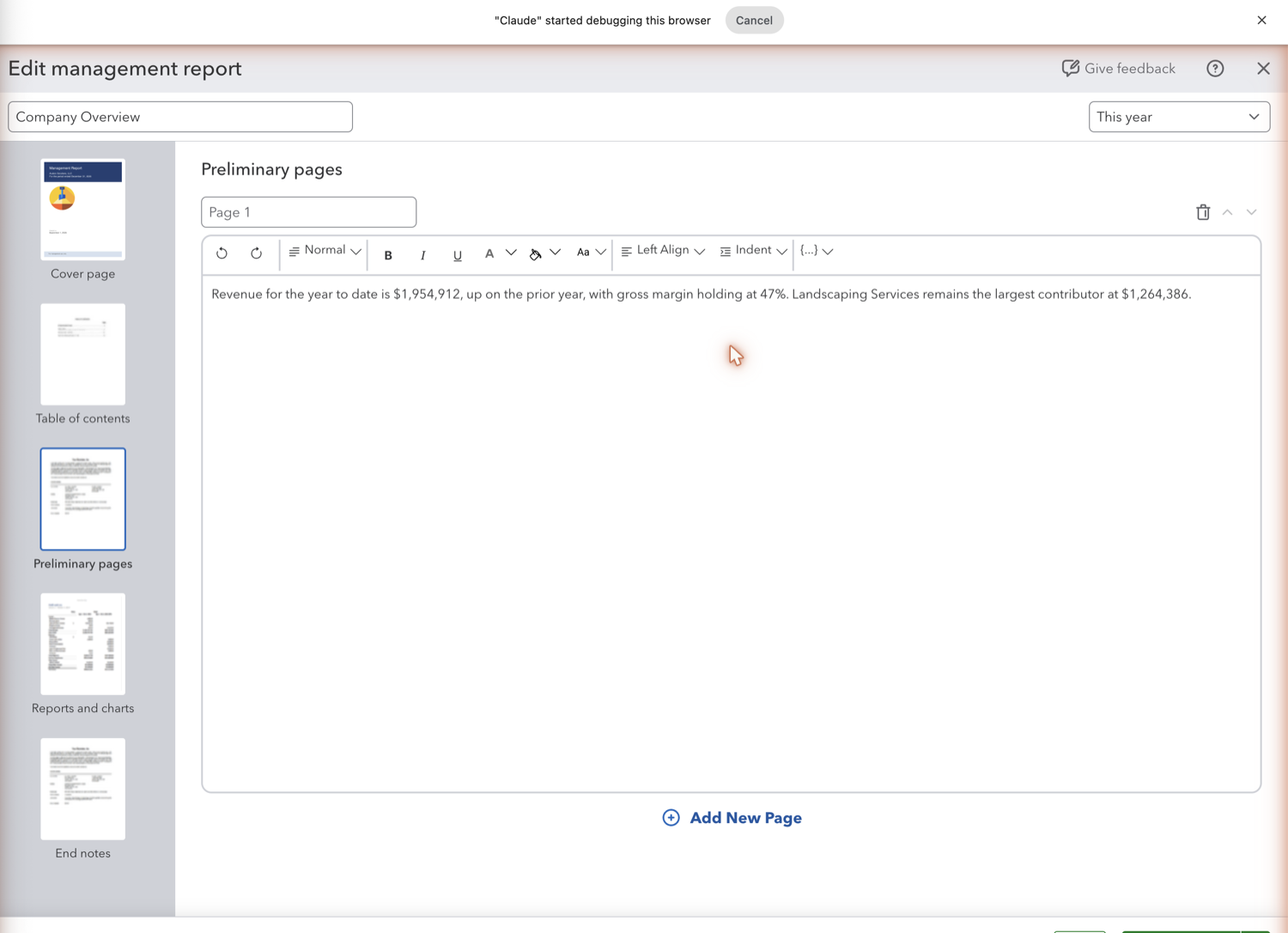
Select Edit on a copy so the original stays intact. The editor gives you the cover page, the table of contents, the report list, and the preliminary and closing pages where you can write commentary.
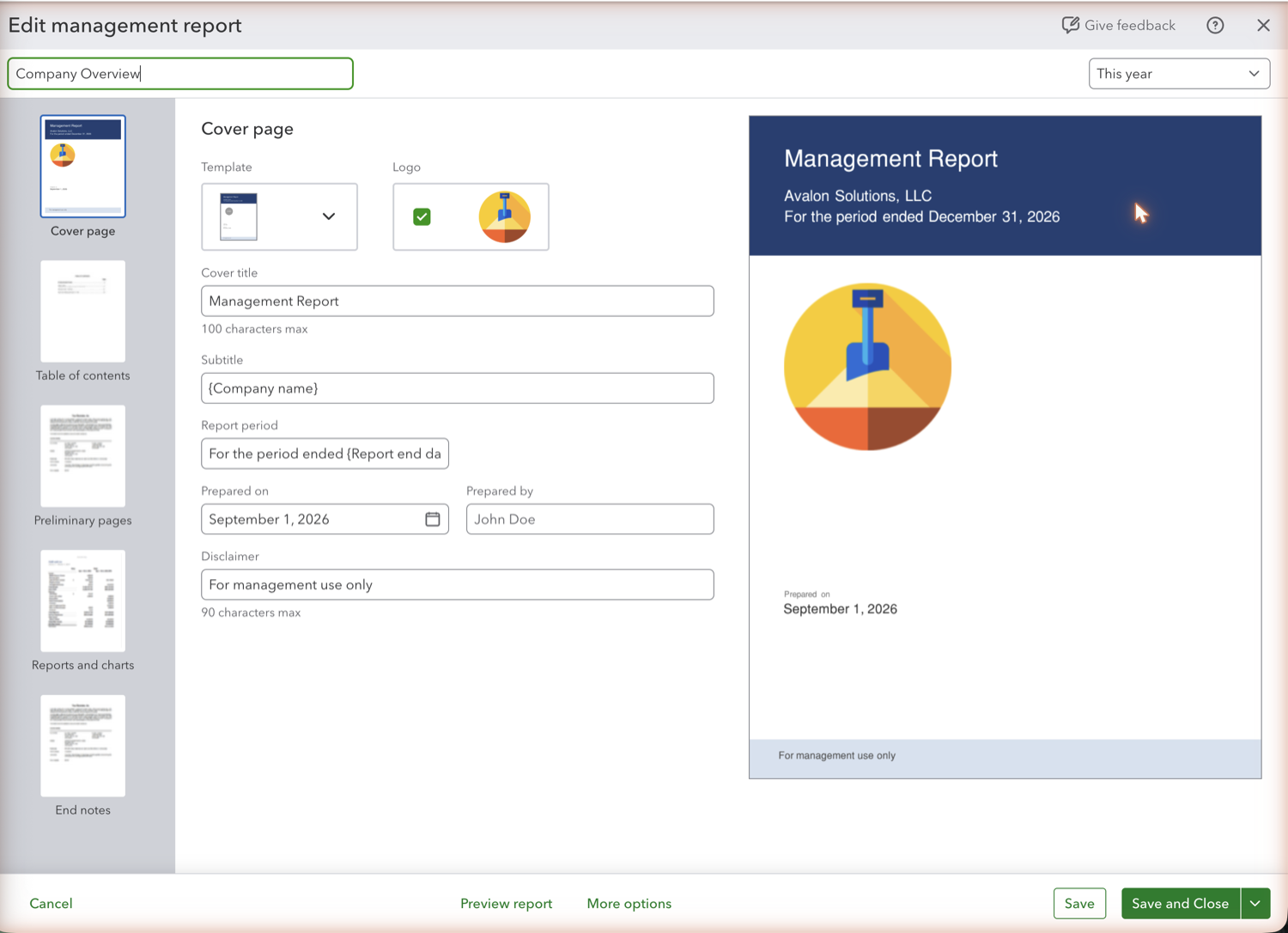
- Set the cover page and branding
Add your company or firm name, a logo, and the period the package covers. This is the part that makes the output look like it came from your firm rather than from an accounting system.
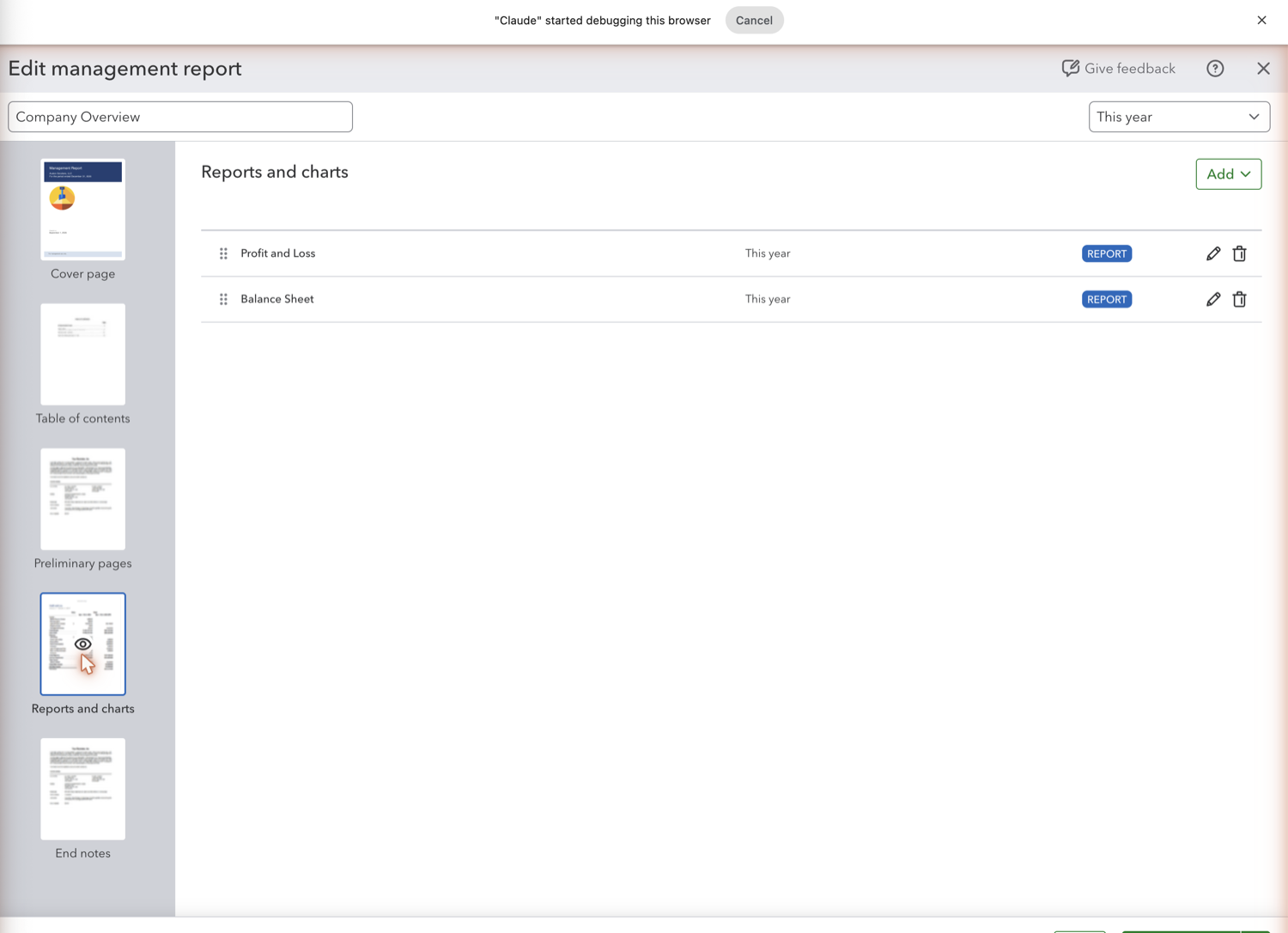
- Choose the reports in the package
Add the statements the reader needs, commonly Profit and Loss, Balance Sheet, and Statement of Cash Flows, and set the period for the package as a whole. Reorder them so the package reads in the order you would present it.
- Write the commentary pages
The preliminary and closing pages hold free text. This is where the explanation goes, and it is usually the only part of the package the reader remembers.
- Export, and plan around the PDF limit
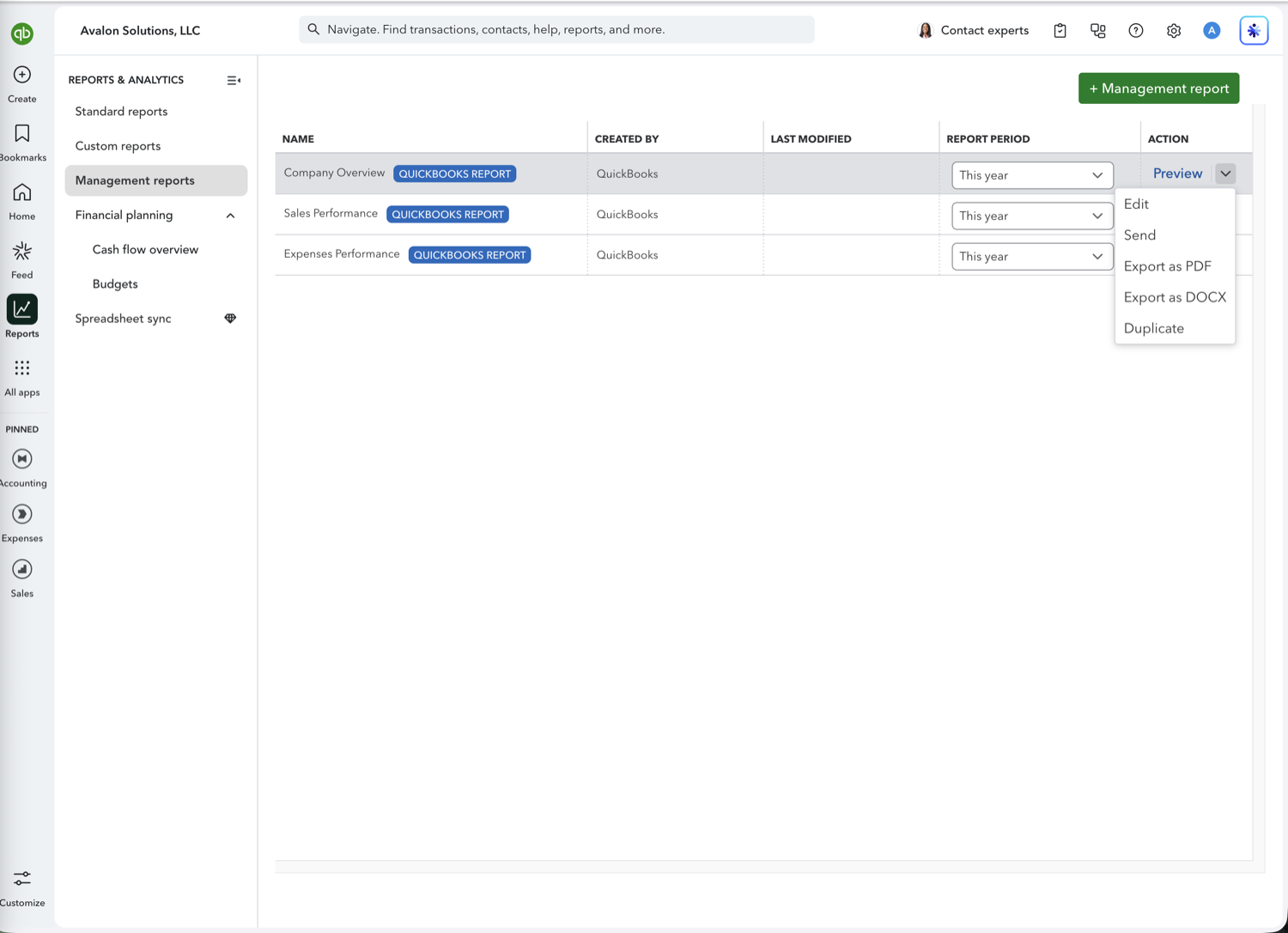
The Action menu on each package offers Edit, Send, Export as PDF, Export as DOCX, and Duplicate. So you can get a Word file as well as a PDF, but there is no spreadsheet option: the numbers arrive as a laid-out document, not as data. Getting the set into Excel or Sheets is a long-standing request on Intuit's public feedback board. If your process needs both, build the package for presentation and pull the same reports into a spreadsheet separately.
See also
Frequently asked questions
What are management reports in QuickBooks Online?
Report packages that wrap your financial statements in a cover page, table of contents, and commentary pages, so a month-end set can be sent as one branded document instead of several separate reports.
Which QuickBooks plan includes management reports?
Management reports are available on QuickBooks Online Plus, verified in a Plus company on 1 September 2026, where the three starter packages are present under Reports. Intuit's public plan comparison lists a "Management reports" line only under Advanced, so the two do not agree. Check the Reports page in your own company rather than the comparison table.
Can I export a management report to Excel?
No. A package exports as PDF or DOCX only, so you can get a Word version but not a spreadsheet. Getting the same numbers into Excel or Sheets means exporting each report on its own, or pulling them into Google Sheets with a tool that can refresh them.
Can I add my own commentary to a management report?
Yes, on the preliminary and closing pages. What you cannot do is put commentary next to a specific line of a statement, which is why many firms rebuild the package in a spreadsheet where a notes column can sit beside the numbers.
Can management reports be sent automatically each month?
Packages can be emailed on a recurring basis. The reports inside are regenerated for the period you set, so the recipient gets current figures without you assembling the document again.
Tired of rebuilding reports? Need more customization?
Retriever pulls QuickBooks Online reports like this one into Google Sheets on a schedule. They refresh on their own, and once the data is in Sheets you can pivot, chart, and customize it far beyond QuickBooks' fixed report layouts.
See how Retriever worksRelated report guides
Questions about this report? Reach out at aubrey@retrieverhq.com.

© 2026 Avalon Innovation Corporation. All rights reserved.
🇺🇸 Built in Orange County, California