
Changes to Your Chart of Accounts
How Retriever handles row renaming and re-ordering.
How It Works
QuickBooks orders accounts alphabetically, and sub-accounts alphabetically within each parent account. When your Chart of Accounts changes, Retriever will modify your existing reports to match the new structure as it appears in QuickBooks.
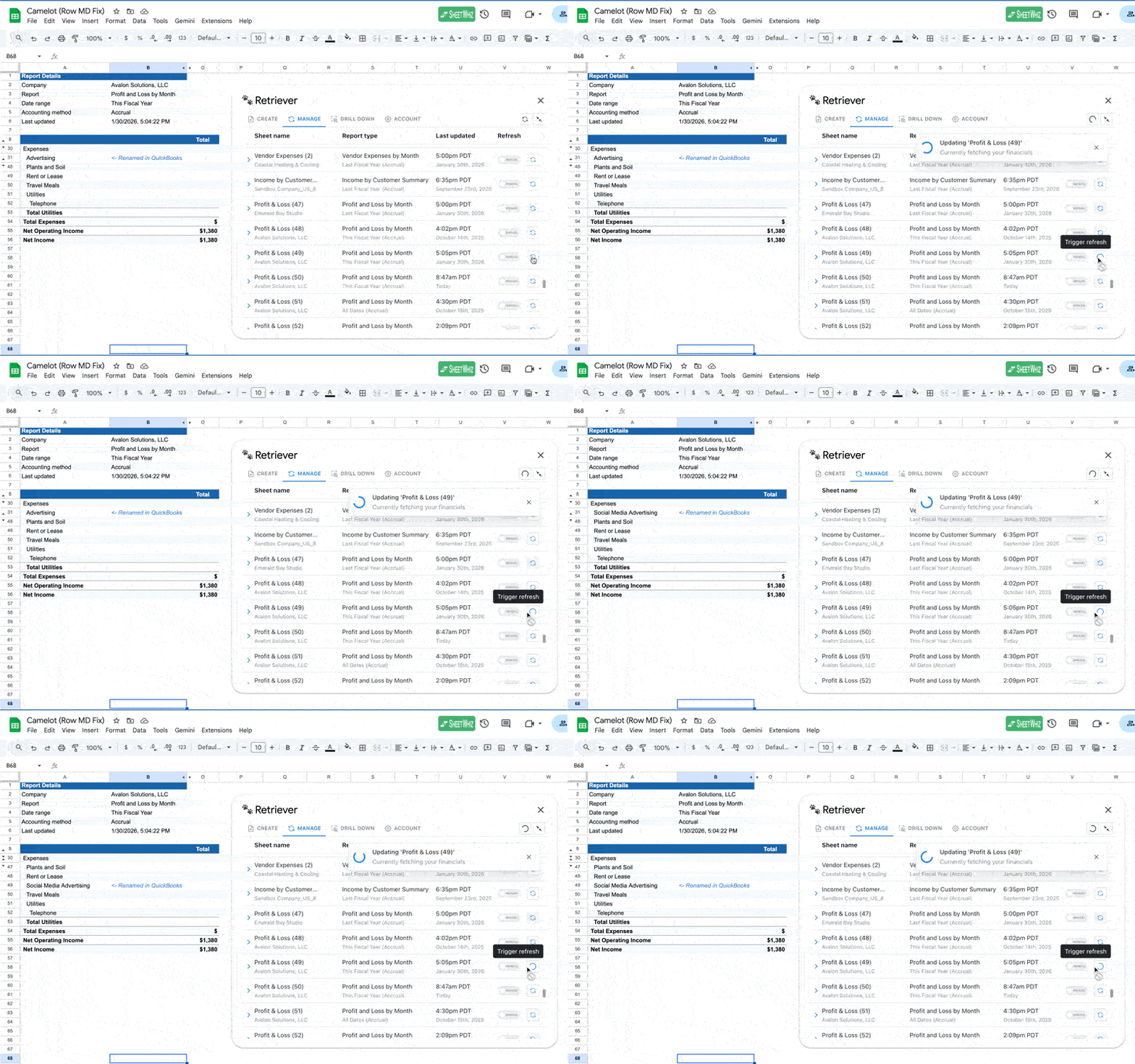
When an account name changes in QuickBooks, Retriever updates the name in your spreadsheet and automatically re-orders the row to match the QuickBooks order on the next refresh. The entire row is moved, so any formulas referencing that row will update accordingly.
Example: "Advertising" is renamed to "Social Media Advertising." Retriever updates the name and re-orders the row between "Rent or Lease" and "Travel Meals" to match QuickBooks.
FAQ
What happens if I rename an account?
Retriever updates the name in your spreadsheet and automatically re-orders the row to its position in QuickBooks. The entire row is moved, so your formulas stay intact.
What happens if I group or ungroup an account?
The same re-ordering applies. If a sub-account is moved to a different parent — or promoted to a standalone account — Retriever will re-order the row into its correct position on the next refresh.
What happens if I add a new account in QuickBooks?
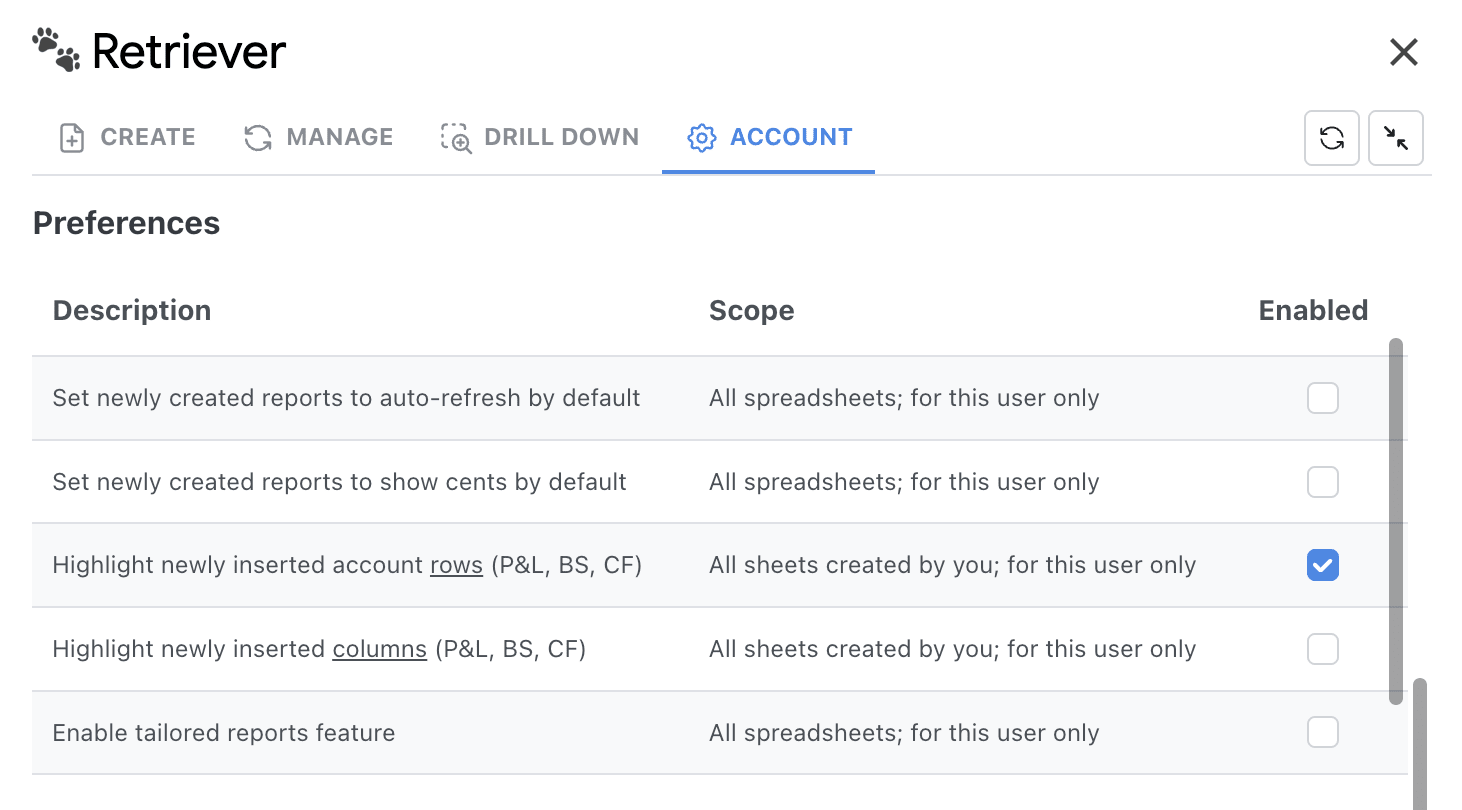
On the next refresh, Retriever inserts a new row for that account in its correct position according to the QuickBooks order.
Manual Re-ordering
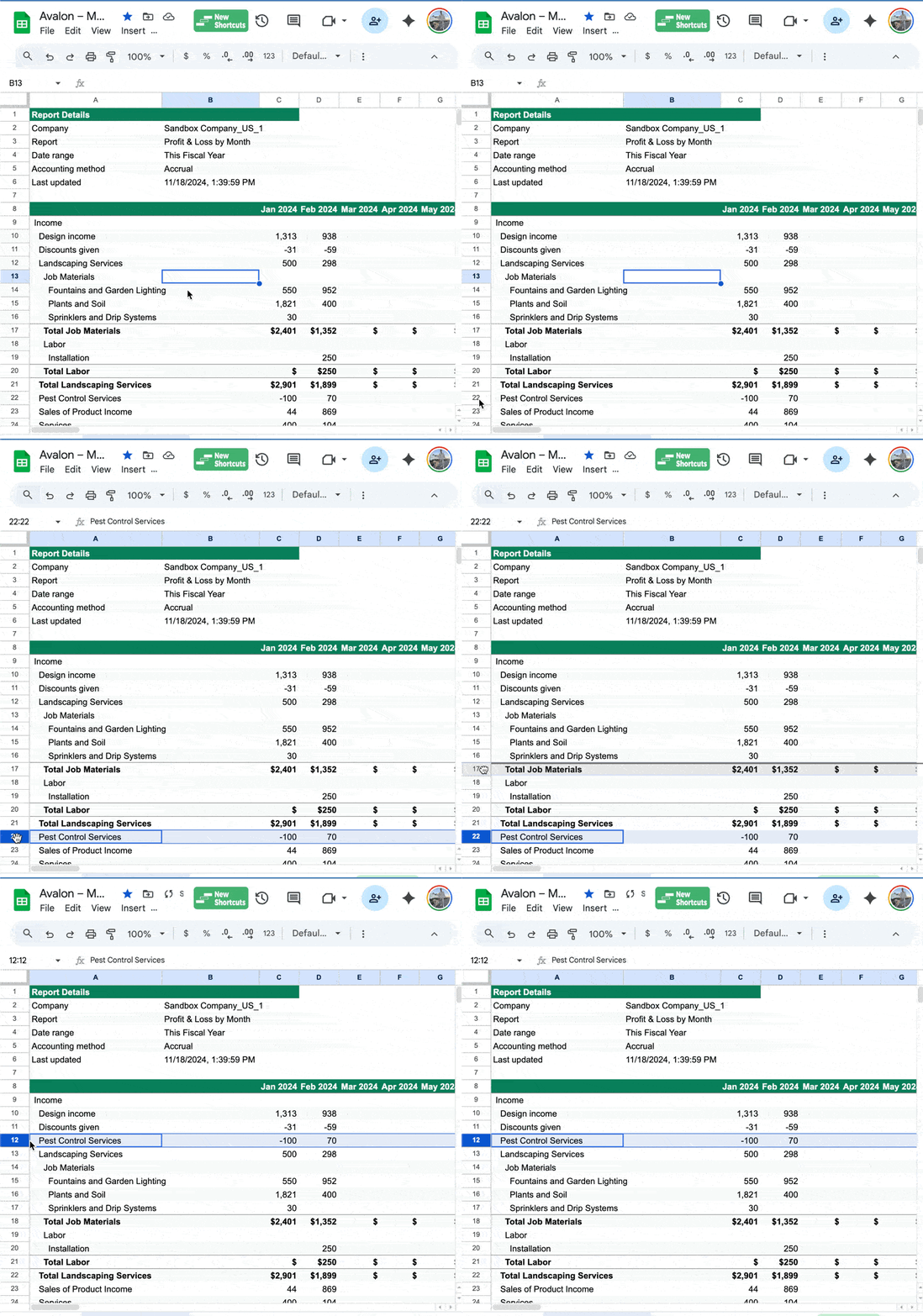
You may still manually re-order rows by selecting an entire row and dragging it to the desired position.
However, if a row is placed in an invalid position, Retriever will automatically correct it on the next refresh. For example, if you move a "Banana" sub-account under "Vegetables," it will be re-ordered back under the "Fruits" parent account.
Summary
- Rows are placed in the same position as they appear in QuickBooks at the time of creation or refresh.
- When an account name changes, Retriever updates the name in your spreadsheet and automatically re-orders the row to match the QuickBooks order. Formulas referencing that row will update accordingly.
- You can manually re-order rows by dragging them, but incorrectly placed rows will be corrected on the next refresh.
Have questions or feedback?
Reach out at aubrey@retrieverhq.com

© 2026 Avalon Innovation Corporation. All rights reserved.
🇺🇸 Built in Orange County, California