
How does Retriever know which rows and columns to refresh?
Retriever has a sophisticated backend architecture that keeps track of rows and columns in your spreadsheet.
For example, any refreshes to the Income Statement will always populate the row for Revenue and the column for January with the corresponding value.
You can even change the row label to "Revenue" to "Turnover" or column label "January" to "Jan", and Retriever will still know where to place the correct value for "Jan Turnover".
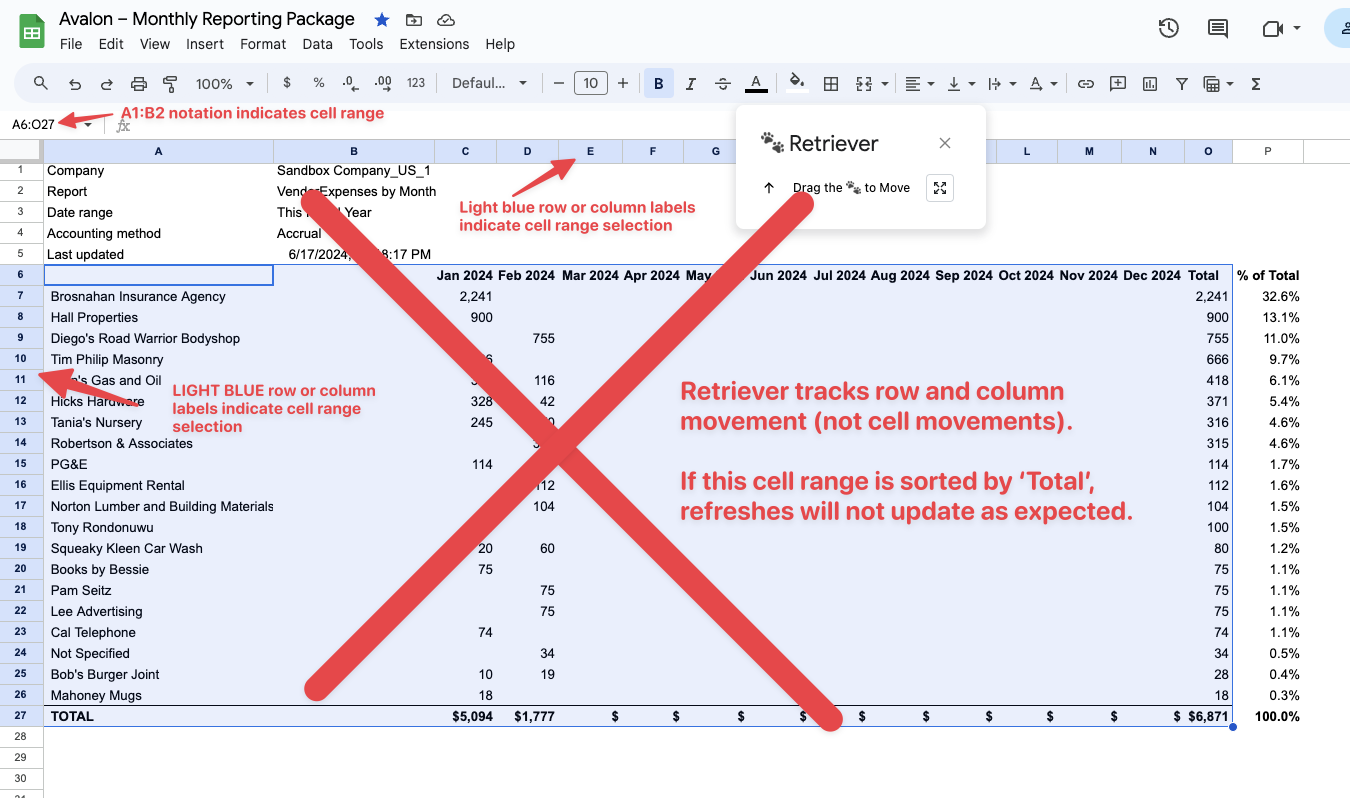
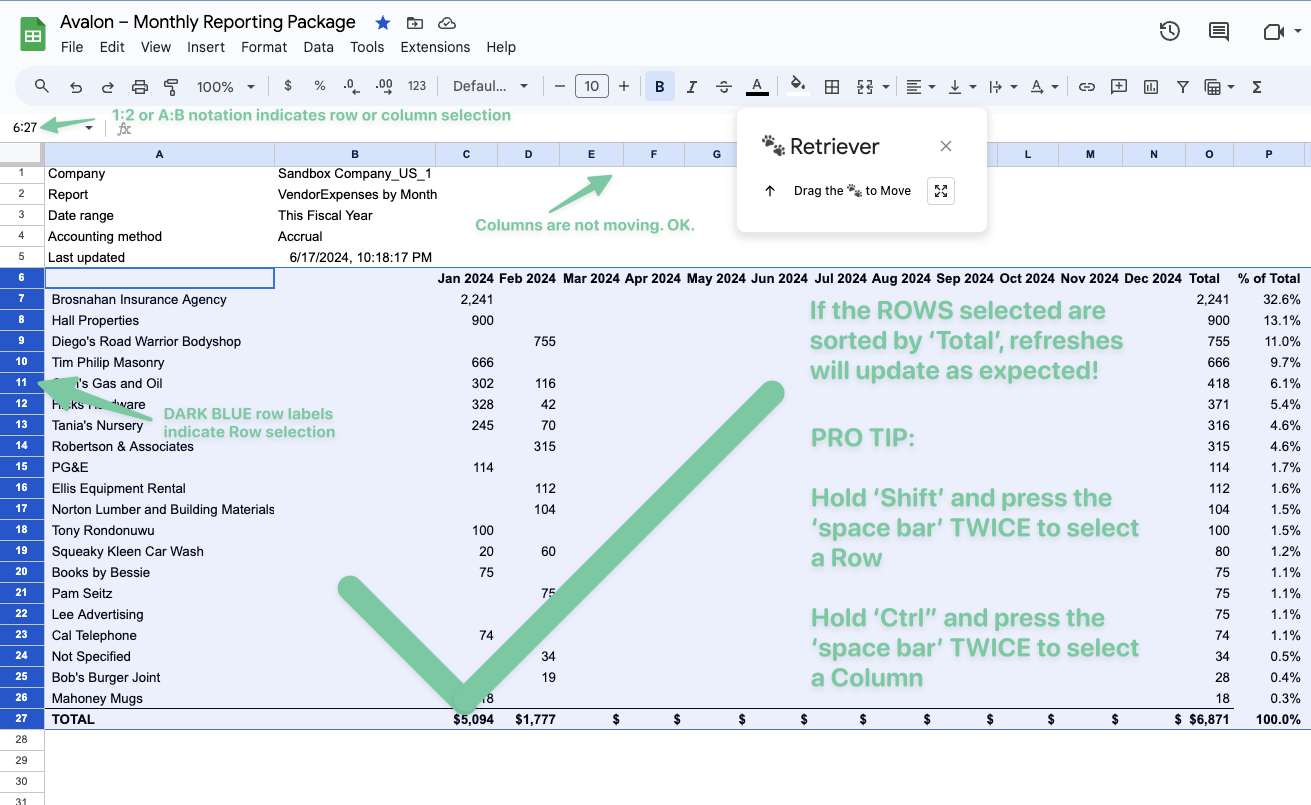
Any important caveat is that Retriever does not track the movement of individual cells or cell ranges.
For example, if you cut and paste individual cells or cell ranges, then a refresh will populate the values in their original cell locations.
The images below illustrate how to properly handle a scenario where you would like to create a Vendor Expense report, and sort the vendors by the total expense amount.
If you have any questions or would like to speak with a human, please reach out to me at aubrey@retrieverhq.com. You can also watch our demo videos on our YouTube channel (link in the footer below).

© 2026 Avalon Innovation Corporation. All rights reserved.
🇺🇸 Built in Orange County, California