
Fixing Google Multi-Login Conflicts
Why Google add-ons can break when you're signed into multiple accounts (and how to fix it).
The Problem
If you're logged into more than one Google account in the same browser (for example, a personal Gmail and a work account), Google Sheets add-ons (such as Retriever) can lose some of their functionality.
This isn't a Retriever bug. It's a known limitation in Google's Apps Script platform, which powers all Google Sheets add-ons.
What's happening under the hood is that even though your session is logged into the correct account, Google is checking permissions against your default Google account. If that account does not have Retriever installed, Google will reject the request due to a lack of authorization.
Symptoms
If you're experiencing multi-login conflicts, you may notice:
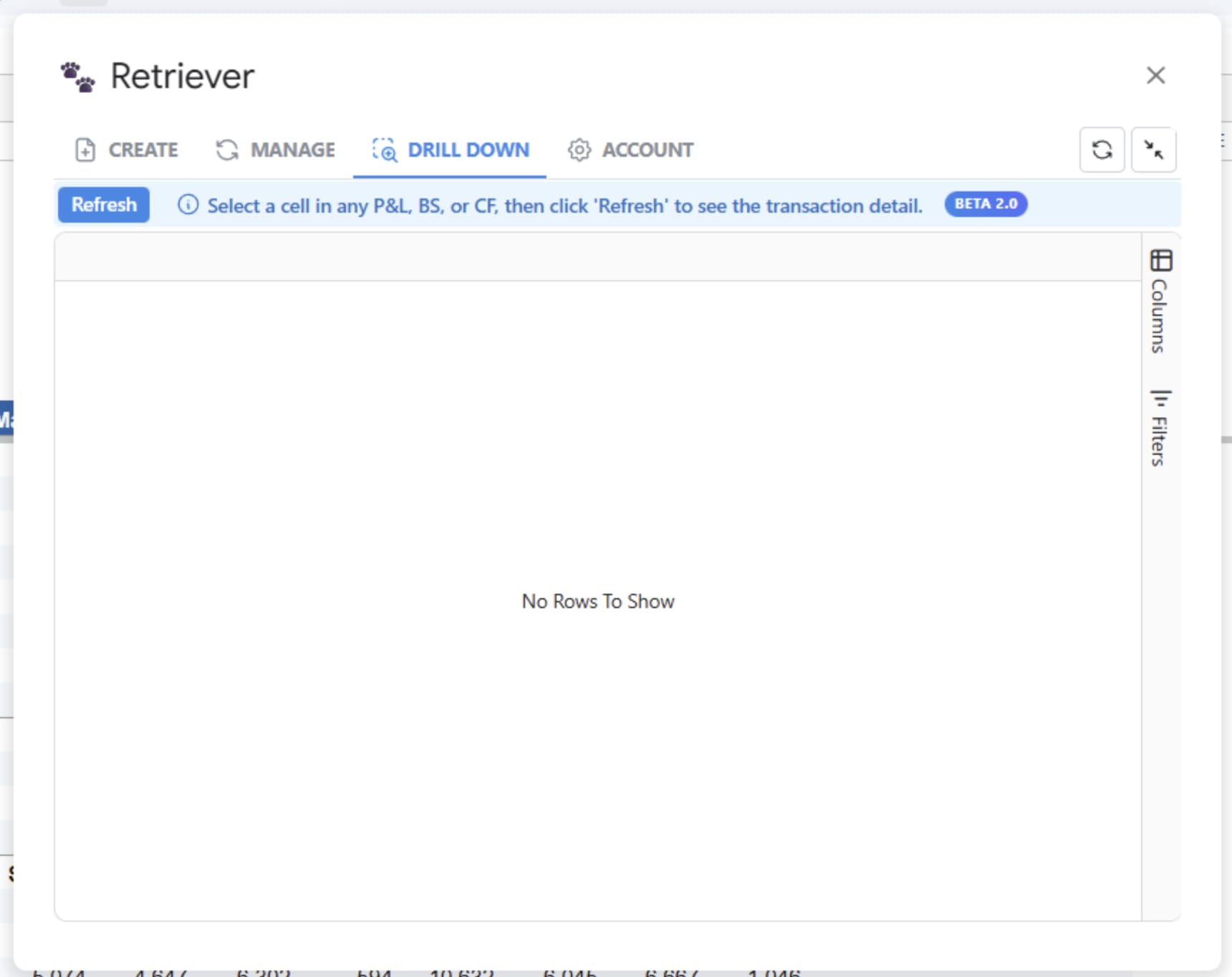
- The "Drill down" feature does not work properly. It returns "No rows to show" when you know there should be data present.
Solutions
Option A: Log Out and Back In
- Sign out of all Google accounts in your browser.
- Sign back in with only the account you use for Google Sheets and Retriever.
- Open your spreadsheet and try the add-on again.
This works, but you may need to repeat it any time you sign into a second account.
Option B: Use a Dedicated Chrome Profile
A Chrome profile keeps your accounts completely separated at the browser level, so Google never gets confused about which account is "active."
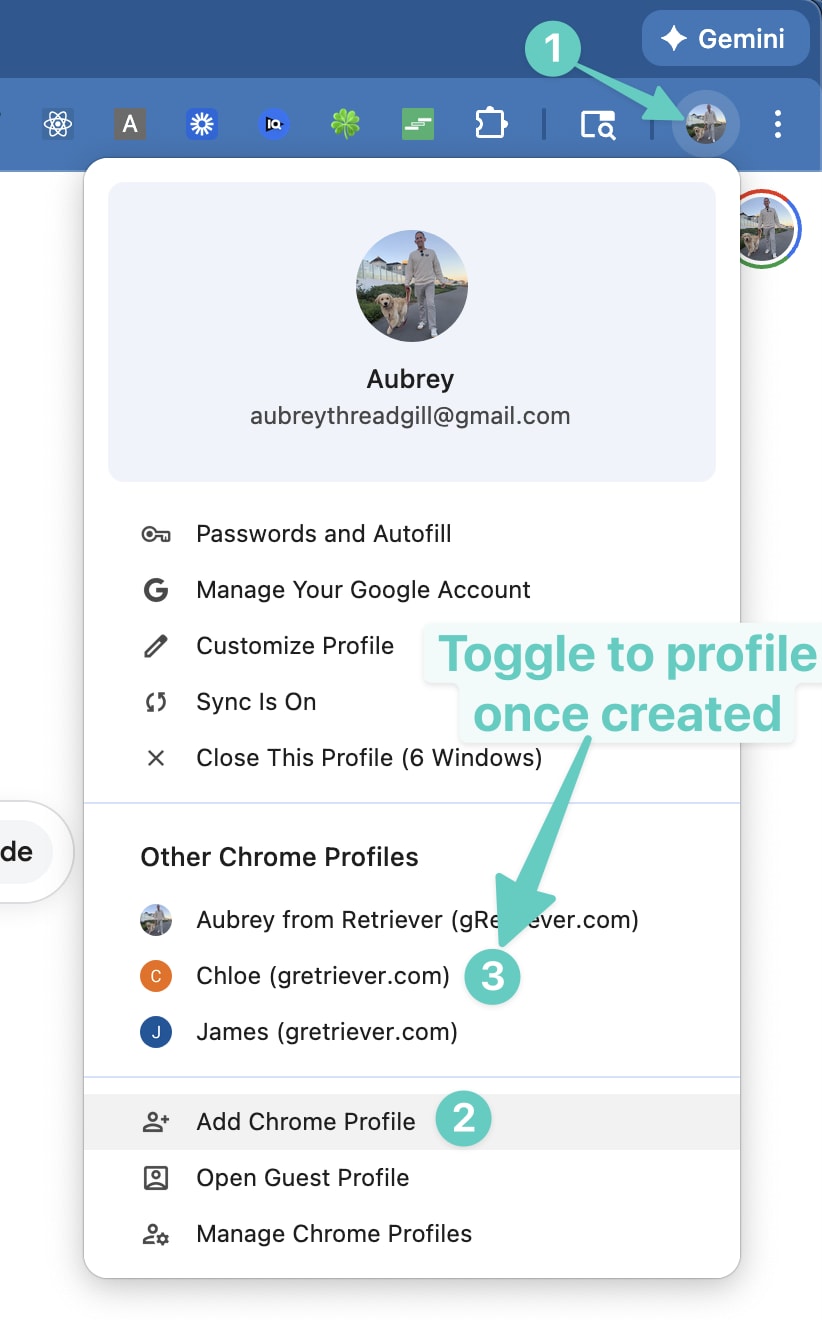
- In Chrome, click your profile icon in the top-right corner of the browser window (next to the three-dot menu).
- Click Add to create a new profile.
- Sign in with the Google account you use for Retriever.
- Use this profile whenever you work in Google Sheets with Retriever.
Yes, This Has Been a Known Bug for a While
Now, I know, "it's Google's fault" sounds a bit like "my dog ate my homework" when one of us is a multi-trillion dollar company and the other, well, isn't. But this one is real, well-documented, and has been an open issue on Google's bug tracker since November 13, 2017 (that's 8 years and 11 months and counting). The bug has hundreds of reports from developers and users across every kind of Google add-on, not just Retriever.
If you'd like to help us apply pressure to get this fixed, please upvote the issue in the linked issue tracker.
Summary
- Being logged into multiple Google accounts can cause add-ons (such as Retriever) to malfunction.
- This is a known Google platform bug that has been open for 8 years and 11 months.
- The easiest fix is to sign out of all Google accounts and sign back into just the one you use with Retriever.
- For a more permanent fix, create a dedicated Chrome profile for the account you use with Retriever.
Have questions or still running into issues?
Reach out at aubrey@retrieverhq.com

© 2026 Avalon Innovation Corporation. All rights reserved.
🇺🇸 Built in Orange County, California